Rolph K
Inspiring
February 15, 2023

Komposition Bug

  • February 15, 2023
  • 13 replies
  • 957 views

Hi,


ich habe ein Video/Bild/Text... in der Timeline.

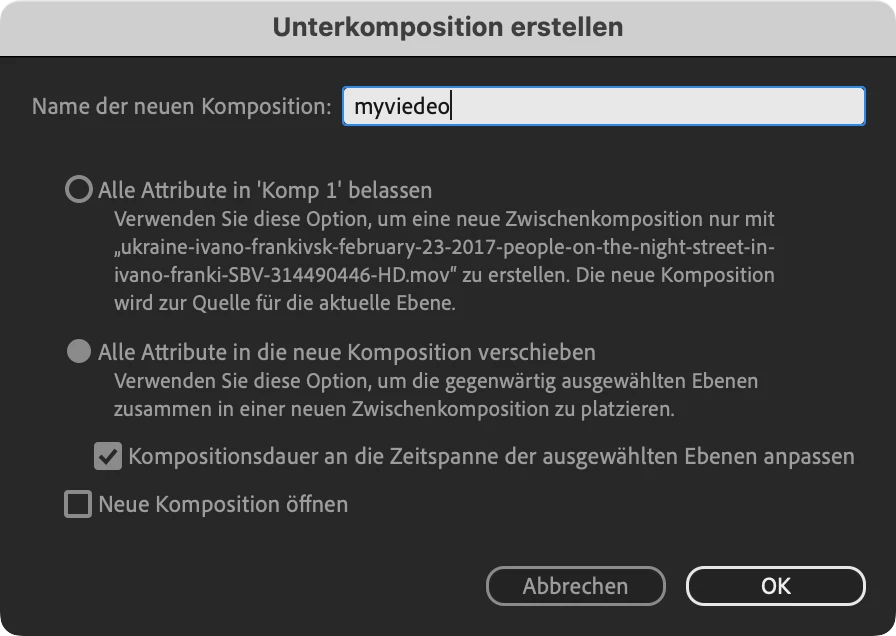
Nun markiere ich dieses Objekt und klicke auf "Unterkomposition erstellen".

Dabei hake ich "Kompositionsdauer an die Zeitspanne...anpassen" an.


Wenn man nun einen Ebenendauerabhängigen Effekt oder Expression anwenden möchte (zb Fade in/out oder "Ein- ausblenden" aus den AE Presets/Behaviors) funktioniert dieser Effekt nur am Beginn der Komposition, nicht jedaoch am Ende.

Sprich: der FadeIn klappt, der Fadeout nicht.


Ist das ein Bug?


lg


AE 23.2

Mac Mini M2
OS 13.2.1
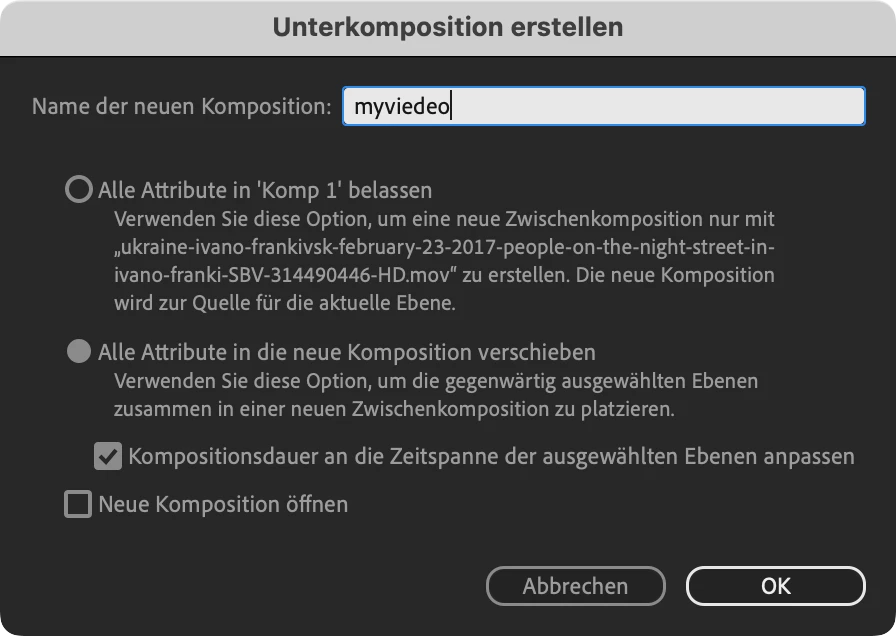
 

Ignoriere ich das Häkchen "Kompositionsdauer ...anpassen" ist alles ok.

This topic has been closed for replies.

13 replies

JohnColombo17100380
Community Manager
Community Manager
February 16, 2023

Thank you for that information, @jane-e! I wasn't aware of that limitation for newer users. 

JohnColombo17100380
Community Manager
Community Manager
February 16, 2023

@Rolph K I believe this issue with Bridge is known and being looked into—from what I know about, double-clicking an .ffx preset in Bridge shows an error in After Effects, but using the "Place in After Effects..." command in the right-click menu works as expected. Can you confirm this is what you are experiencing? If the "Place in After Effects..." command does not work, then it might be a different issue.


- John, After Effects Engineering Team 

jane-e
Community Expert
Community Expert
February 16, 2023


@JohnColombo17100380 wrote:

I will contact our forum team about the inability to edit posts so that this is not an issue again in the future.


New users cannot edit their own posts in the Adobe forums, John. They have to have been around a while with a certain number of posts. 


Jane


Rolph K
Rolph KAuthor
Inspiring
February 16, 2023

John, on another note: Animationpresets cannot be attached via Brigde to After Effects. The Presets work fine selected directly within the effects panel in AE, but if you try do attach them via Bridge you get an errormessage.

Others also have this issue.
Probably i should open a new thread or could you just forward this to the relevant department??

Rolph K
Rolph KAuthor
Inspiring
February 16, 2023

Thank you!!!! 👍

JohnColombo17100380
Community Manager
Community Manager
February 16, 2023

Thank you for confirming that the issue is the same, @Rolph K. I've linked the issues on our side and we will be investigating a fix for a future version of AE.


Thanks again,

- John, After Effects Engineering Team  

JohnColombo17100380
Community Manager
Community Manager
February 16, 2023

My apologies @Rolph K! I've edited your post to remove the personal info that was accidentally posted. I will contact our forum team about the inability to edit posts so that this is not an issue again in the future.


- - John, After Effects Engineering Team 

Rolph K
Rolph KAuthor
Inspiring
February 16, 2023

Kindly delete my private data i recently posted ... ehy is there no edit or at least a delete function?


Rolph K
Rolph KAuthor
Inspiring
February 16, 2023

Hi


Yes,

it’s been reproduced in another way, but the problem is 100% the same

JohnColombo17100380
Community Manager
Community Manager
February 15, 2023

Hi @Rolph K,

The issue in your video appears very similar to this one that was previously reported: https://community.adobe.com/t5/after-effects-bugs/bug-in-expression-layer-outpoint-with-precompositions/idi-p/13384121. Does it appear to be the same issue to you as well?


Thanks for reporting this issue and for any further information you can provide, 

- John, After Effects Engineering Team