

Matorototo
Participating Frequently
June 23, 2023

Strange cropped/repeated edge when exported in media encoder

  • June 23, 2023
  • 42 replies
  • 26292 views

For some reason media encoder changes the position and repeats a section of my composition when exporting.

After effects Preview
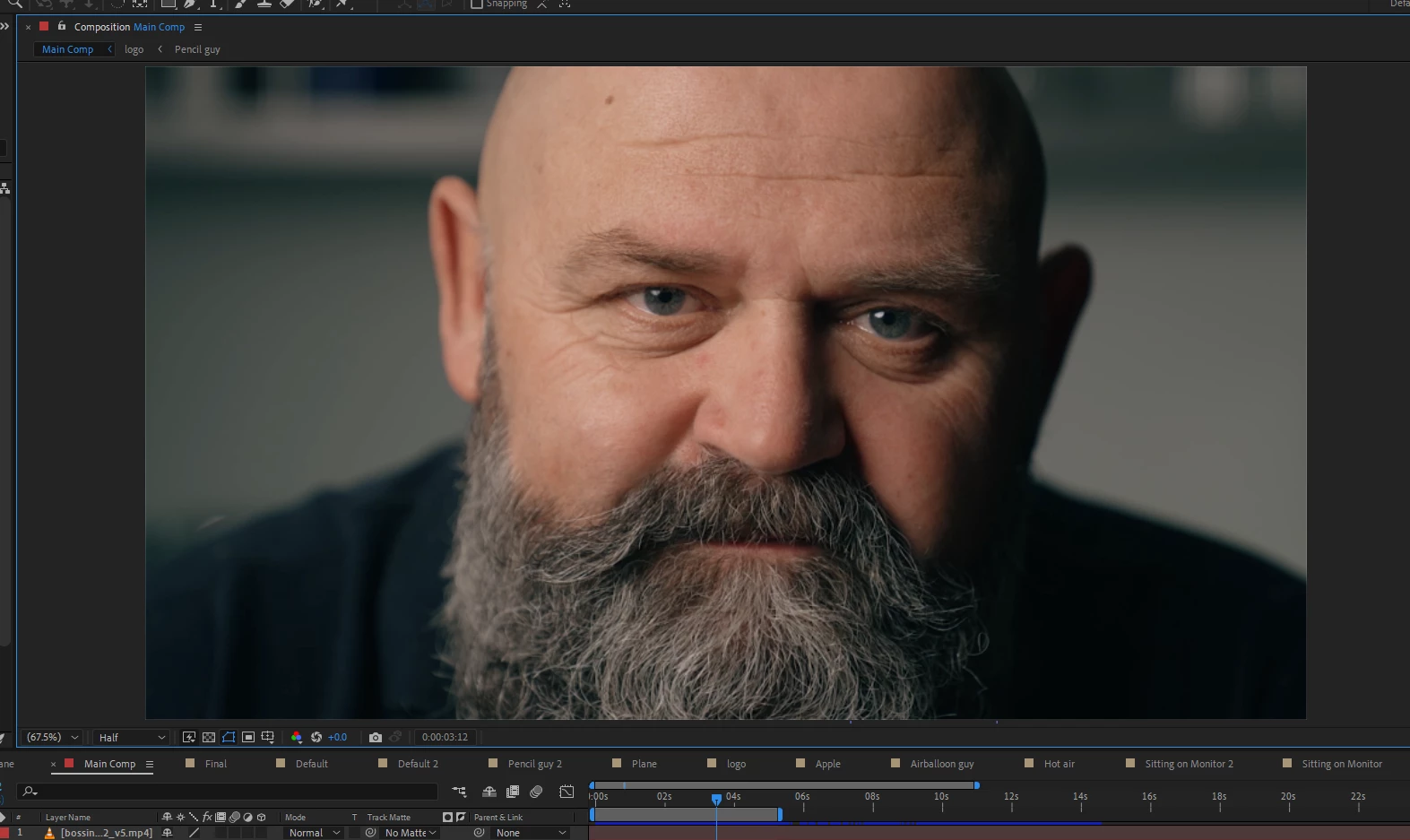
Media encoder output
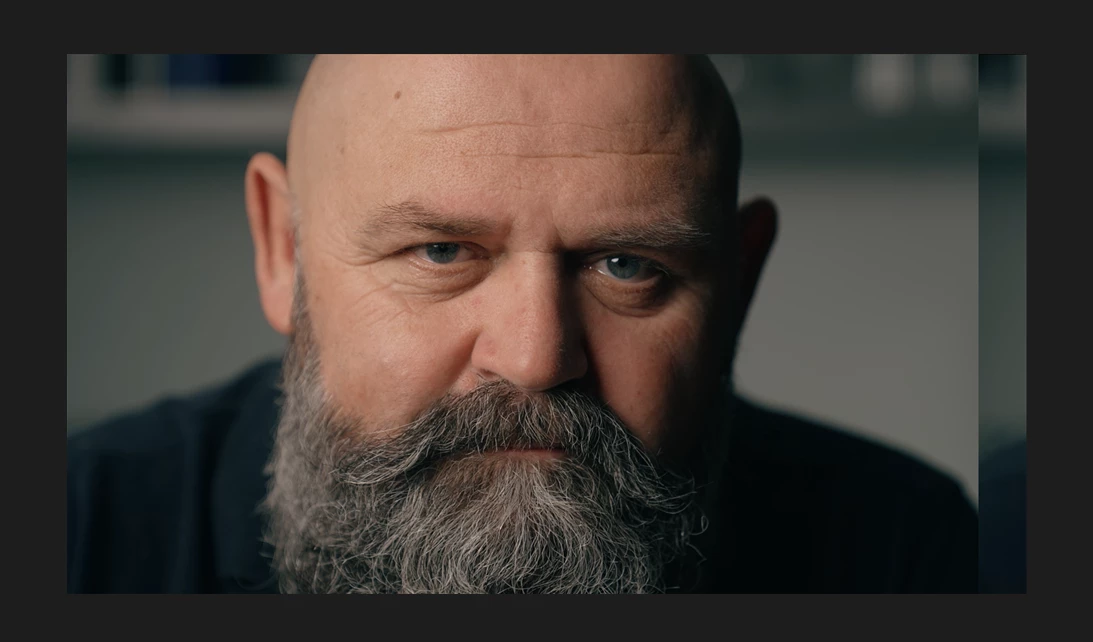


This issue occured when I tired to render the composition in Quicktime Format. It affects the output of the video, and when I try to switch back to H.264, the updated position+repeated edge persist.

I managed to replicate this exact issue with a totally different composition using the same steps which makes me think its a media encoder issue.

42 replies

Participant
June 12, 2024

When exporting my video and duplicating a part at the end in the after

Participant
March 19, 2024

My composition window in AE returns different in PP.
Is there some configuration to equalize both window?
Thanks

Jenkmeister
March 19, 2024

Please make sure you are running the same version of AE and Premiere. There was an issue in 23.4/23.5/23.6 that caused a break between different versions of the apps. 

christ12274520
Participating Frequently
March 7, 2024

Hi all,


I am building a MOGRT in AE for Prem. I am having an issue where the alignment of the MOGRT offsets, once it is in the premiere timeline, and I am not sure why.

The AE project is perfectly fine, but when in prem it is all off-centre. I have added a grid as an example to show the issue. I have opened the MOGRT in AE directly, and there is no issues with the alignment or the MOGRT in general


I have tried using a fresh project, fresh composition, new mogrt, new premiere project, but nothing seems to be working correctly. I have even been through the project deleting assets to see what caused it and nothing.

Any help or guidance would be much appreciated.

I am using AE 2023, and this is the first time I have had this issue.

Mylenium
Legend
March 7, 2024

Since there is content outside the comp, this could be an issue with effects referencing a wrong layer boundary or such. I'd check that and in case of doubt pre-compose where possible.


Mylenium

Participant
September 5, 2023

hello Friends I need your help with my after effect,  when I go back to premier pro after replace with ae composition, the alignment position of the video changed. i cant reposition it on premier pro. please help.

Mylenium
Legend
September 5, 2023

Update AE to v. 23.6 and Premiere as well. It's a known bug and the update fixes it.


Mylenium

Flame2bits
Known Participant
August 23, 2023

Media encoder 23.6 (62) Slips the image sideways when exporting. All presets gets the same treatment.


Se image


Win 10

After effects 2023 third latest update but AE exports fine with render que.

Jenkmeister
August 23, 2023

Please make sure media encoder and after effects are both running 23.6. 

Participant
August 22, 2023


hello I'm architeture contents creator in Korea

recently i try to make short video for posting in my Instagram

but when i finshed my work than i render but that result has problem.

I used 1080 x 1980 farme it was okay but result screen is little wired some screen over and screen seems to pushed out and lillte over


I don't know how i fix this bug over issue please let me know

how to fix this problem


Participant
August 9, 2023

I have a problem exporting all my proyects in AE, because AE automatically change the position of my video. Anyone knows hot to fix it?

Mylenium
Legend
August 9, 2023

Downgrade to AE 23.4. It's a known bug.


Mylenium

CoSA_DaveS
Adobe Employee
Adobe Employee
August 9, 2023

Another fix that has started rolling out and should be fully available August 10: upgrade all the apps involved to version 23.6.

Participant
August 7, 2023

Dear All


Experiencing a strange issue where AE is displaying a character animator composition kind of wrapped round... as if one edge is cut off and moved over to the other side.


Hopefully the images better explain the issue. Its that section on the right of the image should be over on the other side.


I have made sure that I have updated all versions of Adobe apps. It has happened to me on other apps also, e.g. in premiere pro, and sometimes when everything is fine in PP I have then gone on to render in media encoder and the odd wrapped around effect has been rendered into the video.


Grateful for any help.


Many thanks

Mylenium
Legend
August 7, 2023

Downgrade yo AE 23.4. It's a known bug.


Mylenium 

Jenkmeister
August 2, 2023

I'm going to lock this thread now. The information is posted in the answer above in how to fix this.