_Maik
Known Participant
February 27, 2025

After Effects (Beta): Unable to allocate 132.563 MB of memory. Either decrease the memory requiremen

  • February 27, 2025
  • 14 replies
  • 1109 views

After Effects (Beta): Unable to allocate 132.563 MB of memory. Either decrease the memory requirements for the rendering of this frame, or install more RAM. (12803 / Unidentified caller.). For more information, see www.adobe.com/go/learn_ae_mem
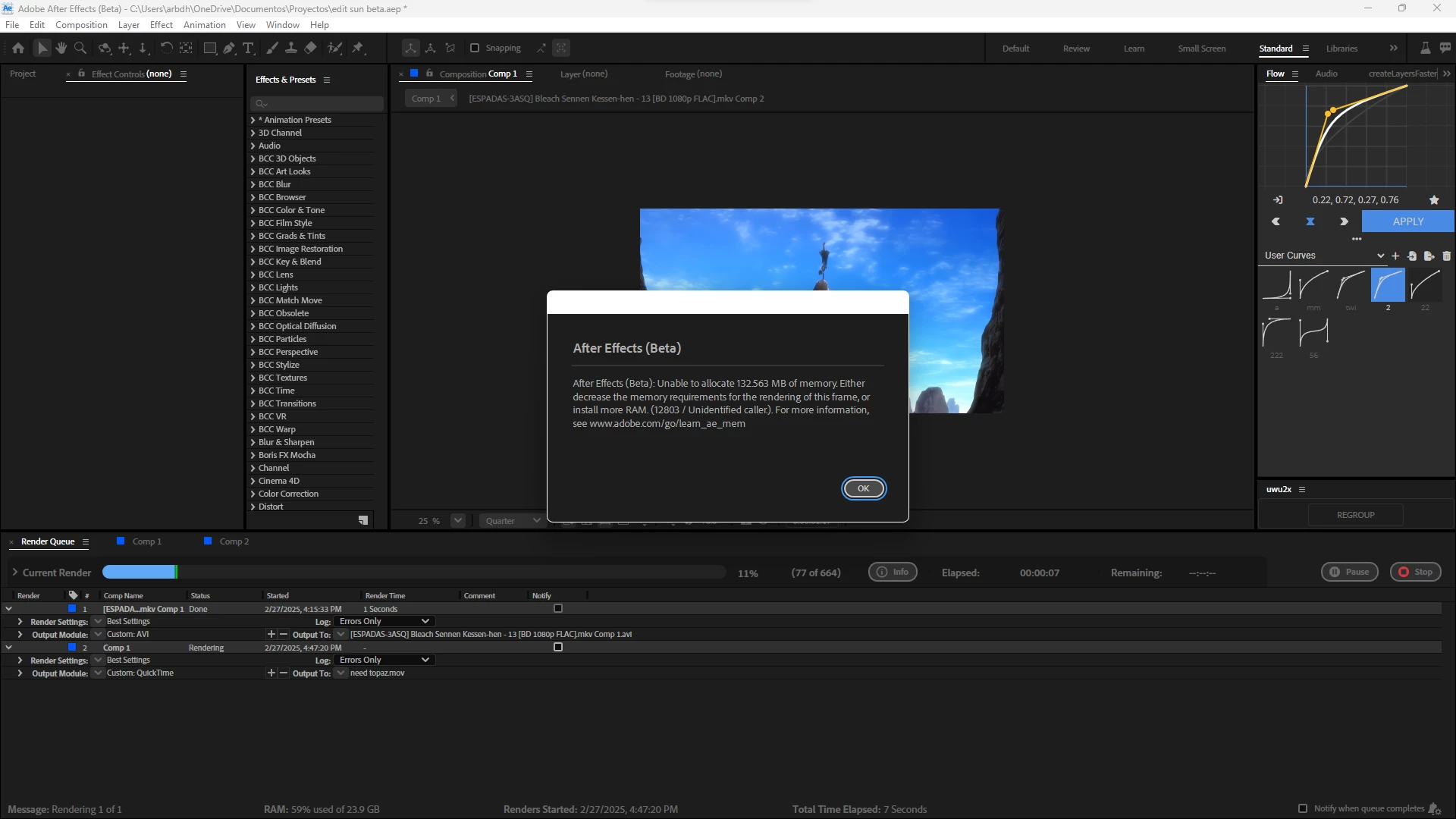
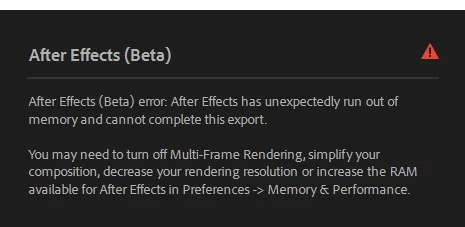
 

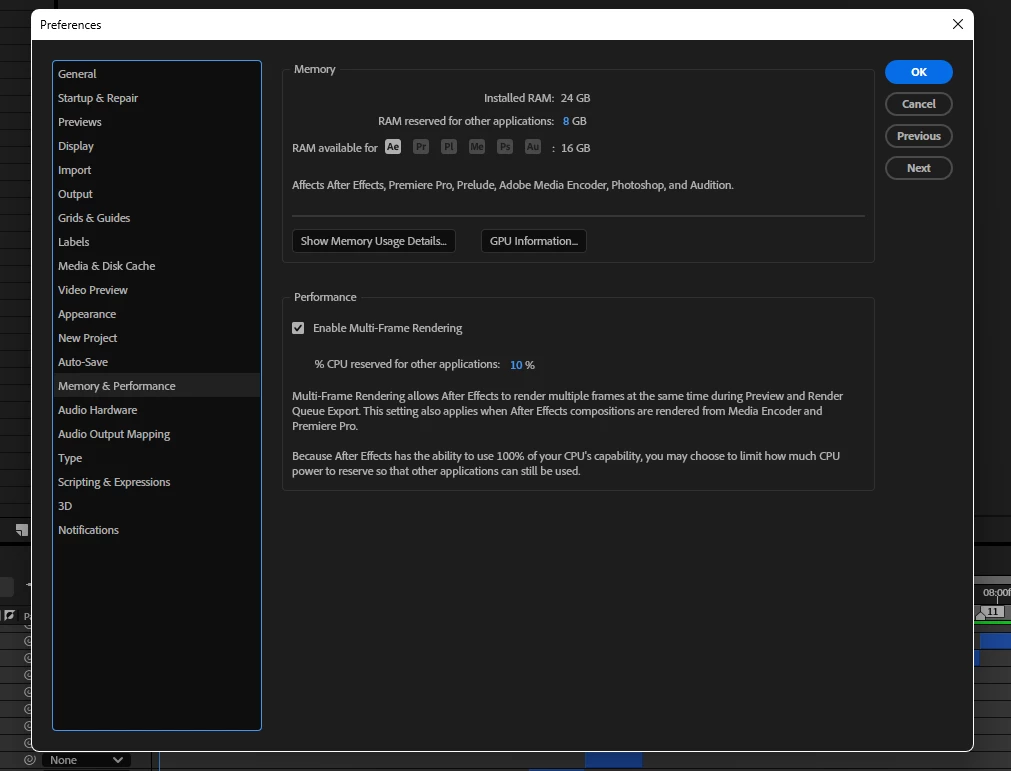
I'm testing the "beta" of AE and wanted to report this issue.. (which even happens in the official version 25.1) but here it's more constant because as you can see I'm rendering my video and I get this error, and they are just aligned clips without any effect (well, just one, the "twixtor pro" effect) which doesn't take up much space! but still it tells me that I'm out of memory idk.. I have 24 gb of ram of which I have assigned 16 to after effects (leaving 8gb so that windows 11 runs correctly) also even if I add the maximum it still shows up "even though it's a super light project" I'm also noticing that pressing the "space" key to preview has a delay of about 3-5 seconds " it seems that it lacks optimization in the render, I don't know, but I'll show you below how I have my Ae configured and my pc components


i5 9400f
gtx 1660 (6gb)
24gb of ram
ssd 256

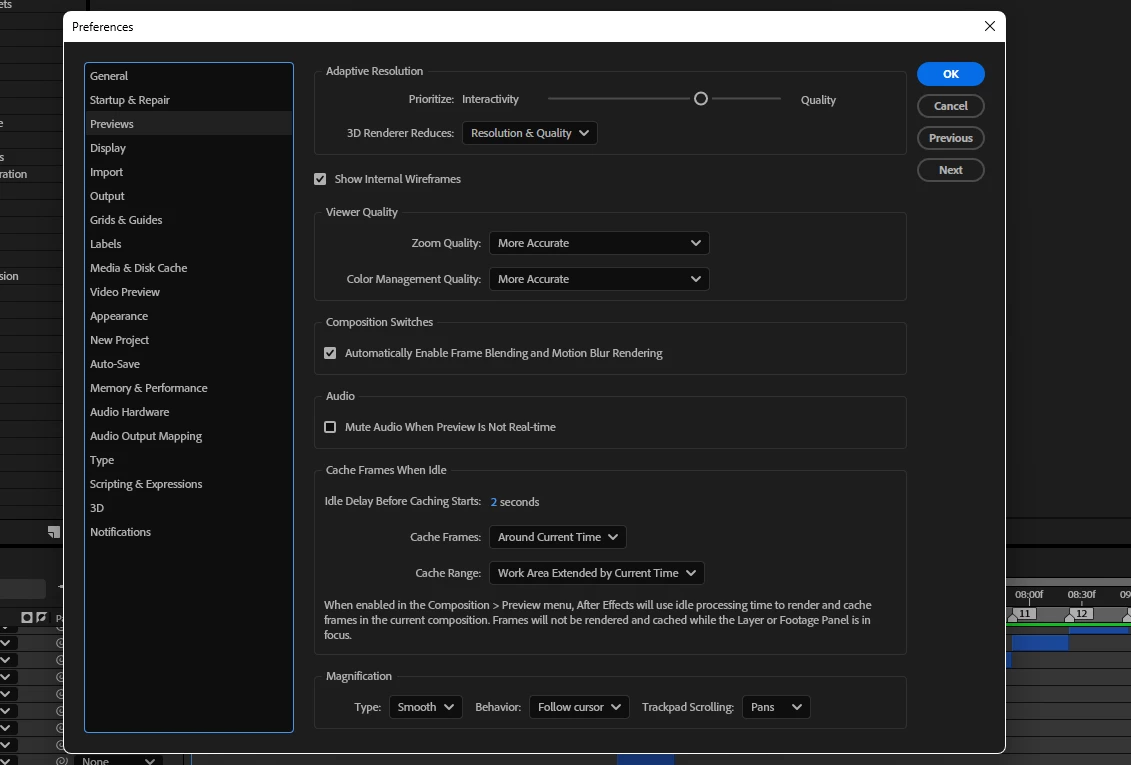
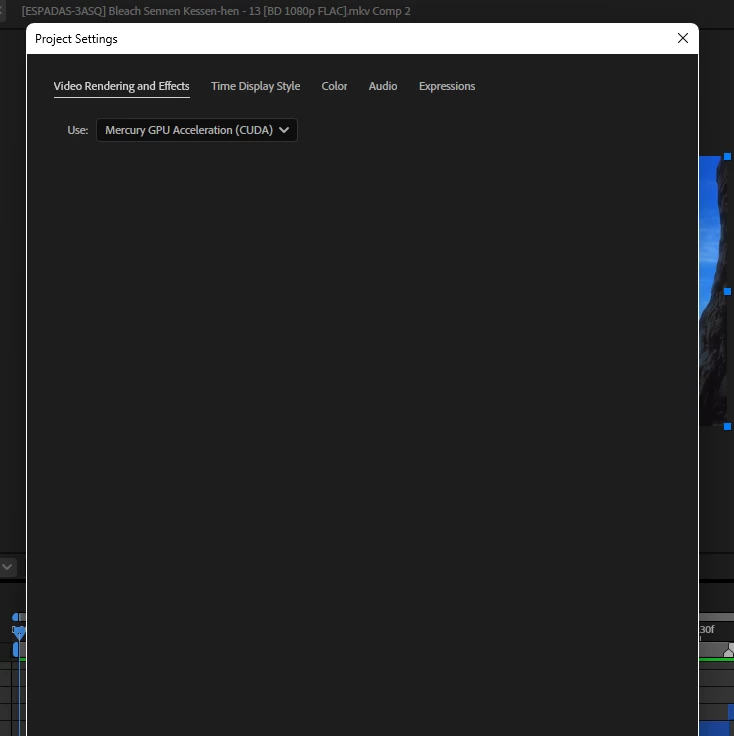
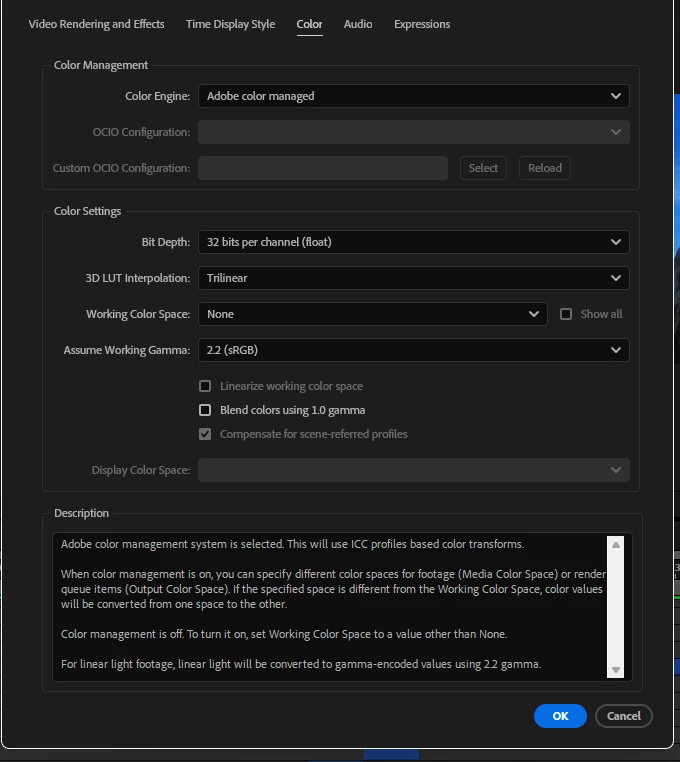
here are some screenshots of my after effects settings

Simple proyect i just use clips 
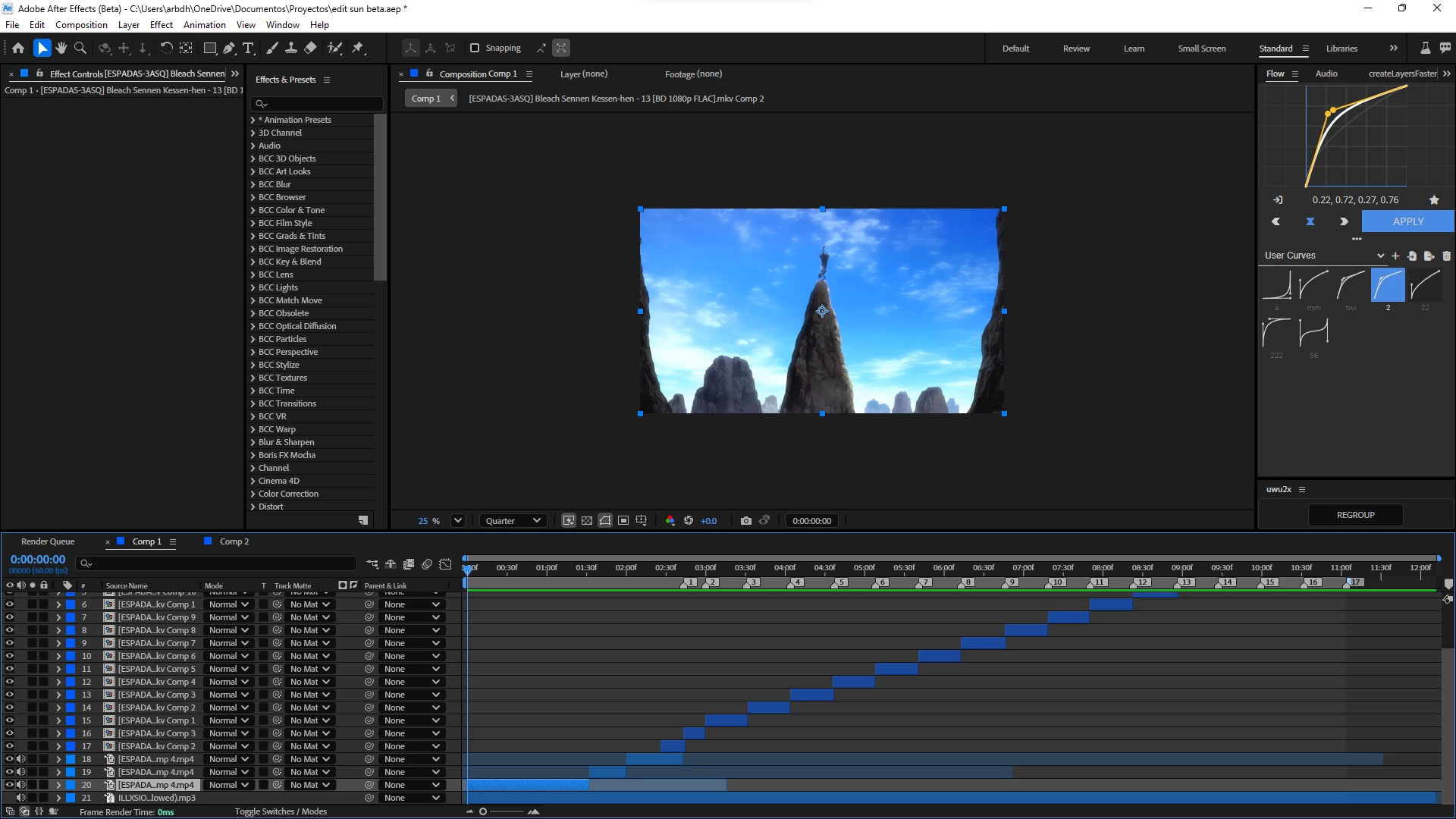
"the disk cache is completely empty"


14 replies

_Maik
_MaikAuthor
Known Participant
March 3, 2025

The composition is at 1080p... not 4k... and the amount of color depth... I like it to be 32 bits because it is necessary so that when adding color to the video it does not generate stains! Or noise.But it is understandable that this would happen if the composition was really in 4k... but I am aware of the limits of my PC... so I work in 1080p... otherwise I couldn't complain.,d From the fact that this happens, it would be reasonable for it to happen if I were editing at 4k

Jenkmeister
March 3, 2025

Thanks. So that looks like 4K comp resolution, potentially at 16 or 32bpc given the warnings I saw on some of the effects. Doing some quick math, that's about 2.8GBs of RAM needed per second. That doesn't factor into account any memory the plugins may holding onto, so that's likely why you're running out of memory, which is backed up by the Twixtor plugin change we tried earlier where you got through rendering 3x the frames. At this point, use the Beta where Preview from Disk Cache is available, or you'll need to work at a lower comp resolution or bit depth (do you really need more than 8 bpc for this)? 

_Maik
_MaikAuthor
Known Participant
March 3, 2025

Here I leave you a video of what the problem I mentioned about the 3-5 frames and also this memory problem is like... watch it and realize this problem is very annoying! 

https://drive.google.com/drive/folders/1MKMSnKVCVSYTniKAcPWXpw6dByNwePXU?usp=sharing

Jenkmeister
February 28, 2025

In the Memory & Performance preference is a Show Memory Usage button. The next time you hit the can't allocate error, go to that memory usage dialog and grab a screenshot of it and post it back here. Perhaps that can tell us a bit more about the state of things.

_Maik
_MaikAuthor
Known Participant
February 28, 2025


It came out again but this time with "roto brush" @jenkmeister17177426 


_Maik
_MaikAuthor
Known Participant
February 27, 2025

I understand that! But that only happens or at least I was used to it happening when I added the "reverb" effect to a long audio (not when it has nothing) anyway. I will continue to see how this update behaves and if I get "low memory" (which is what happens to me in AE 25.1) I will send you the project so you can analyze the problem. 

Jenkmeister
February 27, 2025

The 3-5 seconds might indicate an issue with the audio settings, or that it is taking that long to render a single frame to get preview started. Though if that's still happening after all the frames are green or blue, I'm not 100% sure what would be causing that delay. 

_Maik
_MaikAuthor
Known Participant
February 27, 2025

Mm Yes! I updated it yesterday... the 5frames problem is something that happens to me in version 25.1 because I'm just using the beta to edit. Well, I only used it to import files. "Mkv" since it is the only version that allows it.. I didn't use it for editing for the reason I mentioned about rendering.. which has a delay of 3-5 seconds.. Since I updated it yesterday I was hoping this would change and I'm trying to edit it but it still happens..  

Jenkmeister
February 27, 2025

Is your Beta build up to date? 25.2x122 is the latest. We introduced a new disk cache mechanic for playback which should better handle preview with low memory. I ask, since you're getting the 5 frame problem, and that sounds like an issue from before the changes went into Beta. Assuming you have the disk cache and the preview from disk preference enabled. 


_Maik
_MaikAuthor
Known Participant
February 27, 2025

I have already tried without Twixtor and it went past frame 77 but when it reached 235 it happened again... and so the idea is that I can render the Twixtor effect with the clip because if I don't do it the camera won't be Good! Also, it is something that even happens in the official AE 25.1. I could give you the project but it would be absurd "according to me" because you will not have access to the clips and neither to the "Twixtor" effect. In case you don't have the plugin... In my opinion it must be related to the way in which after effects is managing the ram memory! Well another thing that is usually annoying is when you get This error message has been around for a while and it still hasn't been fixed!   Because of it it is impossible to render! So you have to do it in parts, every 5 frames the timeline is pasted and turns blue and only the green part is rendered and it is repeated simultaneously. And when you try to render the blue part, the same thing happens.. it only renders 5 frames and it starts repeating that 5 frame playback.. which is very annoying.. so this could be it  Regarding how after effects is managing resources 

I could give you the project file but as it highlighted at the beginning it wouldn't work... or I could also put the clips in a folder... but the Twixtor effect would be the problem... what do you say?  (but it should be noted that I restarted and was able to render) but it is an error that persists and it is not the first time that it happens to me... in my case I do not render in MP4 so even if the rendering is cut off and In the middle of a project I can recover what had already been rendered.. but those who render in MP4 and their project takes hours to render and when it has advanced enough.. and And this happens to you when you are about to finish after exhausting hours, you lose your rendering because MP4 is not a "lossless" format. 

(  Sorry if there are parts that you find difficult to understand (my English is not very good)