


Inspiring
November 16, 2022

Newest After Effects Beta crashing on startup with "Press OK after Attaching the Debugger"

  • November 16, 2022
  • 12 replies
  • 1586 views

Has anyone else come across this?

AE won't start just keeps erroring this and creating dump files on desktop 😕😕
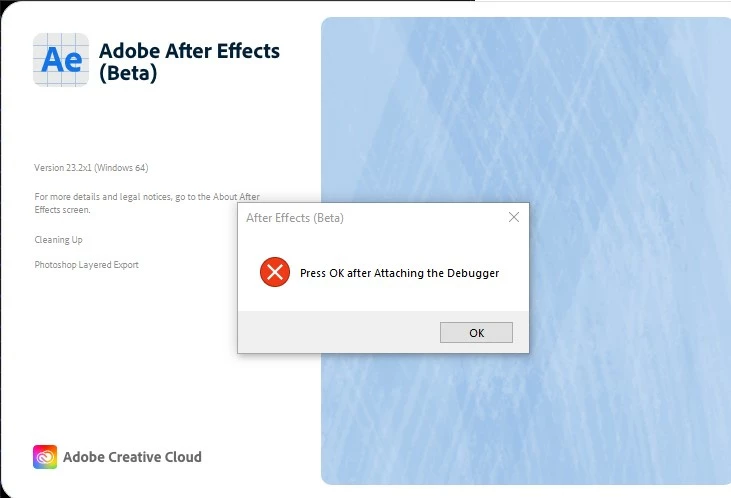
Been testing the Beta since it was open to public, first time something like this happend. I thought maybe it was a faulty build they released but in the last week there were already two new updates and the error is still showing 😞

12 replies

Inspiring
November 30, 2022

Not crashing anymore 🙂

Rene Andritsch
Community Expert
Community Expert
November 30, 2022

Hi Sean, a quick update from the macOS side. I launched build 16 for the first time and tried to add a Cinema4D layer/file. AE was unresponsive for some time and then threw an error message. It did not crash though.

After hitting ok I tried to do it again and the Cineware plugin was fired up correctly though I got an error message from my Maxon App to update to version 3.0.

After that everything worked as expected.

System: MacOs: 12.6, MacBook Pro 2,9 GHz 6-Core Intel Core i9, 32 GB 2400 MHz DDR4, Radeon Pro 560X 4 GB

Jenkmeister
November 29, 2022

Build 16 has just been pushed to CCD. This should fix the remaining issues we are aware of that's causing AE to crash on startup on CPUs without AVX support. Cinema 4D still won't install as it does require AVX to run, but AE itself should now be ok. Would you mind testing this for us? 

Inspiring
November 23, 2022

Nope.

Doesn't install Cinema 2023, still crashes when launching 😕😕

Jenkmeister
November 23, 2022

Could you try installing the latest AE Beta, 23.2x9, and see if C4D 2023 installs for you? The latest version that should be in the beta, assumning it installs C4D 2023, should remove the requirements for AVX. We'd love to know if this helps you? 

Jenkmeister
November 21, 2022

Thanks for the info. That helps a lot. Working on a fix to at least get AE running again. 

Inspiring
November 19, 2022

Double Xeons, don't remmber the exact model but I do know for a fact that they do not support AVX - this came up before with Windows HMD devices 😕😕

Jenkmeister
November 18, 2022

Thanks. That does seem to indicate that this is related to Cineware trying to startup. Can you let me know what CPU you're using? 

Inspiring
November 18, 2022

Here is the crash file:

https://we.tl/t-qkvx7wg8Pd

Jenkmeister
November 17, 2022

We have added code that should be handling the case where C4D is not installed, hopefully that's still working. The AVX piece is still the likely candidate for the problem. Are you able to upload one of those crash dumps that are being created so I can take a look at it?