


Not Prioritized
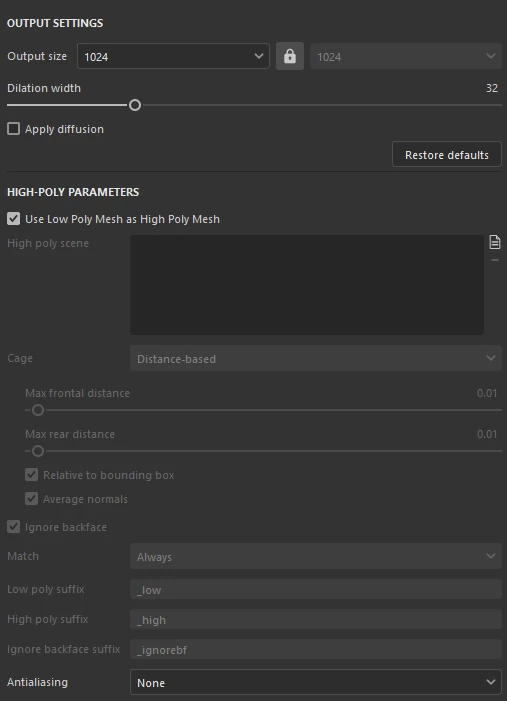
Baking options greyed out when you dont have a highpoly mesh
The options in the common baking settings are greyed out until you provide a high-poly mesh, even if you switch on "use low-poly mesh as high-poly mesh". Specifically, the match by name settings are needed as I have lots of meshes imported at once and use that feature to separate them when baking AO.
Currently
In the past:
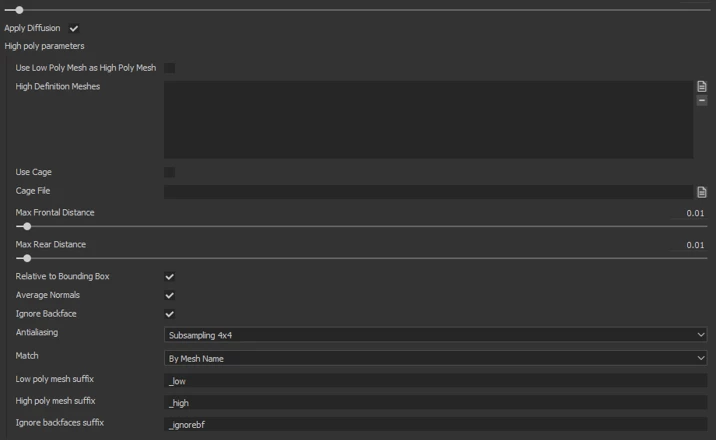
Version 11.1.1 build 5024
Windows 11
 AdChoices