


Open for Voting
Substance Painter doesn't want to save my file
Hi, I have a very inconvenient issue/bug with my Substance Painter.
From a random point, my file doesn't want to save anymore, even increments.
I've allready lost a day of work with this, then the next day I didn't had any issues, and today here we go again, it stopped saving at 11:06AM. (It's now 11:50)
The auto-save are not working eather.
He you can see some screeenshots:
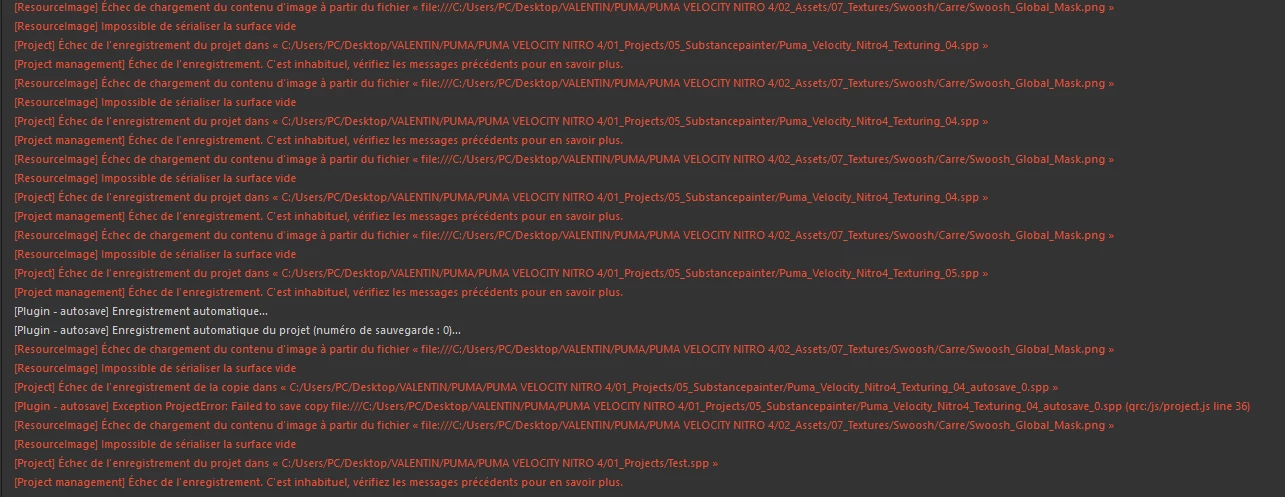
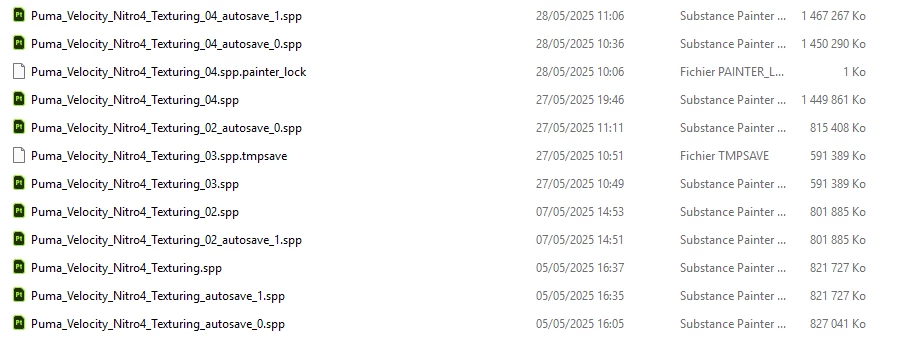
Apparently, the autosave stopped working at 11:06AM but the regular "crtl+s" never worked as the last save is indicated the day before (see file explorer screenshot)
My substance Painter is up to date, my disk have space in it.
Disk ref: Crucial P5 Plus 2To (ssd M2)
Thank you in advance for helping out with this !
 AdChoices