


Participating Frequently
January 19, 2024

white screen on launch

  • January 19, 2024
  • 7 replies
  • 568 views

2 weeks ago, my substance painter 2024 (steam edition) was working as intended. however today (2 weeks later), I opened the program to start a new project and it kept crashing upon launch.
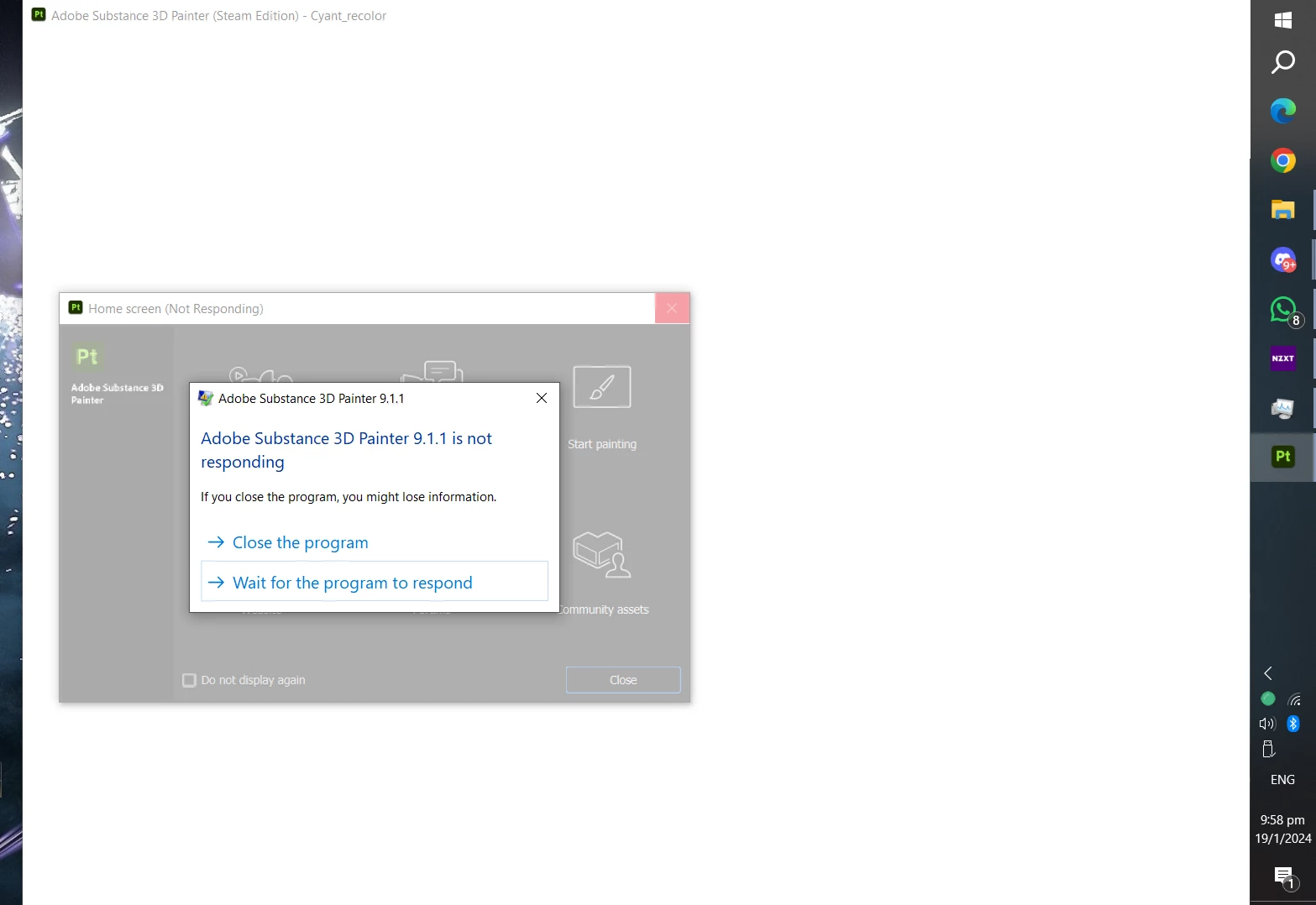
I had already reinstalled substance 3x, restarted my pc countless of times, deleted my assets/ materials folder thinking that may have some sorta corrupted files in them. updated my GPU drivers, but in the end, doing all of that has not done anything to solve the issue.

I do need to get this issue fixed ASAP as I depend on substance painter for my work.
I can provide the logs file if needed as well. Thanks so much for your help in advance 

7 replies

Participating Frequently
February 2, 2024

update: 2/2/2024
It has been awhile, and the crashing issues still persists, has there been any updates/ other solutions so far on your end that I could do so I can continue to use substance painter that I paid for?

Participating Frequently
January 26, 2024

Both screens are plugged into the GPU, I dont have an integrated GPU with my CPU here are my specs for further reference;
CPU: AMD Ryzen 9 5900X
GPU: RTX 3070TI
MOBO: Strix B550-I
RAM: 32GB

 Both screens are portable display/screens none are drawing tablets. I do have a screenless drawing tablet after testing, but having it connected/disconnected does not effect SP

Cyril Dellenbach
Community Manager
Community Manager
January 26, 2024

Hello @ice34633985l3m1,


Thanks for the update.


Can you make sure the secondary screen is plugged to the GPU? Is you secondary screen a drawing tablet?


Let me know.

Cyril Dellenbach (Micro) | QA Support Artist | Adobe
Participating Frequently
January 25, 2024

26/1/2024 new update: 
going into iray/ render mode and back to paint mode with secondary screen connected, instantly crashes substance.

Participating Frequently
January 24, 2024

Sorry for the late reply, I got sick, and didn't get the chance to reply, but I did try to do a few testing's the other day and they are rather strange as the crashing is inconsistent. bellow are my findings:

After digging more around on the internet, I had come across a reddit thread that talked about him crashing upon launch just as I did, To combat the issue, he had unplugged his secondary screen and upon doing so, his substance painter had started to run however I don't know if his situation is 100% the same as mine, but I decided to try his method.
 

Once I had unplugged my secondary screen and started substance, it had still crashed upon launch, I restarted my pc, and then opened substance painter and realized it had started to run. I usually undock the windows of substance painter onto my secondary screen as my primary screen is rather small, I need to be able to see the materials, brushes, and other settings while working as it effects my work flow and efficiency.
 
Once I did that though, thats when I had realized trying to bake, adding in smart materials and closing the program while having the windows docked onto my secondary screen had started to cause it to crash.

It was impossible to open it without it crashing again unless I had fresh un-install and reinstall substance off and onto my pc again. After this, I came to the conclusion that it was me undocking the windows onto my secondary screen and using substance painter that had caused it to crash infinitely until installed.

I was using it normally and the program itself was running smoothly without crashing so often and undocking the windows has 0 issues prior to this situation.


As for the log file, I have sent it over, as requested. and for the software conflicts, I had looked into that as well, and I dont see anything there that could be the issue as I had not downloaded anything new before it had the crashing issue.

At present as of today, I have been able to run it past the launching screen, however it still crashes every so now and then when I add materials/bake. I am still not able to undock my windows onto my secondary screen without it crashing as well. 

new update: found out that after the 1st crash (when the windows are docked onto the secondary screen) I can "reopen" substance painter without it crashing, if i restart my pc, and have my secondary screen unplugged that is. This would mean I would need to restart my pc, and unplug my secondary screen every time I open a new project/ new file on substance in order for it to work. That is a problem I believe that needs to be fixed.

Here is a video demonstrating what I mean:

https://drive.google.com/file/d/1Iwl34zU87R5KTG1OOHF4QFEQxc-kFeMj/view?usp=sharing

Thank you so much for your time and patience in helping me out

Cyril Dellenbach
Community Manager
Community Manager
January 22, 2024

I also have to mention this recent thread, where another user had a similar issue, and launching the application as an administrator solved the problem.


Let me know if this helps.


Cyril Dellenbach (Micro) | QA Support Artist | Adobe
Cyril Dellenbach
Community Manager
Community Manager
January 22, 2024

Hi @ice34633985l3m1,


The log file would indeed help determine what could be the issue. You can send it at cdellenbach@adobe.com . I also advise you to check the list of software conflicts and see if one of those ring any bells.


Keep me updated.

Cyril Dellenbach (Micro) | QA Support Artist | Adobe