
Inspiring
Jun 23, 2026 7:50 AM UTC
Open for Voting

Photoshop now refuses to accept clipboard data from Illustrator.
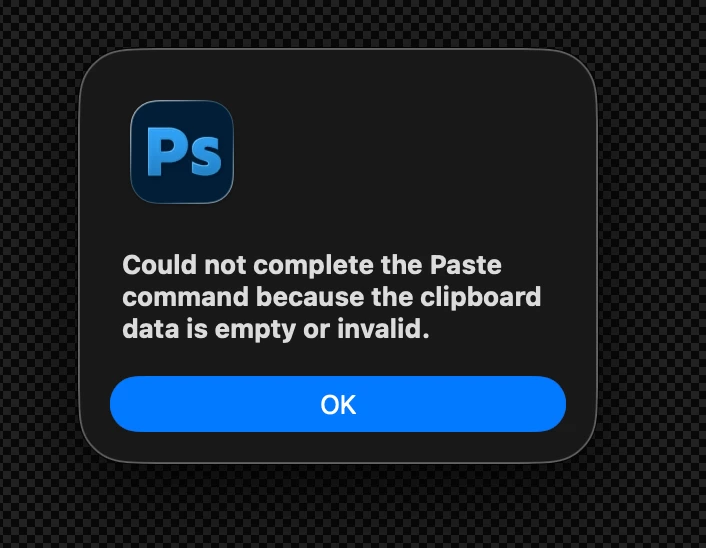
So now this is the new normal, and there is SO MUCH GOING WRONG that I can’t even describe how livid I am, that users are paying 80€ for a pack of apps that with each release get more and more unstable and unable to function properly at the most basic levels.
For some reason, Photoshop is not accepting clipboard data coming from AI. Not as pixels. not as Smart Object, nothing.
Having the layer as Smart Object is obviously fundamental for later edits.
Using the latest PS version, on a M4 Imac running Tahoe 26.5.1.

Illustrator is also behaving POORLY, but thats a matter for another report.
 

    This topic is closed to new replies. Start a new post to keep the conversation going.

    6 replies

    leo.r
    Community Expert
    Community Expert
    Jun 23, 2026 7:56 AM UTC

    Check your Clipboard Handling settings in Illustrator preferences - is there anything suspicious there?

    Translate
    DaddyDoomAuthor
    Inspiring
    Jun 23, 2026 7:59 AM UTC


    It’s in the default settings. I don’t even touch these.
    Unless new parameters were defined with the recent update.
    I can copy paste inside AI. Its when going to Photoshop that the thing fails.

    Translate
    leo.r
    Community Expert
    Community Expert
    Jun 23, 2026 8:03 AM UTC

    I can’t reproduce it here…


    Anyway, you may want to repost this to the Photoshop forum (as your post currently landed in the CC Desktop forum):

    https://community.adobe.com/p/photoshop

    Translate