Participant
April 3, 2018

P: Develop presets not sorting correctly

  • April 3, 2018
  • 123 replies
  • 2273 views

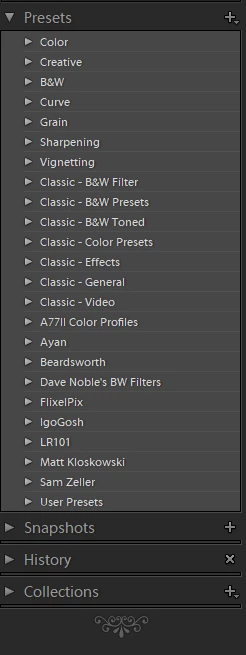
They used to be sorted alphabetically. In version 7.3 the order is random

This topic has been closed for replies.

123 replies

Known Participant
April 26, 2018
Still not working.  If I change the name of a preset (02A. Brightness +.25 to 02A. Brightness +.33, the preset drops out of order to the bottom of the list.  The only thing I changed was the end of the preset from +.25 to +.33.  This is very frustrating!!  Please properly fix!!!
ArtCDavis
Participating Frequently
April 25, 2018
Seth,
My apologies for such a tardy response.
   I did decide to quit whining, to roll back to 7.2, and wait for other users to prove that Adobe can release stable, functional software.
  After rolling back to 7.2, I found that some of the new 7.3 bugs traveled backward with the roll-back - especially in the file management arena.  Yes, disappointed again.
   Then 7.3.1 was released - more dysfunctional software.
Remembering the question 'What is the definition of insanity', I am now considering abandoning the "Class CC" platform altogether.  
Inspiring
April 25, 2018
Can someone tell me what a double ~ means infront of my old presets? Some have a single and some a double. 

Also if I remove the ~ at the front of my old presets will that tell Lightroom to re-convert that preset to .xmp?

Thanks. 
Victoria Bampton LR Queen
Community Expert
Community Expert
April 25, 2018
> Did the Show Lightroom Presets Folder issue not get fixed with this patch? Why when i click the button is it still taking me to the old presets folder?

No, that button still correctly takes you to where the REST of the Lightroom Presets are stored (like Metadata Presets, etc.). What they need is a second button to take you to the Camera Raw folder. And no, that's not in - this was an emergency hot fix for the biggest issues.
Victoria - The Lightroom Queen
majello
Participant
April 24, 2018
I hate to say it, but it is no better than before.

No renaming or ordering of folders still.
The option of creating a folder is gone in the main menu (that’s not what I wanted when I complained it doesn’t work).
Adobe folders still stubbornly Stick to the top. (Why?)
At least in folder ordering of presets seems not to be random any more.

But what’s with the folders?
Here I am, almost ready to jump ship, you release a few great updates that really improve things, and I think all will be well. And then you break something basic. Admin get it, mistakes can happen. So you push out another update with bug fixes. And I think great. Good response. Until I find it didn’t do much for my main problems. Can you at least deprioritize the default folders? They are really in the way. And docoverability should be hurt for newcomers if you do.
Earth Oliver
Legend
April 24, 2018
Did the Show Lightroom Presets Folder issue not get fixed with this patch? Why when i click the button is it still taking me to the old presets folder? And actually it's not even opening the old presets folder, but the LR folder which contains the old presets...

And why can we still not delete all the default Adobe crud presets which are never needed? In the presets tab in develop, if i click on a preset or folder, the minus button appears active but does nothing... why is this? Why can't i delete presets which i'm not using?
v.koss.wwispp
Participant
April 24, 2018
Hey, Adobe! It's frustrating. After update to 7.3.1 the issue is present yet. Presets not sorting alphabetically, the user can't delete or rename preset, or just call the context menu with a right-click. Remember just when you squeeze the lemon, some juice are flowing through the fingers.

p.s. Oh, and now I can't move collections between the collection sets. Cmon, Adobe, Do something and better do it faster. You raise the cost of subscription and now you kicking desktop users (including professionals) out. Somewhere CaptureOne managers have a party.
Rikk Flohr_Photography
Community Manager
April 24, 2018
Presets should be sorting better in the 7.3.1 release launched earlier today. Please give us additional feedback after installing it and reviewing sort order on presets in their various locations. 
Rikk Flohr: Adobe Photography Org
Participating Frequently
April 18, 2018
"we all make mistakes"?  Sorry but Adobe, with their recent massive profits, should really iron out these problems during the Beta.  Makes me think they must be running a very half-hearted and ineffective Beta programme.  It's not some small developer with limited resources, it's a huge company that makes huge profits from this software.  There is really no excuse for the nightmare that was 7.3.
ArtCDavis
Participating Frequently
April 17, 2018
I agree w/ Damian.  I would be more understanding if this were a one-off event.  It isn't.  And because it isn't a one-off, it is a pattern - apparently supported my management to the detriment of the customers.

Some background: 
   I worked in a Fortune 50 company for many years.  My experience there was:  One mistake was a learning opportunity, the second mistake was a failure to learn and a performance failure.  I think Adobe should be performing to the same standard.