mark00673
Participating Frequently
February 6, 2021

P: GPU causing preview error within Library, Develop & Export due to Auto Mask

  • February 6, 2021
  • 22 replies
  • 4488 views

I'm currently using LR Classic release 10.1.1, Camera raw 13.1, on an iMac running Big Sur 11.2. and GPU AMD Radeon Pro 580 - 8gb.  I use a Wacom and MIDI2LR with a Behringher X-touch.


This error is extremely similar to the problem where brush work was deleted/modified when spot removal tool was used, with this problem when you exported the error was not exported.


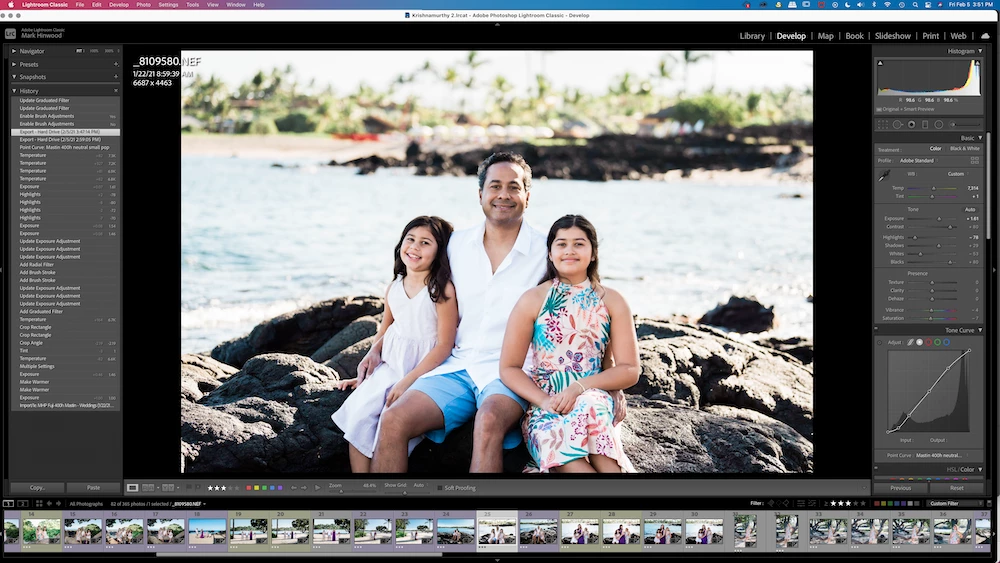
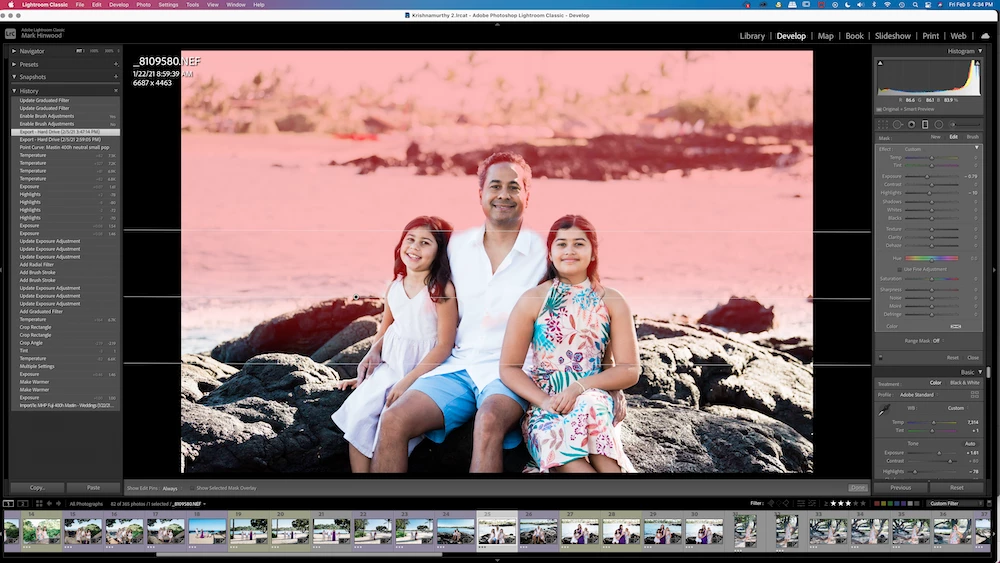
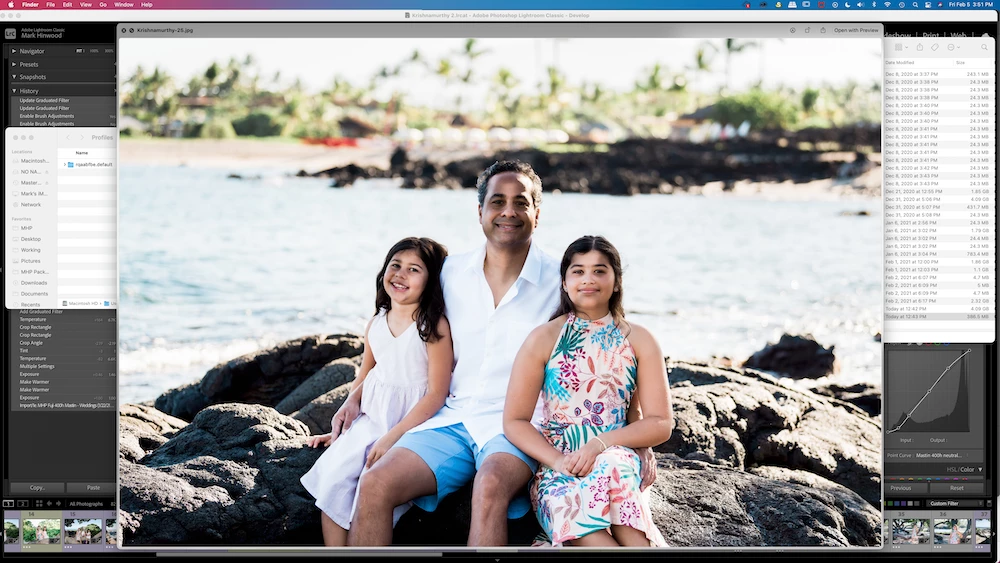
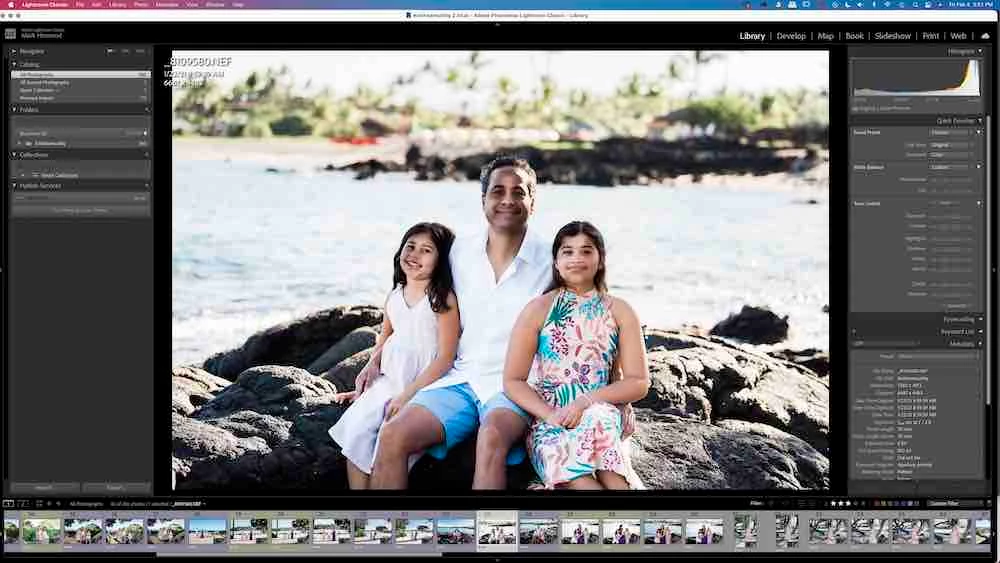
The problem I am experiencing is that in the library panel (and on the film strip when in develop mode) I am seeing the incorrect brushwork on a graduated filter which is being deleted/modified/affected, but not when in develop mode (develop mode is showing the correct edit).  On top of this when I export a full res jpeg I am seeing the problem in the exported jpeg.  You can see the specific problem on their faces in the images below.  I've since worked out that the library version of masking is where my Wacom pen drew, and the develop version shows the auto mask selection.  But when I export I get the library version.


1st image - Library mode with visible brush error on face

2nd image - Develop module with no error

3rd image - Develop module showing grad overlay (notice brush work is different to 1st & 4th)

4th image - screen shot of exported jpeg


Once I deleted the grad filter and then exported again and the problem was no more so this particular error is with the grad filter...


On a side note if I show the overlay when on the specific grad and then close the grad menu the red overlay does not disappear as it should, it stays visible.  If I then select library mode, the red overlay disappears, then select develop mode the red overlay is visible again even though the grad menu is collapsed and not selected.


EDIT:  Within preferences I turn off 'use graphics processor' and the develop module now shows the incorrect edit seen in Library module.  In my circumstance it appears a combination of auto mask and GPU use randomly caused this error.


This topic has been closed for replies.

22 replies

mark00673
mark00673Author
Participating Frequently
July 3, 2021

Hi Rikk,

Sorry for the delayed response.  I have been using LR V9 exclusively because of the problem I found with Grad Filter/Auto mask brush and have zero issues with v9.  I recently started using LR V10.3 thinking whatever problem I had would have been cleaned up with version 10.3.  Sadly nope.  

The error with the brush mask is still happening for me on very selective photos.  I have worked out that if I turn off GPU acceleration the 'missed' brush work visually appears in the develop module.  Turn GPU back on and the missed brush work is only visible in the filmstrip in develop module, in the library module or in the exported file.

How can I send you the DNG from the original above...  

The only way I can reliably use v10.3 is to have GPU acceleration turned off.  As a professional with 37 hours of photography session time in June alone any kind of performance I can gain is important.

Please let me know if there is anything else I can provide...

Rikk Flohr_Photography
Community Manager
Community Manager
February 16, 2021

A DNG with the edits would be the best thing you could provide at this point.  Preferably would be to have the one from your example screenshot. 

Rikk Flohr: Adobe Photography Org
mark00673
mark00673Author
Participating Frequently
February 9, 2021

@Rikk  I had another play today,  I imported a blank white jpeg, synced edits to white blank and exported.  The exported jpeg is on the left of the screen shot below.  You can see the masking is obviously being affected in the filmstrip preview (which mirrors the image shown in library mode).  The export is the same as library preview and not the develop preview.

When Exported the final image is not including the auto mask selection, which is a huge problem.  Thankfully I caught the problem when I was checking the final gallery before delivering to the client.

I have been using LR since its creation.  Usually I shoot 150 sessions a year and love LR but I am going to have to go back to using 9.4 because of the auto mask problems.  I was affected by the other Auto mask problem where areas were deleted when spot removal was used ( I believe that was corrected for me in an update).  

I understand this is a random occurrence but it's something that has only happened since v10.  Sadly due to covid I have only completed a few sessions this year and have had problems with LR each time.  

Please let me know if you need any system information to help investigate this problem.

Mahalo Mark


mark00673
mark00673Author
Participating Frequently
February 6, 2021

Below are screen shots of GPU being toggled on and off to show the error appear/disappear .

Short answer for me is to leave GPU unchecked but hopefully Adobe will acknowledge this glitch and update with a fix to this software bug... @Rikk 

I have tried using V10 & V10.1  with the same results.

Bob Somrak
Legend
February 6, 2021

I tried a few more using the AutoMask to erase part of the faces and the Library and Develop look the same with my GPU on.  macOS 10.15.7.  As you said it appears random.  It could be as issue only on Big Sur.

I don't think you will get help on this unless you provide the RAW and XMP files with the issue.

M4 Pro Mac Mini. 48GB
mark00673
mark00673Author
Participating Frequently
February 6, 2021

@robert_somrak Within preferences I turn off 'use graphics processor' and the develop module now shows the incorrect edit seen in Library module.  

In my circumstance it appears a combination of auto mask and GPU use randomly caused this error...

This doesn't build confidence, V10 has had too many problems like this!

mark00673
mark00673Author
Participating Frequently
February 6, 2021

@robert_somrak 

I just imported a jpeg, copy & pasted the affected photos edits onto the jpeg and I'm getting the same problem.  

Library module is showing incorrect & different brush work on the graduated filter compared to develop module.   When I export the image, the library version is getting exported with the incorrect brush work.

all of the edits I've done are visible in the screen shots I've included.

I'm thinking this is a similar bug to this one https://feedback.photoshop.com/conversations/lightroom-classic/lightroom-classic-spot-removal-removing-brush-stroke/5f97238049d3ca123123f8e9

Bob Somrak
Legend
February 6, 2021

You said this was the only image to have the issue so sharing the XMP and RAW would allow others to see what edits were applied and maybe duplicate the issue.  

M4 Pro Mac Mini. 48GB
mark00673
mark00673Author
Participating Frequently
February 6, 2021

It’s not raw related. I just synced all adjustments to another image and the exact same thing is occurring.

Bob Somrak
Legend
February 6, 2021

You should post the RAW with associated XMP to Dropbox or some other site for others to try. 

M4 Pro Mac Mini. 48GB