Inspiring
April 5, 2021

P: loses connection with files after folder is renamed

  • April 5, 2021
  • 137 replies
  • 7689 views

I've been using Lightroom for many years, and I've never experienced this problem until the last two updates to the application.

When I upload photos to Lightroom, the app creates a folder that is by default named with the date, in this format: 20210403.

I usually rename the folder, in Lightroom, with something more descriptive, just after the upload is complete. For example, 20210403_family-gathering.

Starting with the previous version of Lightroom, after I perform this action, Lightroom loses the connection with the files in the newly renamed folder. A question mark appears on the folder in the Navigation panel, and in Loupe view, every photo now displays a small exclamation mark in its upper right corner.

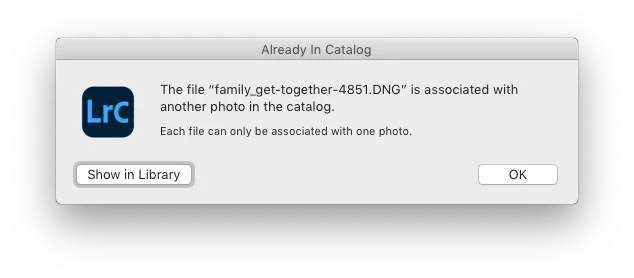
When I click on an exclamation mark, a dialog box appears, like the first one of three that I've uploaded.
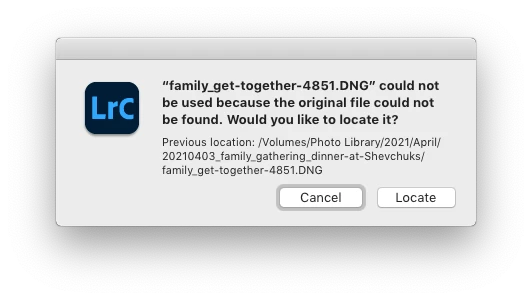
When I click on "Locate," another dialog box appears. For example:
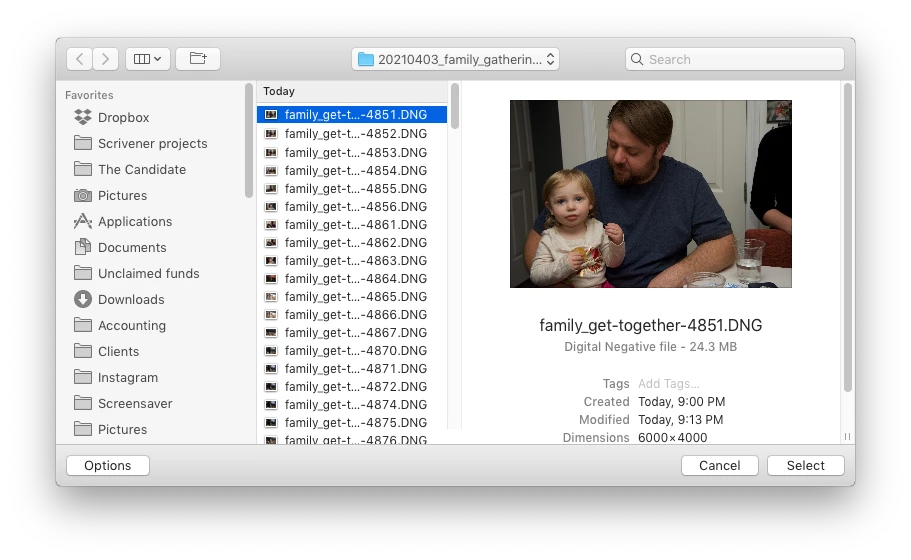
The first file, which is highlighted, is the one that is missing (although at this point, Lightroom has lost track of all of the files in the renamed folder). When I click the "Select" button, this dialog box appears:
Lightroom is obviously confused, and the only way around this, in the current version of Lightroom, is to quit the application and re-launch Lightroom. After I relaunch Lightroom, it re-finds the files and the exclamation marks are gone. When I quit Lightroom after renaming the folder from the most recent upload, I back up the catalog. I don't know if this is necessary, but I back up the catalog whenever I quit Lightroom.
 
This is a bug, which never existed for me, until the last two updates of the app.
This topic has been closed for replies.

137 replies

Known Participant
April 13, 2021

Alexander doesn't like answers that differ from his preconceived ignorance. He blames the lack of world peace on Adobe. 

alexskunz
Inspiring
April 13, 2021

Logan, Bill is a troll. Just stop feeding him, please.

Known Participant
April 13, 2021

But you have zero evidence that you have a software problem. 

Rikk Flohr_Photography
Community Manager
April 13, 2021

"If Lightroom suddenly refuses to play nice with my hardware and software configuration"

It could be a change in hardware configuration, an OS issue, a failing component, or several other possibilities as well.  Given what you've done in troubleshooting a bug is looking very unlikely.

Rikk Flohr: Adobe Photography Org
Inspiring
April 13, 2021

I have some evidence that I might have a hardware problem. That in no way constitutes proof.

Known Participant
April 13, 2021

You have ample evidence that you have a hardware problem and zero evidence that the problem is with Lightroom.


Inspiring
April 13, 2021

You need to take a class in science. There are these elements called variables, which you don't seem to be familiar with. There may well be different variables at work here, which you clearly haven't taken into account with your simple logic statement.

Known Participant
April 13, 2021

Are you serious? You need to take a class in logic. "A" fails. "B" works. So the fault must be with "C". 

Inspiring
April 13, 2021

I strongly disagree. My ability to import photos to a second, older EHD, and rename an imported folder in Lightroom without issue doesn’t prove anything, and that includes proving that there is no bug in Lightroom v 10.2.

Known Participant
April 13, 2021

*Logan31639


"I imported a batch of photos to the second EHD, and after the import was complete, I renamed the destination folder in Lightroom and there was no problem."


You've proven that your primary hardware is defective. Time to replace it.