Participating Frequently
August 5, 2020

P: Lightroom Mobile: Huawei P40 Pro: RAWs have Tint +150 after Lightroom import

  • August 5, 2020
  • 21 replies
  • 3493 views

Hi together,


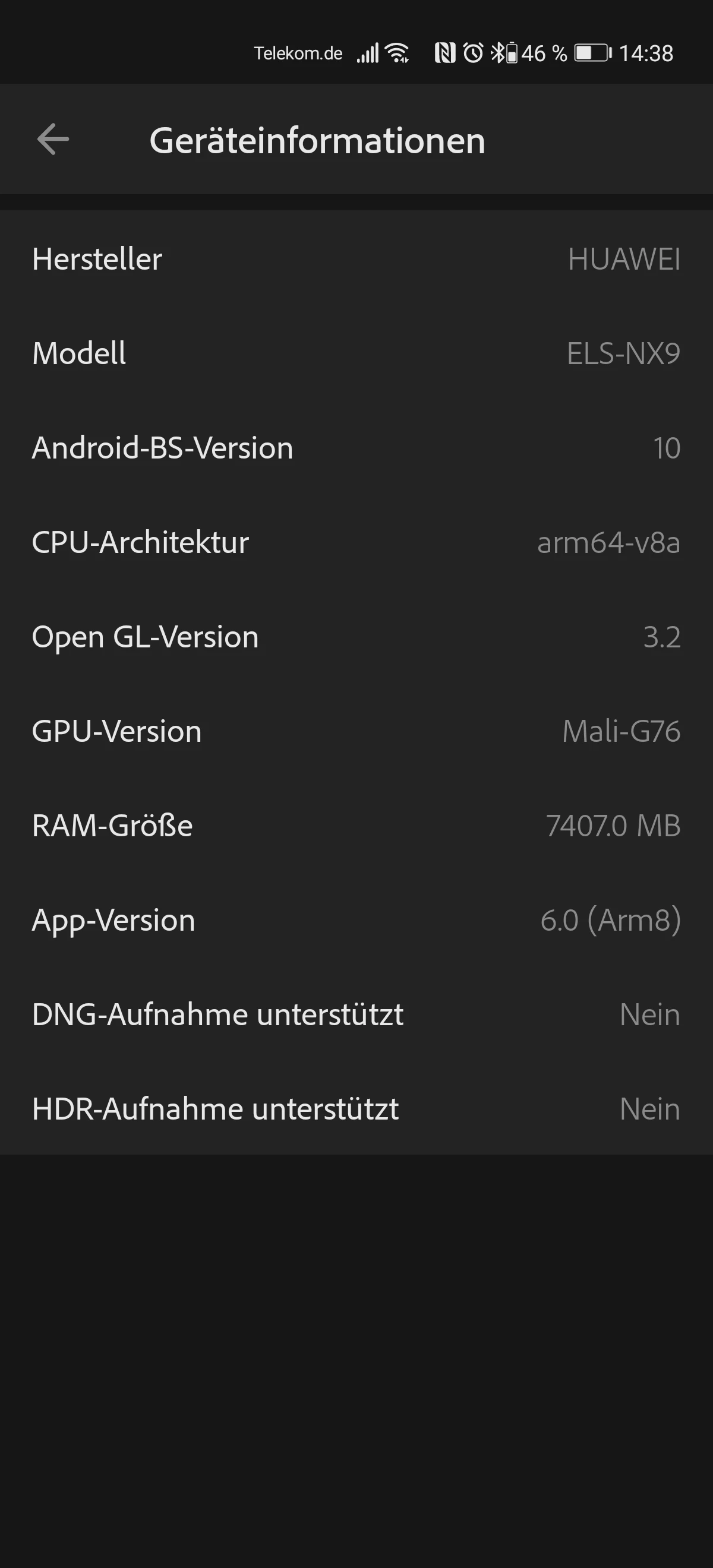
I have switched from a Huawei P30 to a Huawei P40 Pro.

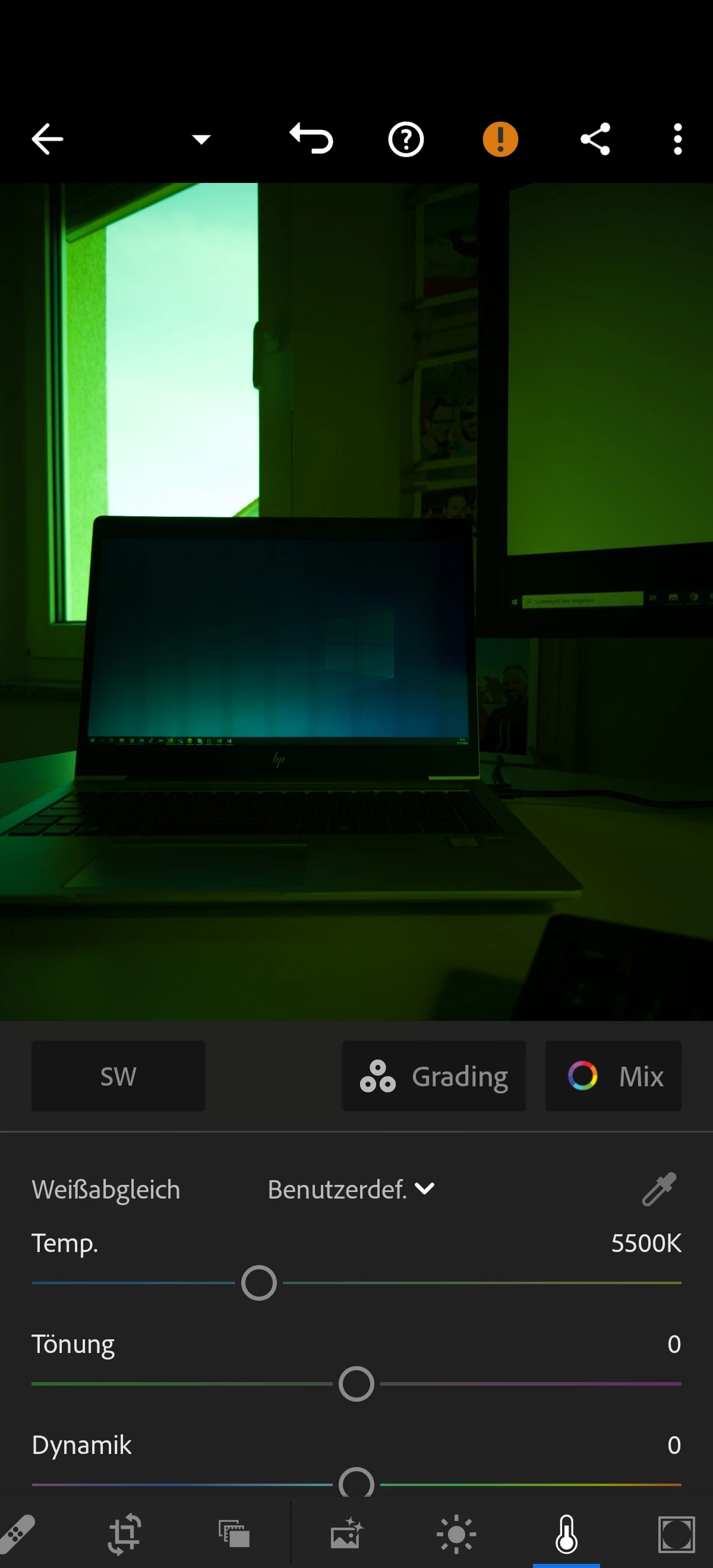
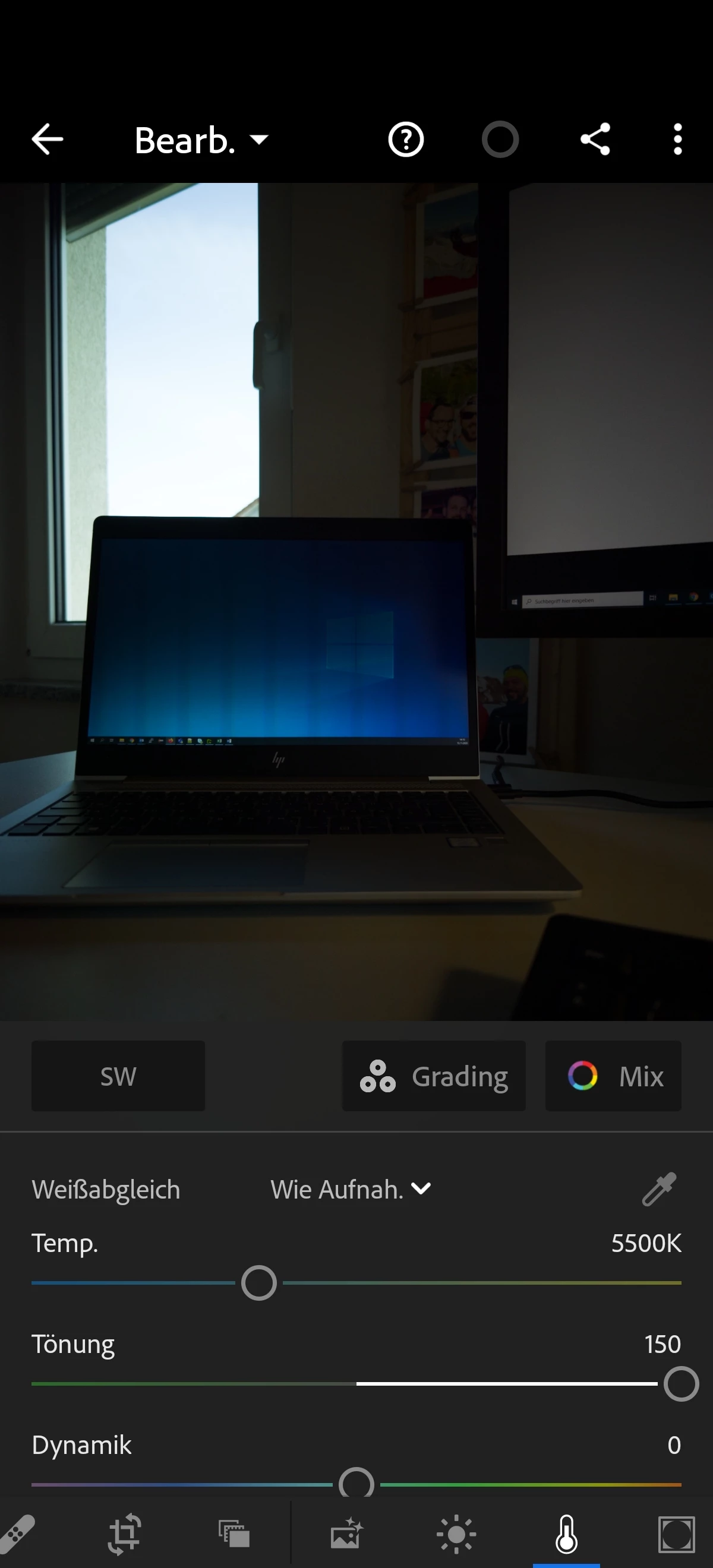
Problem: When importing the phones RAW files into Lightroom mobile, the images have a tint (Tönung) of +150.

If I set this manually to 0 the whole image gets green...

Same behaviour if I import the phones RAWs on my desktop with Lightroom Classic.


Is there any solution for this issue? My Lightroom mobile version: 6.0


Regarding this page: https://helpx.adobe.com/de/camera-raw/kb/supported-lenses.html the P40 Pro cameras are supported.

But for me it doesn't work so far.


Best,

Niko


This topic has been closed for replies.

21 replies

Participating Frequently
November 20, 2020

Hi @Rikk ,

i currently also have a Huawei P40 (not Pro!) here. It has the same behaviour. After importing the RAW files into Lightroom Classic the tint is at a value between + 130 and +150.

If you like, I can also provide RAW files for this device.

Best,

Niko

Inspiring
November 19, 2020

Hi there have just seen this and it does the same on my Huawei P40 pro but also on my Oppo Find X2 pro but the tint is in the opposite direction so its minus 143 any white balance adjustments turns the image purple

Rikk Flohr_Photography
Community Manager
Community Manager
November 17, 2020

We will update this thread when there is news. 

Rikk Flohr: Adobe Photography Org
Participating Frequently
November 17, 2020

Hi @Rikk ,

thank you! That sounds great. Is there a possibility for me to track this bug?

Best,

Niko

Rikk Flohr_Photography
Community Manager
Community Manager
November 17, 2020

Thanks. I received them and could reproduce on my end. I have logged a bug with the Camera Raw team. 

Rikk Flohr: Adobe Photography Org
Participating Frequently
November 17, 2020

Hi @Rikk ,

of course. Here you can find two of the RAW from my P40 Pro. 

https://we.tl/t-nqSgyVosf5

Best,

Niko

Rikk Flohr_Photography
Community Manager
Community Manager
November 17, 2020

Do you have a file you can share with us that exhibits the issue?

Rikk Flohr: Adobe Photography Org
Participating Frequently
November 16, 2020

Is there a slight touch of a change that Adobe delivers a fix here?

Inspiring
November 15, 2020

Hi Niko,

I have the same problem with Adobe Photoshop Elements 2021.

The tint (Tönung) is at +150, at it still locks green.

Kind regards Andreas

Participating Frequently
November 13, 2020

No other P40 Pro Devices here with this behaviour?