January 4, 2021

P: Lightroom Mobile: iOS local storage

  • January 4, 2021
  • 23 replies
  • 1760 views

I have a 128gb iPhone 11.


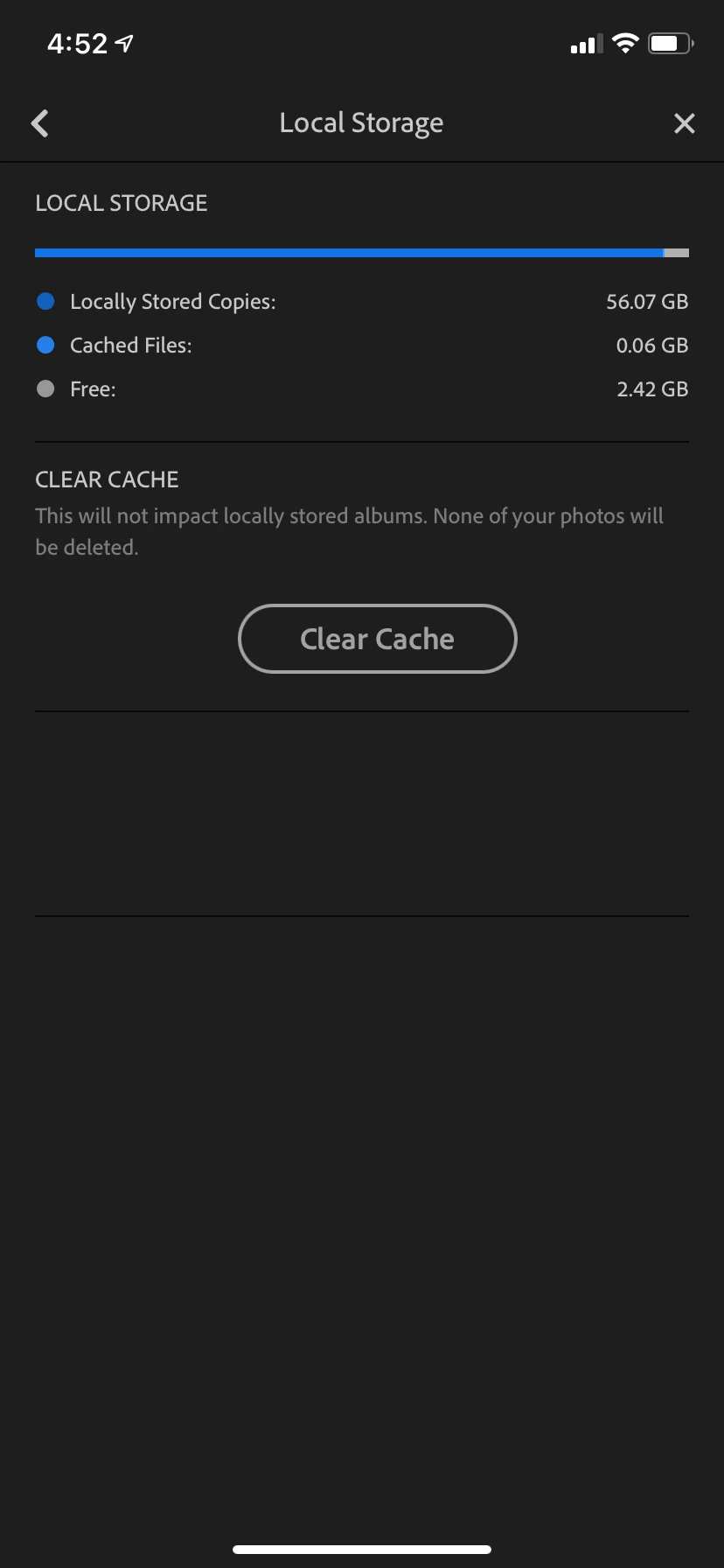
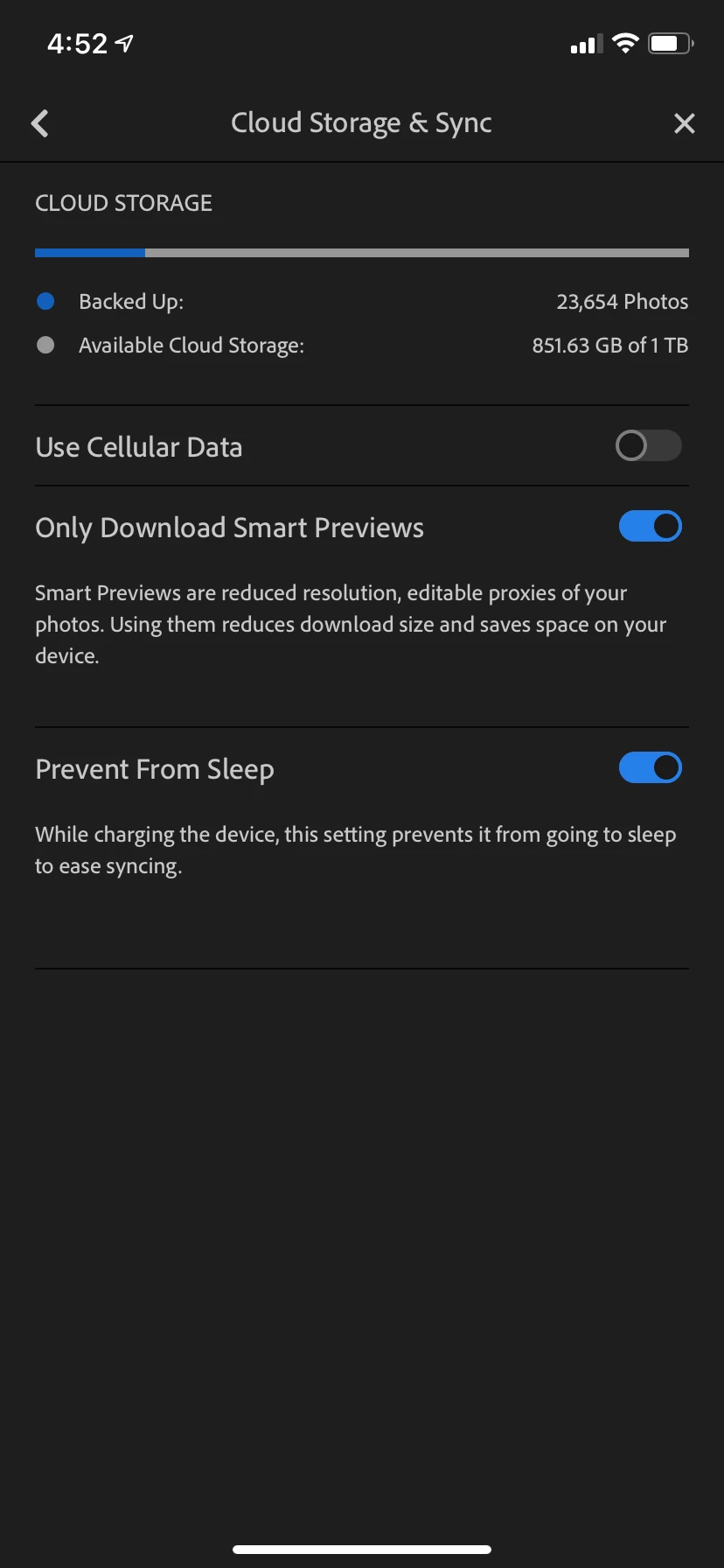
You can see my settings for Lightroom in the screenshots. You can also see how much local storage is being used by Lightroom - it is using 56.07gb of local storage. As a result, I am constantly getting the "Your iPhone storage is full" message, which makes my phone unusable for doing things like....taking photos. The irony!


I have already tried deleting the app completely and reinstalling, but the end result is the same. Am I missing something here or is this a bug of some kind?


Thanks


This topic has been closed for replies.

23 replies

Victoria Bampton LR Queen
Community Expert
Community Expert
January 8, 2021

You're right that it creates local copies, but they should be automatically purged once they're uploaded to the cloud if you're running low on space, or manually purged using the Clear Cache button - in both cases, as long as the albums are not set to be stored locally. The mystery is why Lr thinks the albums are set to be stored locally, especially after you've deleted the app and reinstalled.

Victoria - The Lightroom Queen
January 7, 2021

A quick update:

I spent hours on chat with Adobe support and after some very (sorry to be so frank) silly suggestions of what could be taking up so much local storage space, they took my details and said they would call me back. That was three days ago and I haven't heard anything. So thanks Adobe for an exceedingly poor customer experience.

-----

Anyway, I have done some more digging and this is my best theory:

When you set the mobile LR app to import from the camera roll, what I think happens is that the app is making local copies of the images into a folder under the LR app. These images then sync to the cloud. However, these local copies are simply left there forever it seems, hence them taking up so much local storage. 

For context, my camera roll (standard iOS photos) is identical to my LR library and it is only taking up 5.3gb of space. I have iCloud Photo Library turned on so all my full res photos are in the cloud.

January 7, 2021

Hey @Ignacio_B I have only ever had 1 Adobe account (if that is what you mean?)

I have done as you suggested and under the Lightroom App I see 2 folders:

- One is named a random long string of letter/numbers and is 61.34gb in size

- One is named "DepthFiles" and is 1.8mb in size

Community Manager
January 7, 2021

@ben_merven_7824011 could it be that you have used several accounts on that device? E.g. if you have used and imported images with user A, and are now logged in as user B, that could explain the issue.

If you connect the device to a Mac and e.g. look into Finder on an app level under Files, how many folders do you see there? 

January 6, 2021

No it does not unfortunately

Rick Spaulding -
Legend
January 6, 2021

Does clearing the cache help?

January 6, 2021

Thanks @Rick but I do not have any locally stored albums.

Rick Spaulding -
Legend
January 5, 2021

@ben_merven

_7824011 In the Library do you have albums with this symbol?

---
If so, click the three dot menu to the right and turn off this setting:
---
That will free up the space of the "Locally Stored Copies" in your second screenshot. Go ahead and click "Clear Cache" when you're done.
That should do it!
January 4, 2021

Hi Rick, I'm not sure I understand your suggestion? When I look at my iPhone Storage (under iOS settings) I can see that Lightroom is taking up 63.68GB of space.

By comparison, my iOS photos library (which is identical to my LR library) is only taking up 5.4GB of space.

So yes, my phone is running out of storage as a result of LR using 63GB of space. I don't want it to use so much space and it should not be using so much space. 

My question is, how do I stop it using so much space? It is a cloud storage solution, so in theory I should be able to say "don't use any space locally except for the application itself". How do I do that?

Rick Spaulding -
Legend
January 4, 2021

It looks like your phone is running out of storage in general. Here is an Apple article on managing your phone's storage.

https://support.apple.com/en-us/HT201656