


marcomartins
Known Participant
November 25, 2018

P: Local storage syncing forever 1723 photos after redirecting NAS

  • November 25, 2018
  • 20 replies
  • 412 views

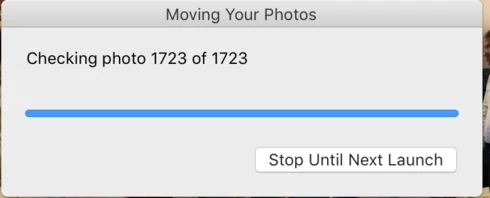
I've turned on the "store a copy locally" feature on, it download a copy of every photo to my NAS. I was connecting to my nas using the local IP address an them changed to use the local name. As soon as I've changed it, Lightroom thought that it had to move all the pictures from one location to another (wrong!) as it was a "new" destination. It moved all my 27k pictures except (or at least the app think is doesn't) 1723 photos. Now every time I start up the app it says that 1723 files are missing to move, I select to move them, and at the end, it says that wasn't able to move 1723 pictures.
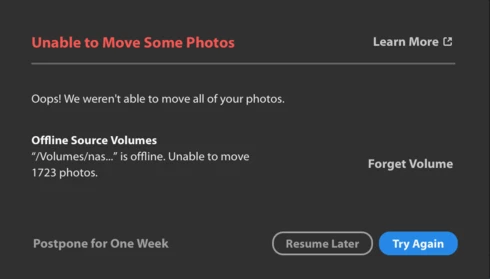
I've attached the screenshots.
This topic has been closed for replies.

20 replies

Rikk Flohr_Photography
Community Manager
January 7, 2019
If you are confident then hitting "Forget Volume" is the way the engineers recommend. 
Rikk Flohr: Adobe Photography Org
marcomartins
Known Participant
January 6, 2019
Yes I am confident that all my photos are fully synced to the cloud. And what about deleting all pictures from NAS and starting over? that would work, no?
Rikk Flohr_Photography
Community Manager
January 3, 2019
I checked with the engineer on our previous discussion and as long as you are confident you are fully synced, you can hit the "Forget Volume" and things should be good with the current version. 

Are you confident you are synced?
Rikk Flohr: Adobe Photography Org
marcomartins
Known Participant
January 2, 2019
4 weeks ago I only told that my Mac was fully synced with the cloud, I ended up not selecting "Forget volume" as you told 2 weeks ago "Please update your software and let us know if you are still experiencing this issue. " I thought that the update would fix this without the "Forget Volume", but it clearly don't. Should I go with the "forget volume"?
Rikk Flohr_Photography
Community Manager
January 2, 2019
So what happened since you reported this fixed 4 weeks ago, Marco?  You went from fully synced to approximately the same number unsynced as before. Did your NAS get reconnected differently again?
Were different files moved this time? 
Rikk Flohr: Adobe Photography Org
marcomartins
Known Participant
December 27, 2018
hello?
still not solved
marcomartins
Known Participant
December 16, 2018
Still the same.
Rikk Flohr_Photography
Community Manager
December 11, 2018
Updates to the Lightroom CC Ecosystem and Lightroom Classic CC were released earlier today. Please update your software and let us know if you are still experiencing this issue. 
Rikk Flohr: Adobe Photography Org
marcomartins
Known Participant
December 5, 2018
Ok, My account is fully synced. 
Macs have some trouble sometimes finding servers by their network names and that's why I use the IP when this fails, neither less Lightroom should be able to sort this things out and don't raise this alert...
marcomartins
Known Participant
December 5, 2018
Ok, Will be waiting 🙂