


P: Mobile (Android): Raw photos are being imported as black and white
Hi. When I import RAW (*.RAF) photos into Lightroom CC (Android) directly from my Fujifilm X-T20 into Samsung Galaxy Tab Android tablet, they appera black and white. If I do the exact same on Samsung Galaxy S7 phone (Android), they are imported correctly (colour).
I made a screenshot. First picture (chronologically last one - smiling girlfriend) is imported using Phone. It is in colour everywhere. Two other pictures (chronologically first, cat on balcony and less smiling girlfriend) are imported using tablet, being incorrectly black and white.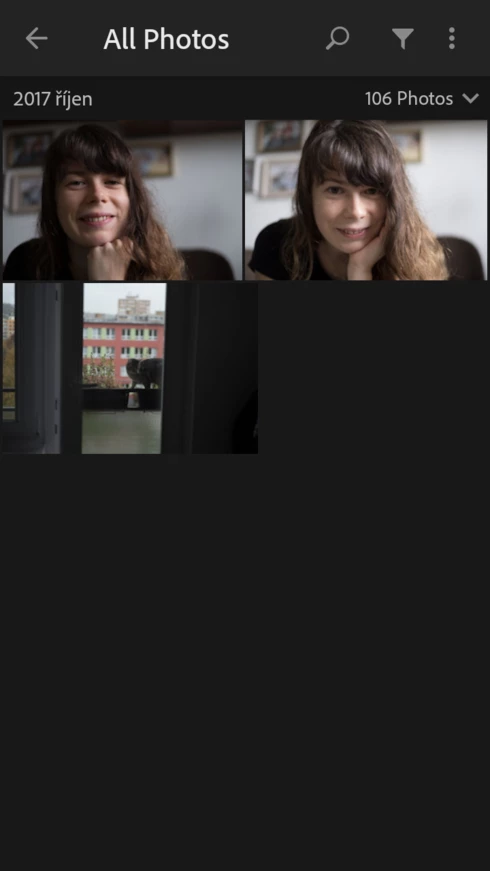

More funny things:
1) When imported on tablet, they appear B/W only on tablet, after they sync also to the phone, they appear in colour
2) When I edit this badly imported photo in tablet, they will stay B/W forever, even on other devices
3) When I import pictures using phone, they appear in colour on Phone and also on tablet.
4) More sofisticated scenario - when I import pictures using Tablet (they appear B/W) and the open it in phone (in colour) and I make basic edits on tha phone like crope, exposure and so on... these changes sync between phone and tablet in a way that the picture is edited BUT still B/W on a tablet!
This is so weird behaviour.
 AdChoices