
1mpala
Participant
Mar 23, 2026 8:50 AM UTC
Released

P: Recommended Presets Not Working

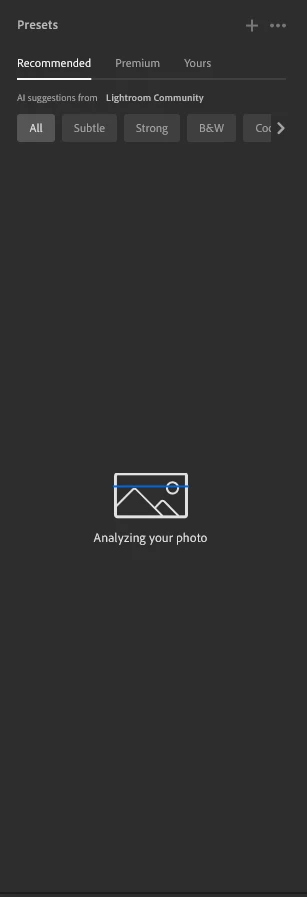
The recommended presets aren't loading anymore; it says they're being analyzed, but nothing happens. It used to work before—how can I fix this?
 

287 replies

Rikk Flohr-Retired
Adobe Employee
Apr 16, 2026 3:11 AM UTC

Greetings all,  


A new update for the Adobe Photography products has been released.  The April release (x.3) contains an update regarding this issue. 

If you do not see the update in your Creative Cloud Application, you can refresh it by pressing  [Ctrl/Cmd]+[Alt/Opt]+[ R ].

Note: It may take up to 24 hours for your update to be available in your Creative Cloud app.


Thank you for being so patient.  

Translate
Rikk Flohr: Adobe Photography Org
Tatiana39072461e4vn
Participant
Apr 16, 2026 4:10 AM UTC

gj

Translate
Nikkispikkies
Participant
Apr 15, 2026 8:40 PM UTC

I wonder if anyone can help me with this. I no longer have the recommended presets. I seems to start to scan the image and then just stops. Any suggestions?

Translate
default496uwuv25r36
Participant
Apr 15, 2026 8:28 PM UTC

Hi everyone,

I’m having an issue with the “Recommended” AI presets in Adobe Lightroom (desktop version). They simply won’t load.

Here’s what I’ve already tried:
- Reinstalled Lightroom completely  
- Cleared local cache (Lightroom CC + CameraRaw folders)  
- Disabled GPU acceleration  
- Logged out and back into Adobe Creative Cloud  
- Tested different networks (including mobile hotspot)  

Important detail:
The feature works perfectly in Lightroom Web, but not in the desktop app.

Because of that, I assume it’s not an account or server issue, but something local on my system.

Has anyone experienced the same problem or found a fix?

I’m using:
- Windows 11 (latest version)  
- Latest version of Lightroom  9.2

Any ideas would be really appreciated!

Translate
cb804
Participant
Apr 15, 2026 12:57 PM UTC

Why is it taking so long for the presets issue to be resolved?

Translate
Boooyah1706
Participant
Apr 15, 2026 10:28 AM UTC

Lightroom presets on my pc does not load up post Lightroom update on creative cloud desktop. 

Translate
CALVMAT
Participant
Apr 14, 2026 8:12 PM UTC

Bonsoir,

J’ai exactement le même problème sur Lightroom (version Cloud) sur PC Windows 11.

👉 La fonction “Recommandations” analyse bien la photo, mais aucune suggestion ne s’affiche ensuite.

Voici tout ce que j’ai déjà testé :

Déconnexion / reconnexion du compte Adobe

Redémarrage de Lightroom et du PC

Mise à jour complète de Lightroom et Creative Cloud

Vérification de la synchronisation cloud (OK)

Test sur plusieurs photos

Mise à jour des pilotes de la carte graphique

👉 Important : la fonction fonctionne parfaitement sur mobile (Android) et tablette avec le même compte.

Donc le problème semble spécifique à la version Windows.

Si quelqu’un a trouvé une solution ou si Adobe peut confirmer un bug en cours, je suis preneur.

Merci 🙏

Translate
Participating Frequently
Apr 14, 2026 6:28 PM UTC

​@adobe : when can we expect an answer ? Please keep us updated. When will you fix this ? Do we have to ask to ask for partial refund ? 

Translate
Claire H.
Community Manager
Community Manager
Apr 14, 2026 7:27 PM UTC

Hi ​@Twiggyl Thanks for checking in! Our team is working on a fix, and we will update this thread when it has been released. Again, thank you for your patience. ^CH

Translate
Yevgeniy38068222bw0x
Participant
Apr 14, 2026 9:25 PM UTC

Is there an estimated time when the fix will be available?

Translate
pennybritt
Participant
Apr 14, 2026 5:37 PM UTC

I am getting the same thing on my Omen laptop but when I try my macbook it works. Weird!


Translate
Cameron22680968svxi
Participant
Apr 15, 2026 1:00 AM UTC

Same here  annoying !

Translate
juan_rodelo
Participant
Apr 14, 2026 6:09 AM UTC

I just submitted a report for this very issue.  My guess is that it should not be more than a patch to fix this.  It is a bit disappointing that this feauture is not working at all.  Let’s hope for a quick fix. 

Translate
juan_rodelo
Participant
Apr 14, 2026 6:05 AM UTC

I have the latest version for Lightroom (cloud), yet the “recommended presets” are not loading after analyzing my images.  I have checked all my settings and the possibility of another update, but everything seems fine on my end.  I am wondering if there had been other similar comments from other users.  I am hoping that this would be an easy patch to overcome this issue.

Translate
