



aaron.hkg
Participating Frequently
June 20, 2026

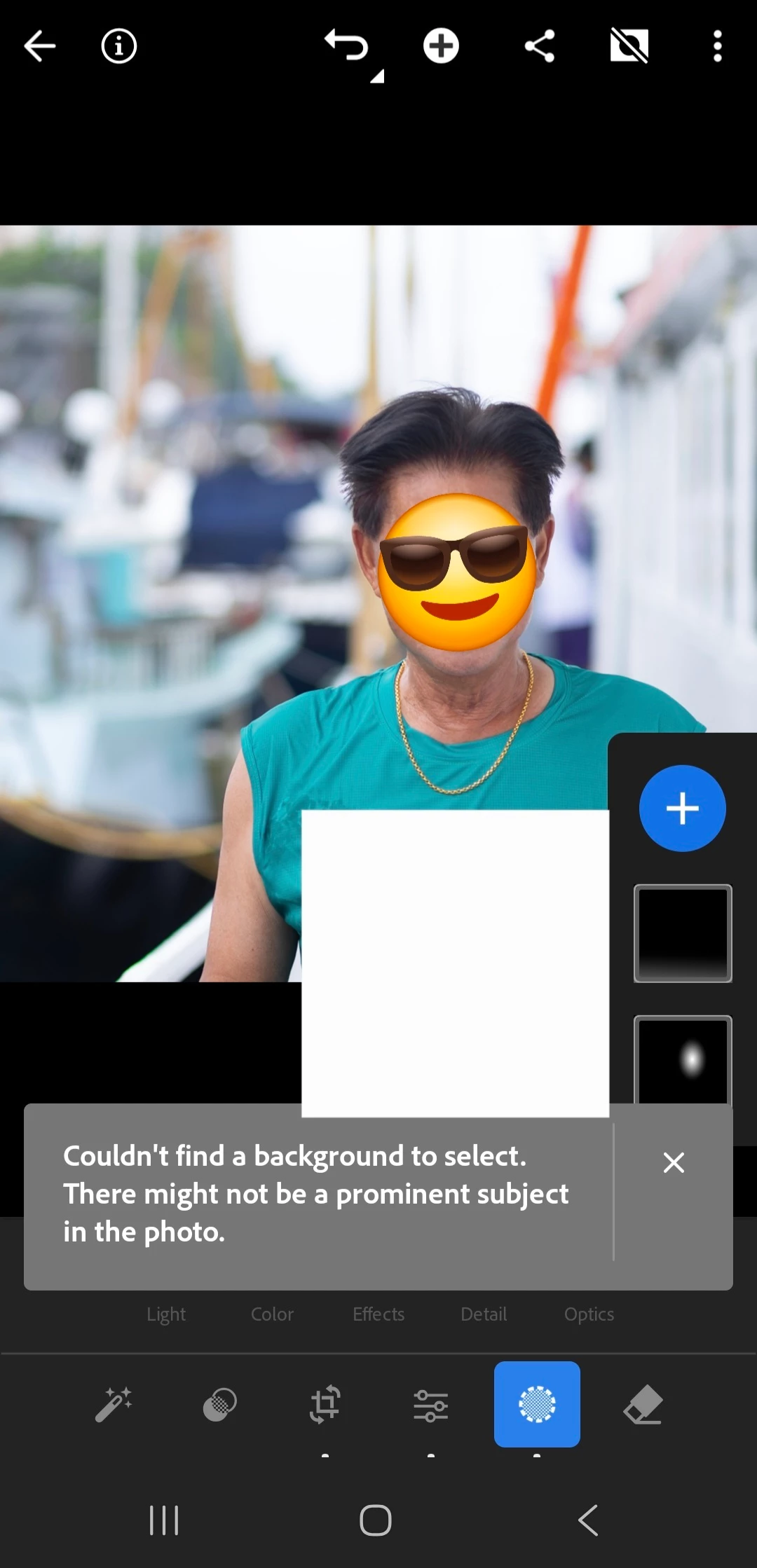
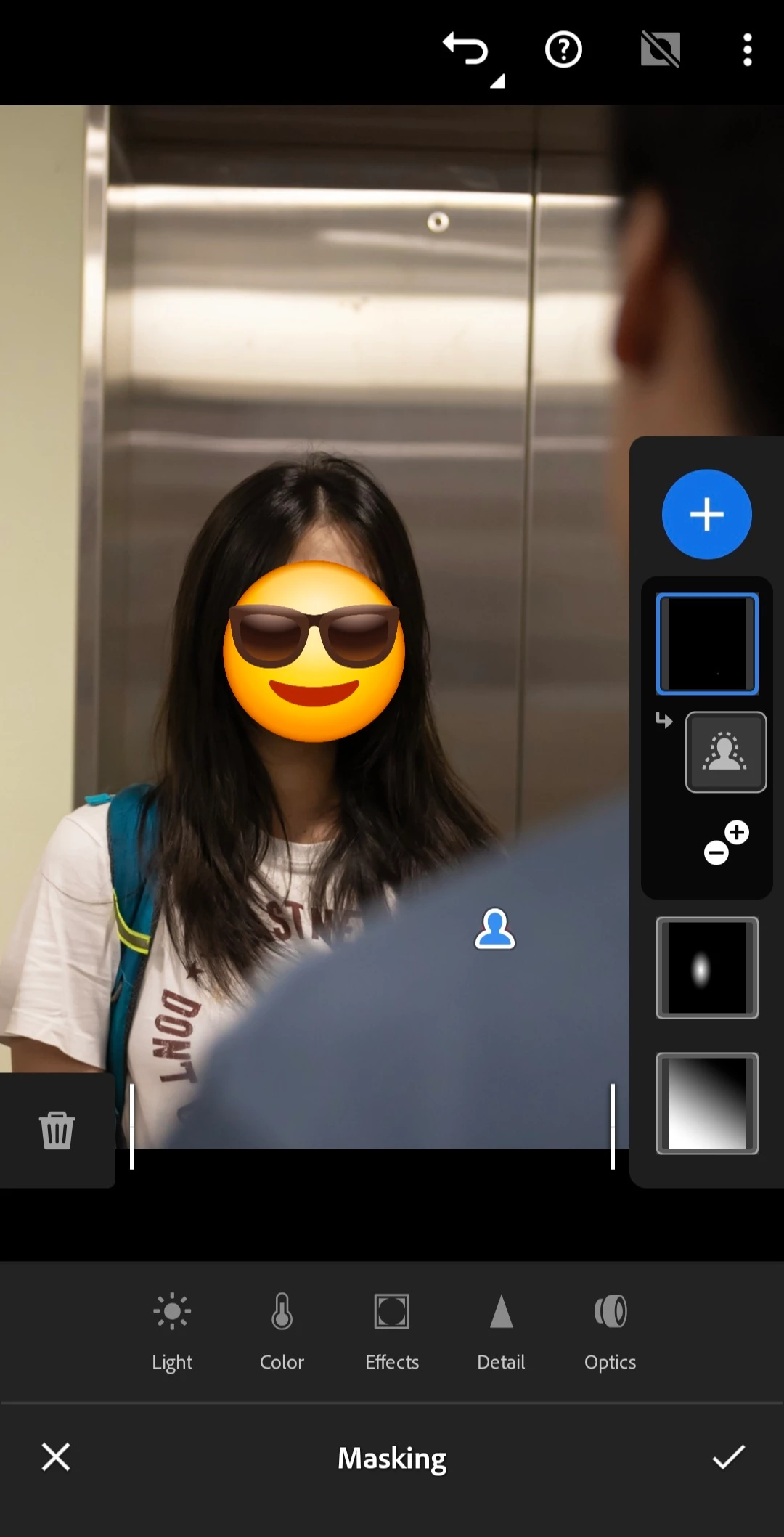
P: Subject detection not working on Android LrM v11.4.4

  • June 20, 2026
  • 53 replies
  • 273 views

My mobile LR's subject detection fails to work since few days ago, probably starting from last update. It does not even work on simple portraits (see attached, emoji and rectangle drawn on screenshot only).
 

    Pinned Reply By Claire H.

    Hi everyone,

    A new update for the Adobe Photography products has been released. The August release for Lightroom Android (v11.5) contains an update regarding this issue. 
    If you do not see the update in your Creative Cloud Application, you can refresh it by pressing  [Ctrl/Cmd]+[Alt/Opt]+[ R ].

    Thank you for your patience and for helping us resolve this issue! ^CH

    53 replies

    February 3, 2026


    February 3, 2026

    I need help with this something showup when I edit the subject😭😭.Thanks in advance 😭

    Sameer K
    Community Manager
    Community Manager
    February 5, 2026

    Hey, ​@madammonchie. Welcome to the Lightroom Community. I'll need more information to help you figure this out.


    What troubleshooting steps have you tried already? Does Lightroom show the masks that are not relevant to the target image? 


    Please share more details about your workflow and the system info from Lightroom. Go to Help > System info, copy and paste it into a text document, then upload and attach it here along with a few screenshots or a short video. At this point, the information I have is too limited to help you.


    Thanks!
    Sameer K

    (Type '@' and type my name to mention me when you reply)