Participant
May 8, 2025

P: Black screen Photoshop

  • May 8, 2025
  • 42 replies
  • 5501 views

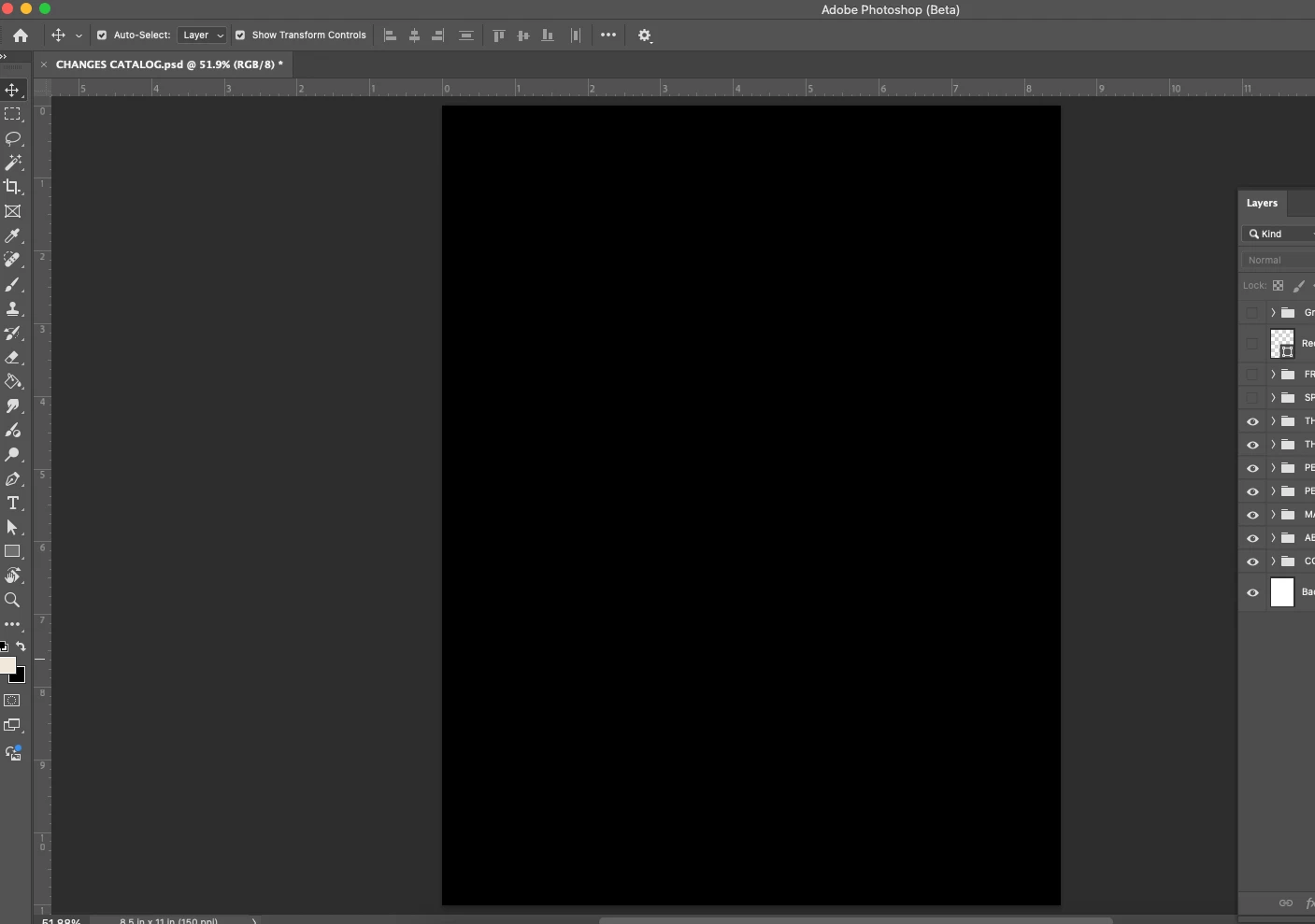
All the files I open for photoshop are showing up as a black page. The layers are clickable but not visible. 
42 replies

Known Participant
May 10, 2025

it's working now thank you!

Participant
May 10, 2025

same me 

CShubert
Community Manager
Community Manager
May 9, 2025

@alfrd please make sure your CCD goes out and pulls down the recent updated Ps Beta.  Sometimes it takes a bit of time to populate to all the servers all over the world, but you don't see the update in 3 hours, let us know.


The update is: Adobe Photoshop Version: 26.8.0 20250508.m.3068 c202b9a arm64


Thanks,

Cory - Photoshop Product Manager

Participant
May 9, 2025

same!! black screen.

barbarap10724380
Participating Frequently
May 9, 2025

Latest update this morning seems to have fixed the problem on Beta.  Thanks.

CShubert
Community Manager
Community Manager
May 9, 2025

Hey everyone, this issue has been fixed. Please download the latest Ps Beta build to solve this.  Make sure you click the check for updates in your CCD app to pull the down the latest build.


Adobe Photoshop Version: 26.8.0 20250508.m.3068 c202b9a arm64


If you ticked OFF your GPU setting, make sure to turn it back on!


Thanks,

Cory - Photoshop Product Manager

Participant
May 9, 2025

i confirm as well on mac the problem is solved with the latest update.

McSkewy3000
Participant
May 9, 2025

Confirmed. Updated this morning and issue is now resolved (Mac).

Participant
May 9, 2025

Mit der neuen Beta Version wird eine Bilddatei komplett in schwarz angezeigt, obwohl alle Ebenen in der Ebenen-Vorschau korrekt angezeigt werden – Bitte um Hilfe. 

Ged_Traynor
Community Expert
Community Expert
May 9, 2025
Participant
May 9, 2025

Same issue when sending a picture to edit from lightroom to photoshop
