
Participant
March 21, 2024

P: Content Credentials error and no Ingredients in metadata

  • March 21, 2024
  • 13 replies
  • 1172 views

I'm getting the following warning in Photoshop (25.6.0 and 25.7.0 (beta) - MacBook OSX 13.6.1) , even though my document is using RGB color mode. I'm also unable to find any of the content credentials options described here - https://helpx.adobe.com/uk/photoshop/using/content-credentials.html . There is no content credentials (beta) option under the Window tab, and in Preferences, there's only a History tab, not History & Content Credentials tab.
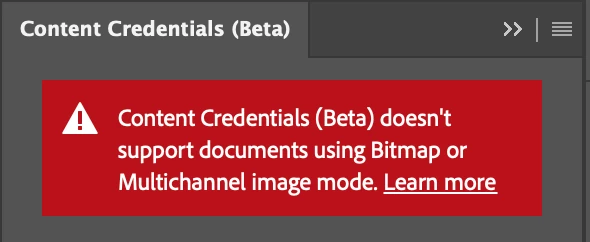


My images are exporting with content credentials attached, but the Ingredients object isn't populated, despite me using various imported media across different layers in the image.


This topic has been closed for replies.

13 replies

CShubert
Community Manager
Community Manager
March 21, 2024

Hi @Evan350345237khg yes, could very well be. Admins have the ability to block updates to beta apps as well as the apps themselves. Check with your IT admin and see if this is the case. For reference:


https://community.adobe.com/t5/enterprise-teams-discussions/photoshop-beta-not-available-in-creative-cloud-desktop-application/td-p/13834355


Thanks,

Cory - Photoshop Product Manager

Participant
March 21, 2024

Cheers @CShubert, I reset the preferences file by holding Option+Command+Shift while starting Photoshop (beta), and also tried deleting the settings folder in Library>Preferences, and I still don't seen the options in your screenshot. Is it possible it's related to be being on an enterprise license?

CShubert
Community Manager
Community Manager
March 21, 2024

Hi @evmorgan it is possible you have a corrupt preference file, this is what you should see in the latest Ps beta: Adobe Photoshop Version: 25.7.0 20240317.m.2550 2156f83 arm64


Thanks,

Cory - Photoshop Product Manager