


Participant
October 31, 2023

P: Photoshop Beta (BUG) Free Transform and Transform Selection no longer work

  • October 31, 2023
  • 41 replies
  • 10731 views

Repost from another forum post (I was told to repost over here).

Photoshop Beta, version 25.2 (latest)
OS: Windows 11

Troubleshooting steps:
- I have uninstalled ALL adobe products, rebooted and reinstalled. Still same issue
- Reset prefrences on quit

Steps to reproduce:
1. create new project
2. Select Rectangular Marque Tool
3. Select an area on the page
4. right-click, and chose either Free Transform or Transform Selection
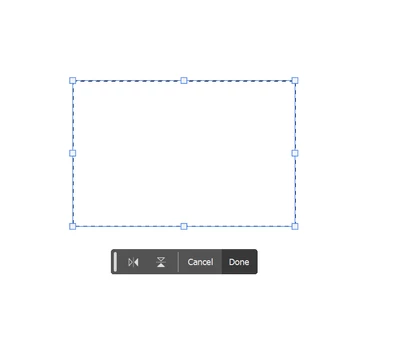


5. clicking and dragging on the handles does nothing, not even rotate works.

The only way to actually transform what you have selected is to change the values in the top bar, or by clicking on a vector (X:, Y:, W:, H:) and dragging.  Grabbing and dragging the box handles do nothing.

This works okay in Photoshop Beta 25.1 and the current version of regular, non-beta, Photoshop.

This topic has been closed for replies.

41 replies

maritak4403900
Participating Frequently
November 10, 2023

What is the point of updating beta 25.2 to 25.3 when the problem persists? Beats me.

Participant
November 10, 2023

If I resized an object, I can't move it without applying transformation. And when I move an object, I can't resize it without applying changes first.


They are not working together.

CJButler
Community Manager
Community Manager
November 12, 2023

Can you comment on which tool is selected when you do this, and how you initiate the transform command? And are you holding down the control key to select and move the object after resizing it? This latter behavior can be affected by the "AutoSelect Layer" setting on the Arrow (Move) Tool.

Participant
November 10, 2023

Transform still the same in 25.3 it does not respond when transform is selected its been bugging me for a few weeks now and i see others have the same issue and also in mask mode i see weird stuff going on in there too s when things are highlight ant trails and go into mask mode i get part of the original any trail copy showing .... please adobe get your act together ... for a paid product beta or not it should working like it was in say a person mentioned 25.1 ... which is where im heading to now to see if jumping back a few updates fixes these problems 

Participant
November 10, 2023

1 Photoshop  beta

2 Geforce gtx 3060

Bug - Dragging does not work properly in Photoshop beta 

Stretch and warp tools not working

maritak4403900
Participating Frequently
November 10, 2023

You mean 25.1 🙂

Participant
November 10, 2023

Hello, Im using Photoshop beta 25.2  (Windows 10 pro)(NVIDIA GeForce RTX 2060) (Intel(R) core(TM) i7-9700k)

If i open file have some problem, i can't reszing all file

its happening only 25.2, if i using photoshop beta 25.1 it is working

Can you check this problem?


[Mod: Moved to the Photoshop Beta forum]


Participant
November 9, 2023

This is actually driving me insane. Can we please get this fixed? It's been a week...

Participant
November 9, 2023

for the past week or so I have randomly been unable to resize my paragraph text box after the initial creation. (while in Type mode, not trying to stretch in transform)

Participant
November 8, 2023

I have no clue what's happening, but as of yesterday (Nov 7, 2023) images are opening in a very distorted view. It looks like a 1:30 ratio. If I stretch the window, the image will stretch with it, but then I can't work on the image because it's off of what it thinks is the normal size.  I can't transform at all. I can't use the lasso tool.  I tried to do a screen grab to post with this, but I can't even do that because I can't adjust the screen grab in order to save it. It's 100% unusable right now after the update.

Participant
November 7, 2023

I am having an issue where when I select an image or object on any layer with the move tool and resize or rotate it, as soon as I let go of the mouse button, it locks it in place, so I can't make any further adjustments (rotate, move, resize, etc.) until I click the done button that pops up underneath it. The image locks in place, so I need to click the freaking done button every time I make any adjustments. I am beyond frustrated with this. How do I turn this off?!


Photoshop Beta

Participant
November 9, 2023

Same issue here with the beta version of Photoshop. I've tried uninstalling and reinstalling, but it hasn't changed anything. Quite frustrating, as I just started paying for Photoshop this month, and it's completely disrupting the flow of my creations. 


Photoshop Beta, 25.2.0