


Known Participant
July 12, 2024

I keep getting pop-up "Help" or "Tips" or whatever, but the "No Thank You" button doesn't work

  • July 12, 2024
  • 21 replies
  • 2790 views

Bad enough that there's no option to disable "popups on startup" that I could find in the settings.
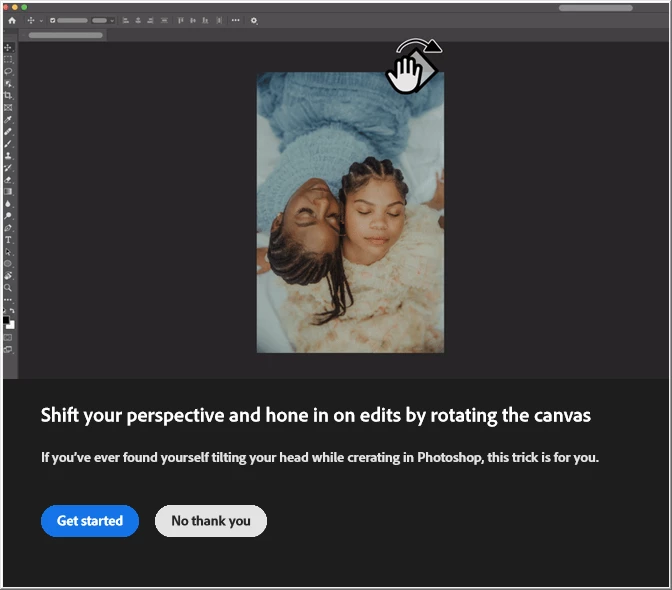


I clicked on "No thank you" a dozen times and it wouldn't go away.
my computer beeped me when I tried to click outside of the modal.

I had to force-close Photoshop and Re-open it.

21 replies

Putragraphy
Participating Frequently
September 27, 2024

yes it fixed the issue, however my workflow needs the contextual bar at all times. Thank you Michelle, even though it doesn't really work for my flow!

mglush
Community Expert
Community Expert
September 27, 2024

Hi,

Is your contextual menu bar open on your screen?

Where is the video poping up on your screen?

I was just talking to someone on another thread that had the same problem and he tried it and it got rid of the popup. If it's not the rich tooltips that you are talking about, then can you at least give it a shot and see if it works?

Michelle

Putragraphy
Participating Frequently
September 27, 2024

no, its the one that Keith mentioned above. Its like this. Happens when you add another layer, and add a mask to it. it keeps coming up despite closing them or dismissing them. surely a big. didn't happen yesterday

mglush
Community Expert
Community Expert
September 27, 2024

Did you try it to get rid of the video that is associated with the menu bar? Is it that pop up you are talking about?

M

Putragraphy
Participating Frequently
September 27, 2024

thats a contextual bar though. thats different..

mglush
Community Expert
Community Expert
September 27, 2024
Participant
September 27, 2024

Same here.. removed too much pop up every few seconds keeps obstructing my image and heavily impacts my workflow it's driving me nuts!!!! 
Tooltips and rich tooltips all unticked.

Putragraphy
Participating Frequently
September 27, 2024

Removing too much or too little of your background always pops up despite "dismiss" ing them. super annoying

tiffinyd3176049
Participant
September 26, 2024

I am also not able to get rid of a pop-up about Removing too much or too little of your background.

Participating Frequently
September 17, 2024

I would also like to stop receiving these kinds of pop ups, "helpful tips," or anything similar. I can confirm they are unrelated to the "Show Rich Tooltips" option that has already been mentioned. That box is unchecked for me.

Participating Frequently
September 26, 2024

Same here. Not able to get rid of a pop-up about Remove too much or too little of your background? 


Participating Frequently
September 26, 2024

Me, too. 

Marty Geller