TenTin
Known Participant
June 24, 2023

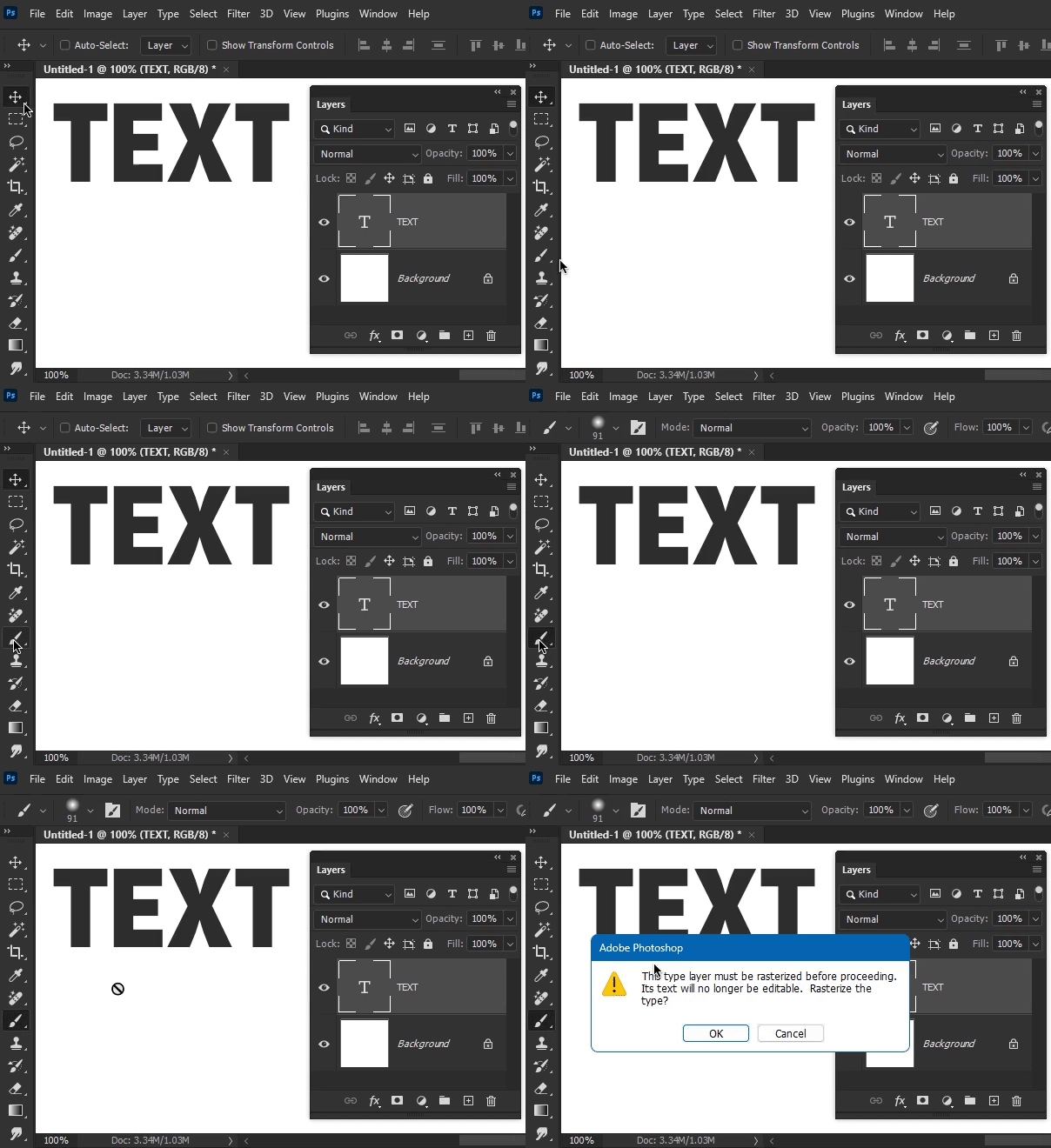
P: "Achieve non-destructive brush painting" doesn't work! Photoshop 24.6 Stable (not the Beta)

  • June 24, 2023
  • 11 replies
  • 860 views
This topic has been closed for replies.

11 replies

J E L
Community Expert
Community Expert
June 24, 2023

Hi @TenTin, AFAIK, text layers in Photoshop are always (sort of) vector to start with. But Photoshop is a raster program. So, one option is to prepare your text layers in Photoshop along with other layers as you always do, and then save the file as a .psd. Open the file in Adobe Illustrator. A prompt will ask what you want to do… convert the layers to objects or flatten them in a single layer? Select “convert objects” and then you can non-destructively edit the text layers. At least, this is how I've always done it. Or maybe you are asking about something else? Others here may have more ideas for you, too.


ETA: I think I see what you mean now. There is a video at that first link that shows you can switch to the brush tool while having the Text layer selected. But it doesn't work. “To deselect a layer, keep the Move tool selected, use the Command (Mac) / Ctrl (Windows) key, and click in the empty bottom portion of the Layers panel.”


ETA2: Okay, LOL, I'm fail on this one for sure. The video shows a smart object layer. Then it works.