
David Nogol
Participating Frequently
October 19, 2017

P: After latest update, "select and mask" tool gives program error

  • October 19, 2017
  • 59 replies
  • 1253 views

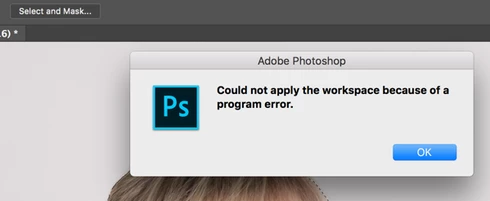
After the Photoshop CC 2018 update, I am getting "Could not apply the workspace because of a program error" after clicking "select and mask" button. Before update, it worked perfectly. Have somebody same problem?
This topic has been closed for replies.

59 replies

Inspiring
March 10, 2019
Great! It also woked out for me too! Thansk!
Inspiring
May 5, 2018
I have PS 19.1.3 and I still have the issue
Inspiring
February 7, 2018
Hi, I am using latest version of PS Cc and having the same problem. Already converted from 16 to 8 bit image, but still cracking. Can you help me?
Legend
January 23, 2018
This issue should be fixed by the Photoshop CC 2018 (19.1) update that was released today.
Hannah Nicollet
Community Manager
Community Manager
December 4, 2017
Hi Mark,

Sorry to hear that. I'll reopen the case. I have been using select and mask on Win 10, v. 19.0.1 without getting a program error so I'd like to get closer to duplicating your situation. Would you mind sending me a psd that you have used to get the program error and if possible a screen capture of what happens when you attempt to do a select and mask? My email is below.

Thanks,
Hannah

Inspiring
December 3, 2017
Hannah,  It's Still broken at 19.0.1 under Win10.  I've tried EVERYTHING suggested in the community forums at Adobe etc. etc.  As soon as you begin refining a selection with "Select and Mask", PS appears to freeze.  Task Manager reports that PS is still using some CPU, etc... but it's essentially frozen; have to end PS with Task Manager.  Doesn't matter if image is 8-bit or 16.
Inspiring
December 3, 2017
Hannah,  It's Still broken at 19.0.1 under Win10.  I've tried EVERYTHING suggested in the community forums at Adobe etc. etc.  As soon as you begin refining a selection with "Select and Mask", PS appears to freeze.  Task Manager reports that PS is still using some CPU, etc... but it's essentially frozen; have to end PS with Task Manager.  Doesn't matter if image is 8-bit or 16.
Known Participant
November 15, 2017
Hi Hannah,
This fixes this particular issue, but it broke refining the edge from an alpha mask:

https://feedback.photoshop.com/photoshop_family/topics/select-mask-ignores-edge-detection-when-initi...
Hannah Nicollet
Community Manager
Community Manager
November 14, 2017
Hi Everyone,

This should be resolved in the 19.0.1 update released last night. Please update Photoshop using the Creative Cloud desktop app, and let us know how it goes!

Regards,
Hannah
Inspiring
November 11, 2017
I only encounter this when I attempt to edit a photo that I've touched in lightroom (with lightroom edits). Selecting the same raw file (without LR edits) and it works fine. 

I've reset the preferences and it worked for exactly 1 image. Then next image I tried this with resulted in the same issue.