
David Nogol
Participating Frequently
October 19, 2017

P: After latest update, "select and mask" tool gives program error

  • October 19, 2017
  • 59 replies
  • 1253 views

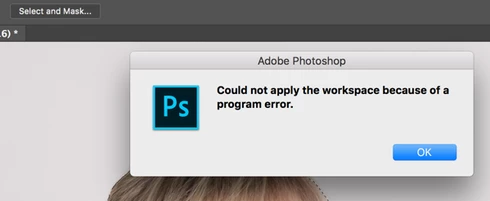
After the Photoshop CC 2018 update, I am getting "Could not apply the workspace because of a program error" after clicking "select and mask" button. Before update, it worked perfectly. Have somebody same problem?
This topic has been closed for replies.

59 replies

Hannah Nicollet
Community Manager
Community Manager
October 23, 2017
Hi David,

Do you have a channel selected when you attempt the Select and Mask?
David Nogol
Participating Frequently
October 21, 2017
After editing few photos, I get same error message 😞 I must find a way how to install older version which worked perfectly
Inspiring
October 20, 2017
Bad luck, today morning after Restart the problem appear again, same like before 😞
Inspiring
October 19, 2017
yes , just i tried, and now it looks fine, thanks a lot from Germany 😉
Pete.Green
Community Manager
October 19, 2017
Does the preference reset (mentioned above) help for your larger images Andi?
Pete.Green
Community Manager
October 19, 2017
Awesome, thanks for the update David -- Glad that worked, and I hope it sticks. Let us know if it comes back!
Inspiring
October 19, 2017
Its happened by me too, but only effects big files, like tiff, small ones , like jpeg are working normal. tryed with and without graphicprocessor
David Nogol
Participating Frequently
October 19, 2017
Hi Pete, thank you for quick reply. I tried reseting preferences and it helped. Now it seems select and mask is working again 🙂 Thank you!
Pete.Green
Community Manager
October 19, 2017
Hi David,

Sorry for the Program Error with Select and Mask. Program errors can be finicky, and at times restoring the preferences to the default state can be a fix for errors like this. Have you tried that yet?

Reset Photoshop preferences: https://helpx.adobe.com/photoshop/kb/basic-trouble-shooting-steps.html#prefs

Give that a try and let us know if it resolves it for you. 

Regards
Pete