
David Nogol
Participating Frequently
October 19, 2017

P: After latest update, "select and mask" tool gives program error

  • October 19, 2017
  • 59 replies
  • 1253 views

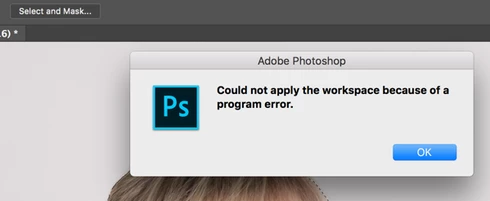
After the Photoshop CC 2018 update, I am getting "Could not apply the workspace because of a program error" after clicking "select and mask" button. Before update, it worked perfectly. Have somebody same problem?
This topic has been closed for replies.

59 replies

Inspiring
October 26, 2017
Same error here plus weird mask patterned artifacting
Known Participant
October 25, 2017
Same error here.
Hannah Nicollet
Community Manager
Community Manager
October 25, 2017
Which version of Photoshop are you running, Thomas?
Inspiring
October 25, 2017
Getting same error, on my sony raw files, switched to 8bit as mentioned above and it works... cc 17 worked great

macbook pro
Participating Frequently
October 25, 2017
If I switch to 8-bit it works OK, but not 16 or 32-bit
Participating Frequently
October 24, 2017
It has happened to me as well. If I do a select all, I do not get the error, but anything less gives this error. I tried using different selection tools and the same. I upgraded my Graphics Driver and reset preferences. I tried turning off Graphics Acceleration to no avail. The OpenCL was unchecked which what some on the web were saying to do. 

Also, I do not have any channels selected. It seems to work OK on JPEG's but not on Tiffs or PSD or Raw files (Canon CR2 or Nikon NEF). 

I am running Windows 10

Tom
Hannah Nicollet
Community Manager
Community Manager
October 23, 2017
As far as getting more information, thanks for the help! It's always nice to receive error reports so if you are prompted we appreciate you sending them.

You can also download the log collector here: 
https://helpx.adobe.com/creative-cloud/kb/cc-log-collector.html

That will create a file that helps us troubleshoot your problem.

Thanks! 🙂 
Hannah
Hannah Nicollet
Community Manager
Community Manager
October 23, 2017
We have had other user reports of program errors related to selecting channels and then getting a program error with select and mask. If a channel is selected in the channels panel, the command "Select and Mask" should be grayed out because one cannot do anything to a channel with this command. We're aware of it and engineering is looking into it, but in the meanwhile you will likely run into program errors if you attempt to use select and mask with channels.
David Nogol
Participating Frequently
October 23, 2017
And sometimes error occurs every time 😞 I have lot of photos to edit, so I am forced to use older version of Photoshop, which works fine.
David Nogol
Participating Frequently
October 23, 2017
Hello Hannah, yes I have selected channel. Now it seems error occurs only sometimes.

At first, I selected object with quick selection tool. Then I clicked "select and mask" button and get error "Could not apply the workspace because of a program error".

Then I tried to select object manually with lasso tool and now "select and mask" works even with combination with quick selection tool.

Is there any way to get more specific information about errors in photoshop? I want to give more information, but don't know how 😞