
David Nogol
Participating Frequently
October 19, 2017

P: After latest update, "select and mask" tool gives program error

  • October 19, 2017
  • 59 replies
  • 1253 views

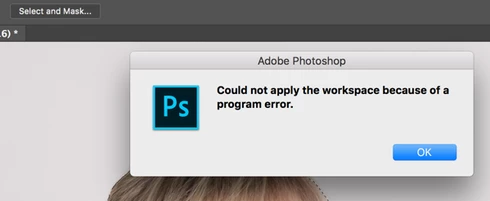
After the Photoshop CC 2018 update, I am getting "Could not apply the workspace because of a program error" after clicking "select and mask" button. Before update, it worked perfectly. Have somebody same problem?
This topic has been closed for replies.

59 replies

Inspiring
October 26, 2017
Would you like it posted to this thread or do you have an email we can send one to?
Inspiring
October 26, 2017


select and mask not working, getting an error message saying: COULD NOT APPLY THE WORKSPACE BECAUSE OF A PROGRAM ERROR

Please advise
Hannah Nicollet
Community Manager
Community Manager
October 26, 2017
Would you mind posting a file that is giving you trouble? We have been trying to replicate the program error but so far haven't encountered it.

Thanks,
Hannah
Known Participant
October 26, 2017
Switching to 8-bit seemed to work for me. No luck with unchecking remember settings. These bugs are crazy. This and healing brush too! The shareholders may love the subscription model but dealing with the constant bugs is wasting a huge amount of my time.
Inspiring
October 26, 2017
Same here, my very first run after the update I opened a raw file from lightroom export, used the select and mask tool loaded right up and worked fine. Finished that file opened up a second raw file from the same session and upon my second attempt to run the select and mask tool it threw the error and continued to do so there after. Switch to 8bit it works, or uncheck remember settings it works.  
Known Participant
October 26, 2017
Think I found a solve literally right after I posted....


For kicks I unchecked "remember settings" in the select & mask dialogue, hit ok, now it appears to be functioning normally. I turned "remember settings" back on and it is still continuing to function normally.
So, for me, "remember settings" was causing the issue, but works after unchecking, hitting ok, and reapplying.
Known Participant
October 26, 2017
Think I found a solve literally right after I posted....
For kicks I unchecked "remember settings" in the select & mask dialogue, hit ok, now it appears to be functioning normally. I turned "remember settings" back on and it is still continuing to function normally.
So, for me, "remember settings" was causing the issue, but works after unchecking, hitting ok, and reapplying.
Known Participant
October 26, 2017
This happens on start of the program with every file, whether opened from a raw Lightroom export, or a new document when initiating select & mask via shortcut or file menu on a selection.
Select & mask works as expected when initiated from an existing mask.
Hannah Nicollet
Community Manager
Community Manager
October 26, 2017
We're trying to reproduce the error on our end but it isn't happening with the test files we have used.

Anyone who is getting this error, would you share a file that is encountering the error? It would also be helpful to include the steps you took before it happened.

Thank you!
Hannah
Inspiring
October 26, 2017
Same error here. Last version worked fine