
David Nogol
Participating Frequently
October 19, 2017

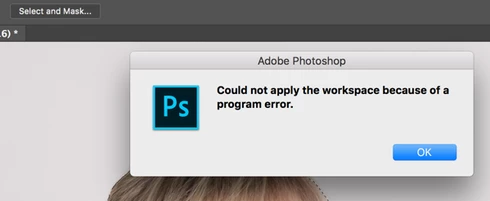
P: After latest update, "select and mask" tool gives program error

  • October 19, 2017
  • 59 replies
  • 1253 views

After the Photoshop CC 2018 update, I am getting "Could not apply the workspace because of a program error" after clicking "select and mask" button. Before update, it worked perfectly. Have somebody same problem?
This topic has been closed for replies.

59 replies

Participating Frequently
October 30, 2017
I did as Stephen Newport said below to uncheck the remember settings and it worked. Re-checked the remember settings and it still works...so far...
rogéz
Participating Frequently
October 30, 2017


error message: "Could not apply the workspace because of a program error." appearing after making a selection and pressing the select & mask button in the toolbar. I get this error since upgrading to PS19.

Please provide another solution than deleting your preferences as I do not wish to do that. I have to many customisations and would loose too much time setting them all back. Can I maybe delete one singe preference regarding this specific error?
Inspiring
October 29, 2017
I'm having the same problem in cc 2018. Reinstalled 2017 and using the same image with an active selection, Select & Mask works fine.
Inspiring
October 28, 2017
I'm getting the same error, I tried to uncheck remember settings and it's not helping, it actually made Photoshop crash.. this is why I hate it when they come out with updates... ugh
Inspiring
October 28, 2017
Same with me very very frustrating, Adobe should have this sorted before making the update
Earth Oliver
Legend
October 27, 2017
Looks like any 16bit image will provoke the bug...
Inspiring
October 27, 2017
I had the same problem and changed mode to 8 bit and it works now!
Known Participant
October 26, 2017
After turning off "remember settings" I've only had it happen once now and hasn't repeated... I'll upload the next file it happens to
Inspiring
October 26, 2017
I emailed it, thanks! 
Hannah Nicollet
Community Manager
Community Manager
October 26, 2017
Either way. If you would prefer to keep it off the thread, please send it to me at:


Thank you,
Hannah