


Participant
February 28, 2018

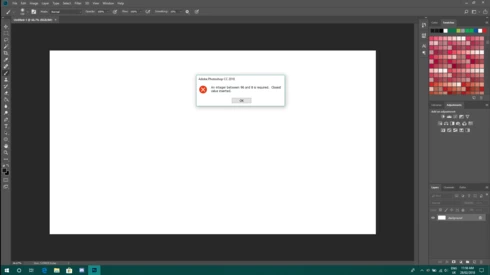
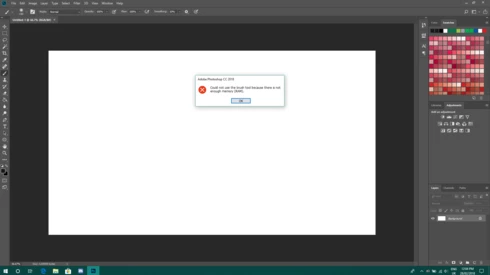
P: An integer between 96 and 8 is required. Closest value inserted. "...not enough memory (RAM)"

  • February 28, 2018
  • 132 replies
  • 3187 views

Photoshop has become suddenly unusable. Almost every tool gives me an "Out of memory (RAM)" error and when I try to open the Performace pane I get the error in the title. I cannot get inside the settings, as this error keeps on popping up. I tried everything (reinstalling PS, deleting everything (including preferences), updating PS, updating Windows 10, switching to the latest Insider Preview). Nothing fixes this error.
This topic has been closed for replies.

132 replies

nicogigAuthor
Participant
February 28, 2018
Hi David!

I double checked to be sure, but I have 120GB free on my main SSD (on which I installed both Windows 10 and PS) and 160GB free on my secondary drive, which leads me to believe that the issue isn't there.
David Mohr
Participating Frequently
February 28, 2018
Howdy Nicola,

How much hard drive space do you have, both on your main partition and your scratch drive.  It could easily be that you're simply out of space on one or both drives.

Thanks,
David