


Inspiring
June 17, 2020

P: Arabic text issue

  • June 17, 2020
  • 54 replies
  • 4748 views

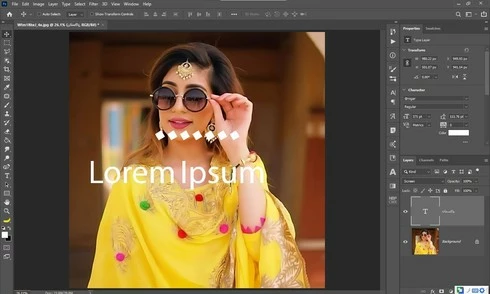
Yesterday i update my photoshop cc 2020 21.1.3 to 21.2 latest one but i got some bugs 1st one is that when i used text tool and write some thing like arabic text the screen display 2 text one is mine 2nd one is default text which one is freez and some of my arabic fonts did not work in it . i also attached a screen shot along this complaint ...my 2nd problem is GPU disable ater updates i am trying to updates my drivers already updated i trying everything but still problem ... sorry for my bad english and thanks in advanced ..
This topic has been closed for replies.

54 replies

Participant
July 21, 2020
Absolute nonsense. Update 21.2 is exactly what screwed up everything.
Flodymx
Participant
July 21, 2020
Ohh I found it >> to see the new update I have to go to Updates >>> and beside Update all >> click on the 3 dots than >> Check for updates 
Flodymx
Participant
July 21, 2020
Flodymx
Participant
July 21, 2020
why I can't see this update in my adobe cloud 
Akash Sharma
Legend
July 21, 2020
Glad to hear that Maya and Raphael 🙂 
Inspiring
July 21, 2020
Yep, Same here.
Thank you!
mayal33876248
Participating Frequently
July 21, 2020
Yu huuuuu!!!! it is working!
Thank you so much.
I've just tested it and all my Hebrew fonts are working and being displayed correctly again.
Good morning all 🙂
Akash Sharma
Legend
July 21, 2020

We are happy to announce the release of Photoshop 21.2.1 that should resolve this issue.

This update includes fixes to some of the top customer reported issues among other bug fixes. See Bug fixes and security updates

To update Photoshop to 21.2.1, click "Update" in the Creative Cloud desktop app next to Photoshop. 

More detailed instructions for updating

Let us know how it goes.

Thanks,

Akash
Inspiring
July 20, 2020
Hi.
I have the same problem at some of my persian fonts ( like [Samim FD-WOL] which you can download it from this link: https://github.com/rastikerdar/samim-font/releases/download/v4.0.5/samim-font-v4.0.5.zip )
This issue wasn't there at my previous photoshop versions (2019 version and before)
Could you explain especially how should I fix this problem ?!?


Inspiring
July 18, 2020
Once i downloaded the latest update, i couldn't even type right to left in Hebrew. Left to right only. I had to uninstall photoshop and download the previous version. I should note that in the new version you removed the middle east and merged the type in the settings and gave the new name "East and asian" together(without a different option  East Middle". And it completely removed the option to print from right to left. If you try to uninstall Photoshop and download the latest version right away, you won't be able to type right to left at all.


Elad Shevach