

Barb Binder
Community Expert
Community Expert
March 28, 2024

P: Auto-numbered lists in Photoshop 2024?

  • March 28, 2024
  • 39 replies
  • 7351 views

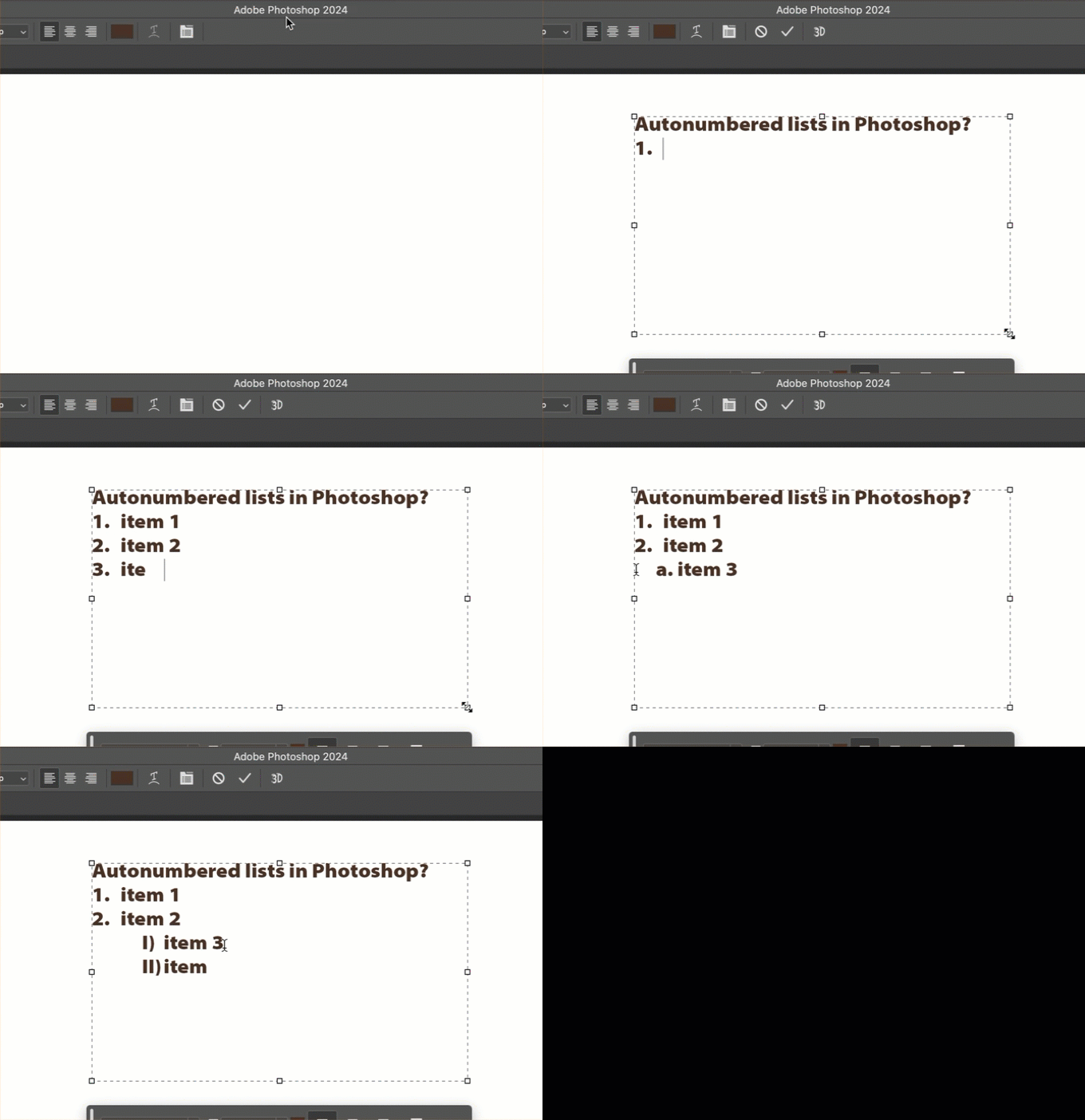
Can someone point me to the documentation that describes how to manage auto-numbered lists in Photoshop? I can't find any controls within Photoshop, other than what I stumbled on by randomly pressing tab or enter (looked in Settings, Properties panel, Options bar, Para and Char panels) and can't find any reference to these lists sudden appearance in Ps 2024 anywhere online!! 


TIA,

~Barb
 

39 replies

Participant
May 18, 2024

REMOVE THIS IMMEDIATELY

Rhinozherous
Participant
May 16, 2024

Wow, how can someone think that it is a good idea to implement a highly intrusive "feature" and dont implement a simple off switch fot it?? What are you guys smoking?

Participating Frequently
May 13, 2024

This is an annoying feature at the moment. When I try to type for example "2. Bla bla" the "2." becomes invincible and I can't edit it anymore, just the "Bla bla" part. Even in the Layer panel the layer is named just "Bla bla". I've tried everything to find a fix for this annoying bug but nothing yet.

Participant
May 9, 2024

THIS IS THE STUPIDEST FEATURE EVER SINCE HUMAN CIVILIZATION STARTED. Who ask for this? Adobe HAVE TO fire the photoshop team who develope , or suggest this feature.

Legend
May 8, 2024

This is a data loss bug. The only way to get rid of this BS is to reset the paragraph but that deletes manually typed text content. We need a "no" checkbox for this misfeature.

[edited by moderator]

Participating Frequently
May 8, 2024

please please help me turn this automated feature off, I do NOT want to have automatic bullet lists every time, this is very bad to just force this upon us like this


@Beer Me 2xis the only workaround to first hit space and then the - or number to make a list but it is ridiculous that it should be a workaround! C'mon Photoshop, we are paying trough our noses so you can keep this software updated and useful, it seesm I am in the forums daily with some new bug or frustrating new behavior, you have tons of cash to TEST new version before you launch them!

Barb Binder
Community Expert
Community Expert
May 7, 2024

@Beer Me 2x, the space is a great work-around until this is resolved.


~Barb


~Barb at Rocky Mountain Training
Participating Frequently
May 7, 2024

@CoryShubert This is a bug-ridden half-implemented feature. Having my typed-in text automatically overridden without anyway to turn it off is definitely a bug. This post is rightly in the 'Bugs' section.

Stephen Marsh
Community Expert
Community Expert
May 7, 2024

@Amelio_R 


As the pinned reply from @CShubert states, this is a new feature, not a bug.

Participating Frequently
May 7, 2024

7 May 2024. Still can't turn this auto-numbering off. And even CMD-Z doesn't undo it. This is an extremely annoying bug. Pls fix ASAP.