


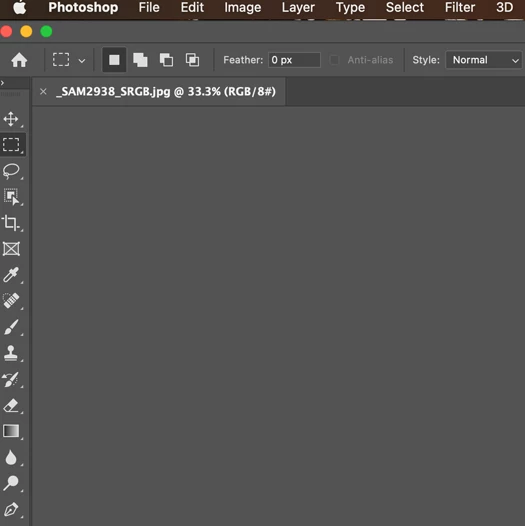
P: Black Canvas when used with Egpu on MacBook Pro. Cannot see image on Canvas.
1. Pertinent System Specs (Platform, RAM, HD Space, Monitor resolution, Video Card, etc)
MacBook Pro 13 inch 2018 with 4 thunderbolts
500GB Hard Disk
Intel Core i5 Quad Core
8gb RAM
Integrated Graphics: Intel Iris Plus Graphics 655
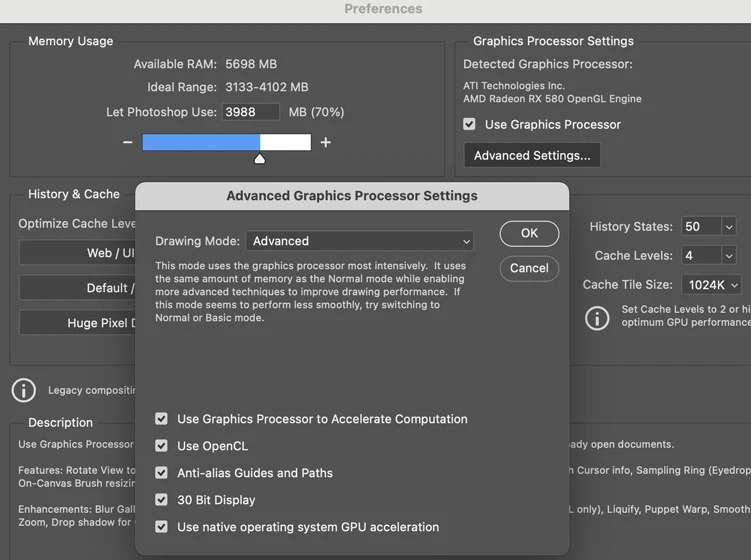
Egpu : Razor Core X with AMD Radeon RX 580
Display Bounds: top=0, left=0, bottom=1050, right=1680 OpenGL Drawing: Enabled. OpenGL Allow Old GPUs: Not Detected. OpenGL Drawing Mode: Advanced OpenGL Allow Normal Mode: True. OpenGL Allow Advanced Mode: True. AIFCoreInitialized=1
AIFOGLInitialized=1
OGLContextCreated=1
NumGLGPUs=1
NumCLGPUs=1
NumNativeGPUs=2
glgpu[0].GLVersion="2.1"
glgpu[0].IsIntegratedGLGPU=0
glgpu[0].GLMemoryMB=8192
glgpu[0].GLName="16915464"
glgpu[0].GLVendor="AMD"
glgpu[0].GLRenderer="16915464"
glgpu[0].HasGLNPOTSupport=1
glgpu[0].CanCompileProgramGLSL=1
glgpu[0].GLFrameBufferOK=1
clgpu[0].CLPlatformVersion="OpenCL 1.2 (Nov 23 2020 03:06:15)"
clgpu[0].CLDeviceVersion="1.2"
clgpu[0].IsIntegratedCLGPU=0
clgpu[0].CLMemoryMB=8589
clgpu[0].CLName="AMD Radeon RX 580 Compute Engine"
clgpu[0].CLVendor="AMD"
clgpu[0].CLBandwidth=1.770000e+11
clgpu[0].CLCompute=2877.863474
clgpu[0].CLRawDeviceName=AMD Radeon RX 580 Compute Engine
clgpu[0].CLRawDeviceVendor=AMD
clgpu[0].CLRawPlatformName=Apple
clgpu[0].CLRawPlatformVendor=Apple
nativegpu[0].NativeName="AMD Radeon RX 580"
nativegpu[1].NativeName="Intel(R) Iris(TM) Plus Graphics 655"
2. OS version number*
Mac OS Big Sur 11.1
3. Photoshop/Camera Raw version number
Photoshop V22.1.1
4. A brief description of the problem.
Setting: Macbook Pro Connected to Razor Core Egpu with Radeon RX 580.
Description:
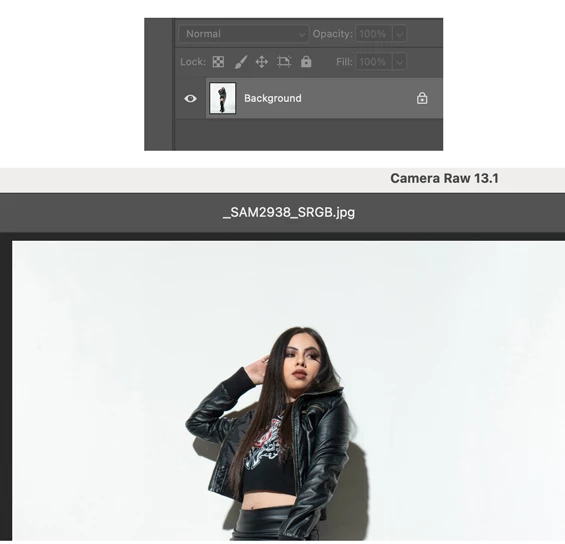
I have selected "prefer external egpu" in app. Phootshop recognizes my egpu. When i open an image, it displays blank on the canvas. However I still can see the image in the layers section. Image also appears in camera raw and other panels like liquify. I have tried to reset preferences, tried all different modes in drawing mode and no use.
For now I have a workaround. I first disable graphics processor and then open the image. Once the image displays, I enable my graphics processor again and continue working. but I have to do this for every pic i work on. Plus it is slow when zooming in and out of pic. I can confirm the Egpu is working this way as i can see the gpu chart from activity monitor.
Note: I dont have these issues when connected to an external monitor. Seems like photoshop has this issue when I directly use egpu with MacBook Pro internal monitor without an external monitor.
5. Steps to recreate the issue:
Connect your macbook to a egpu without an external display and try opening an image in photoshop in macbook pro itself.
Plzzz fix. gurhhhh
 AdChoices