


Participant
August 30, 2022

P: Camera Raw masks move with image cropping

  • August 30, 2022
  • 15 replies
  • 1621 views

I noticed, that when I use a camera raw filter with masks on a smart object, the masks in this filter move when the document is cropped in photoshop.


1. Version of the app

Adobe Photoshop Version: 23.5.0 20220809.r.669 0e07917 arm64


2. Platform an OS version

OS: Mac OS 12.4.0

Architecture: Apple M1 Max, HybridCPU(8:2)


3. Basic steps to reproduce the problem

  1.  create document with object
  2. add camera raw filter to the smart object
  3. add masks ins camera raw
  4. leave camera raw
  5. use crop tool to enlarge image
  6. edit camera raw filter
  7. masks should have moved. 


4. Expected result and actual result

Results can be seen in the images below. I would expect the filters to stay where I placed them


The first two images show the initial image without cropping. As you see the skymask in the second image ends exactly at the tees
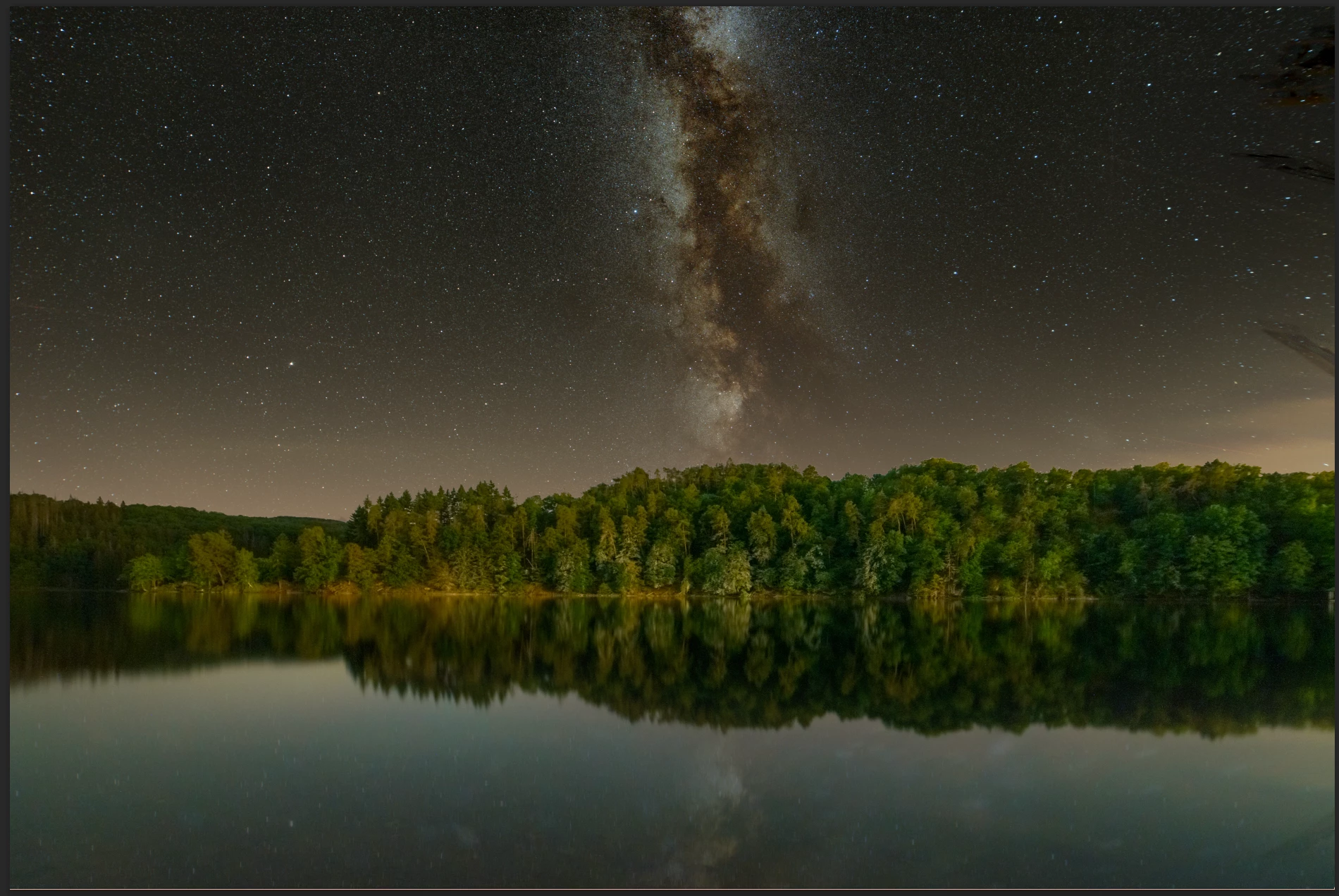
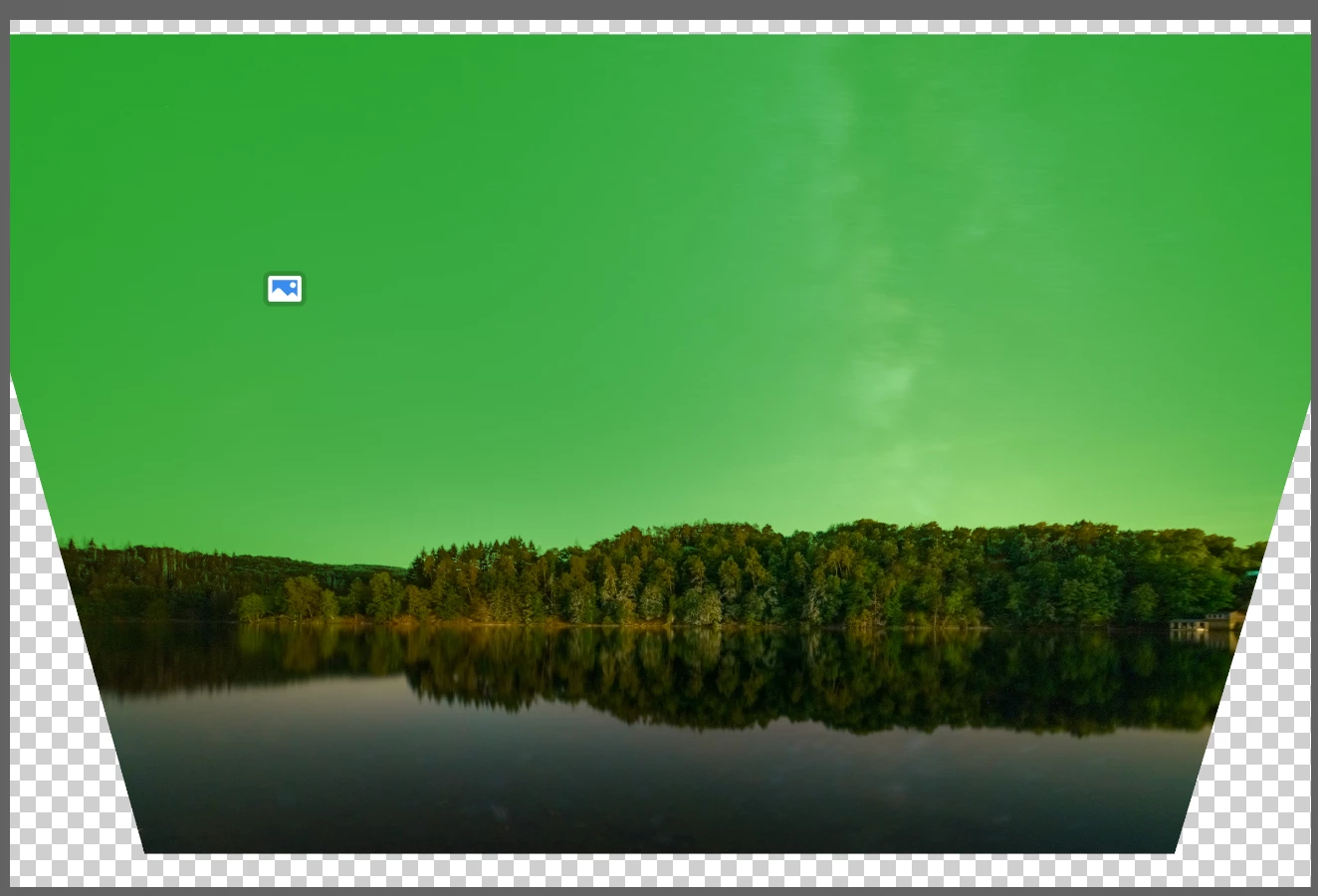
 The second two images show the document after cropping. The image is extended towards the sky to reveal more of the milky way. After cropping the skymask moved up and doesn't end exactly at the trees anymore.
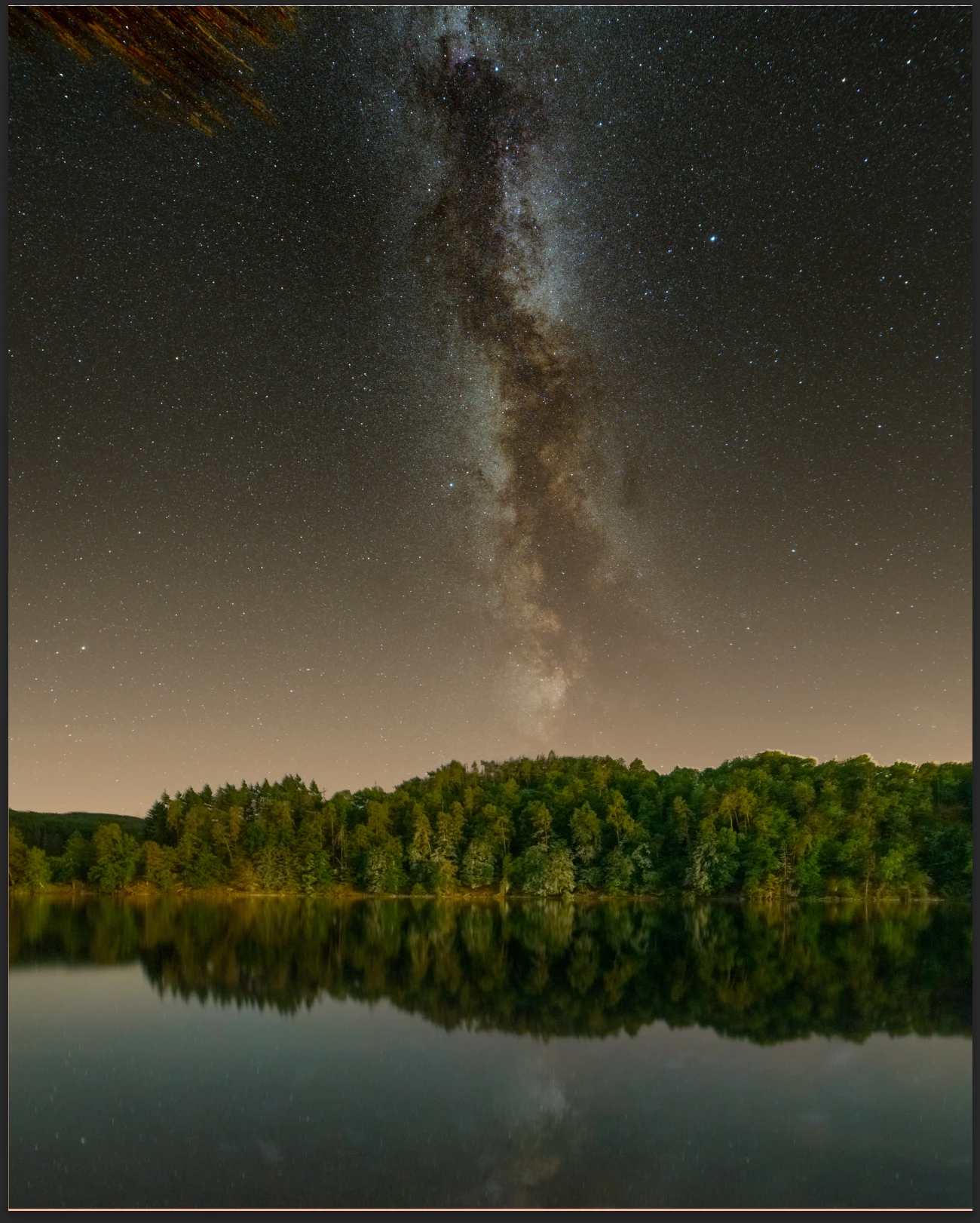
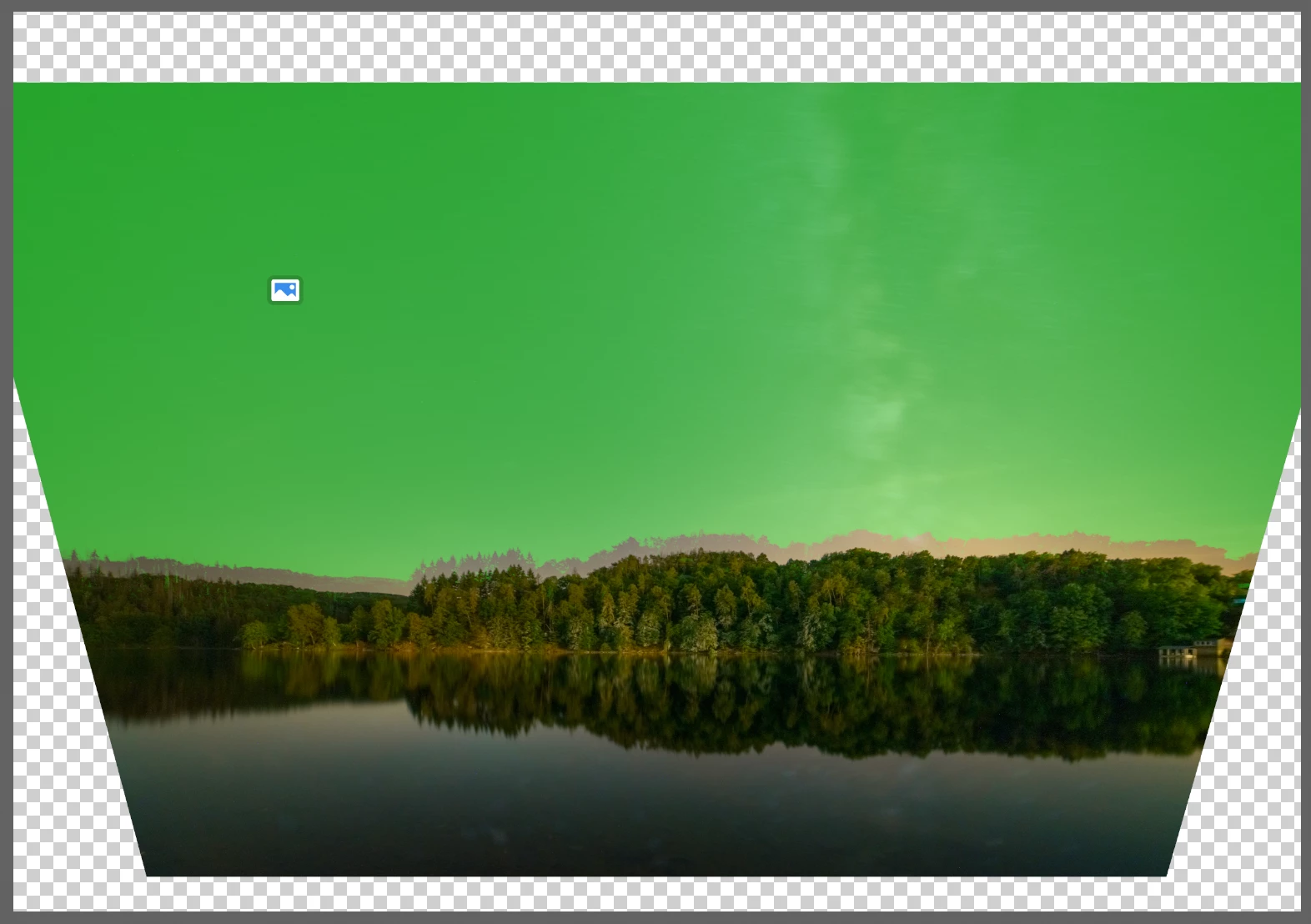
All masks in camera raw filter used on smart objects behave the same. I notices this movement also on a gradient filter layer in my layer stack.


Anyone knows if PS should behave like this? Or is it a setting?


Thank Matthias


15 replies

WGUTony
Participant
February 19, 2026

It’s been 3 years. This is such a time-suck

Participating Frequently
February 7, 2025

@William Scalia YES! I've been redoing my masks for years now.  Please Adobe!

William Scalia
Participating Frequently
February 7, 2025

@Jennifer32002517ui6k 


Glad it worked out. Would still love an "Update Masks" Button, though, right? Adobe, are you listening??

Participating Frequently
February 7, 2025

That worked!  Thank you @William Scalia !!!

William Scalia
Participating Frequently
February 7, 2025

A workaround:

1. Save your camera raw settings to your desktop, making sure that you have MASKS checked in the menu. 

2. Delete the original Camera Raw filter from your smart object. 

3. Add a new Camera Raw, open it, and load those saved settings back in. 


The masks should reconform to the new layout of the adjusted page dimensions. 

Participating Frequently
February 7, 2025

I have had this problem for years now and i haven't been able to work around.  Any ideas?????

mrtheloe
Participant
February 3, 2025

Still the same problem.

There is a Button Ai Maske update. But why is the 'AI Masked Update' button grayed out? It works in Lightroom.

William Scalia
Participating Frequently
August 15, 2024

Please update. Its almost been two years since this was first brought to your attention. 

Participant
April 17, 2024

As of 2024 this is still an issue. At the very least give us the ability to manually move mask around in camera raw.

Participant
December 20, 2023

End of 2023 and still a problem... Adobes way of fixing bugs is very long. The only sollution to this is to create an empty layer, select it with the camera raw filtered smart object and convert this into a smart object again. This way the camera raw filter is "hidden" into a nested smart object and we are finally able to crop again. Frustrating but it is a workaround.