


Inspiring
March 28, 2014

P: Can't open PNG files

  • March 28, 2014
  • 88 replies
  • 1064 views

We can to view the png file in finder mode.
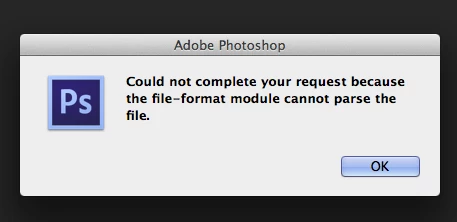
When we try to import png file, in the Photoshop, we receive the message:
"Could not complete your request because the file-format module cannot parse the file."
Mac OS. Maverick
Photoshop CS6
This topic has been closed for replies.

88 replies

Inspiring
May 3, 2019
Just updated to Photoshop CC 2019 using CC on the Mac.  That changed the error message to "Not a PNG file."  And what do you know, Photoshop was right!!  Once I changed the extension to .jpg, Photoshop was able to open it!
Inspiring
January 15, 2019
This worked for me!
Legend
December 6, 2018
Usually the cause is the file was a JPEG file that .png as an extension. Saving it from preview makes the format match the extension.
Inspiring
December 5, 2018
Hope I am not repeating anything, but I solved it by opening the PNG in in Preview and saving it as a PNG file (replaced it).  Then I could open it in Adobe.

Legend
August 16, 2018
Can you post a link to the file in question you're having trouble with?
Inspiring
August 16, 2018
I'm technologically challenged.  I just discovered an awesome app (Werble).  With that, I can add animated stuff to existing photos (sparkles, etc.).  I sent the photo over wifi to my computer (it saved it as a gif), and I get the could not complete thing.  Help?
Inspiring
June 9, 2018
help help help!
I ́m getting so frustrated..

I can ́t open any jpgs in ps cc anymore.  it works fine for one pic but i can ́t edit it and if i try to open another one it says invalid jpeg marker error....I can open the pictures in every other program but not in ps cc.It started couple days after i installed the newest update so i thought if I go back to the older version it would be fine but thats a big no. I need help, don ́t know what to do anymore 😞  No problem in lightroom or every other app.
I have customers waiting 😞
b__w_t79940862
Participating Frequently
May 15, 2018
thanx!
Inspiring
May 15, 2018
I can confirm that this is fixed for my posted issue in the 19.1.4 release. Thanks so much!
Pete.Green
Community Manager
May 15, 2018
This should be fixed in the Photoshop CC 2018 (19.1.4) release which is now available. 

Please update Photoshop CC 2018 via the Creative Cloud desktop app and let us know if you continue to have trouble!
https://helpx.adobe.com/creative-cloud/help/update-app.html

Regards,
Pete