


Inspiring
March 28, 2014

P: Can't open PNG files

  • March 28, 2014
  • 88 replies
  • 1064 views

We can to view the png file in finder mode.
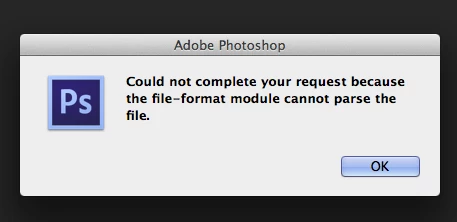
When we try to import png file, in the Photoshop, we receive the message:
"Could not complete your request because the file-format module cannot parse the file."
Mac OS. Maverick
Photoshop CS6
This topic has been closed for replies.

88 replies

Legend
April 25, 2018
Thanks. This is helpful. I've asked engineering to take a look.
b__w_t79940862
Participating Frequently
April 25, 2018
see my post 🙂
b__w_t79940862
Participating Frequently
April 25, 2018
Hi Jeffrey, here's the file for anyone to try out
https://adobe.ly/2Hsqdls
sorry that it took me so long... here's my file. By the way - windows version of PS opens this file...
Inspiring
April 20, 2018
I'm also having the "cannot parse file" error on .png images. "Not actually a png" isn't likely in this case because most of them are images I generated using Photoshop's "Save for web and devices" dialogue, and then when attempting to reopen them,  I get the "cannot parse file" error. I can open them in all other applications, just not photoshop. Frustrating. 
Legend
April 13, 2018
Could you zip up the PNG and post it via a URL to CC files or dropbox? That would ensure nothing is modifying the file before we get it for troubleshooting.
broacher
Inspiring
April 12, 2018
For a whole library, you might want to look into getting a batch image converter utility.
Inspiring
April 12, 2018
Jeffrey, here is a link to my files. This will expire in 30 days.

https://ufile.io/tfhpk

The zip has 3 separate PNG files in it.

qr-pypng.png is the original file generated by a Python script that uses pypng. Photoshop cannot read this file.

qr-imagemagick.png was a test I ran using the command line imagemagick. I used a simple "convert qr-pypyng.png qr-imagemagick.png" command to generate it. This file now will open in Photoshop. It would be nice to not have to do the extra step though.

qr-fireworks.png is an export from Fireworks. I was originally using my method described above but found that the png size was growing from ~37k to over 400k. Export produced a smaller file that Photoshop is happy with, but it is still not as small as either the original or the imagemagick conversion. Again, I don't like the extra export step necessary here to make it work.
b__w_t79940862
Participating Frequently
April 12, 2018
thx for answering Just wrote - I opened them in Affinity Photo - everything's fine. -

But that is still not an answer. That's a bug I think in the library. Wondering why and when this happens since we have several icons that have been affected
Inspiring
April 12, 2018
I'm pretty certain that some conversion happens in the posting process. I test posted my png, downloaded it, and then removed the comment. Large images will get scaled. My PNG also became readable by Photoshop after posting and saving it from the post.
Inspiring
April 12, 2018