


Inspiring
March 28, 2014

P: Can't open PNG files

  • March 28, 2014
  • 88 replies
  • 1064 views

We can to view the png file in finder mode.
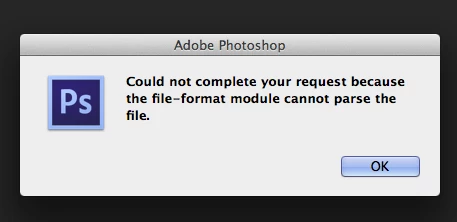
When we try to import png file, in the Photoshop, we receive the message:
"Could not complete your request because the file-format module cannot parse the file."
Mac OS. Maverick
Photoshop CS6
This topic has been closed for replies.

88 replies

b__w_t79940862
Participating Frequently
April 12, 2018
That's the point. We use a whole library with transparent png and some of those icons are broken. I just wanted to fix this or find out, what happened.

Affinity opens it just fine 
broacher
Inspiring
April 12, 2018
Yes I did. Did you try a 'SaveAs' from the image in the thread from your browser? If it opens fine, that would kind of prove that something got changed in the posting process.

Of course, a pretty quick and 'dumb' workaround is to open the file in a browser, alt-clk to 'copy image' and paste it from the clipboard as a new document into Pshop. But I do remember having the problem of saving from PShop as a PNG, but not being able to re-open.

Some suggested changing the extension to JPG, but that didn't work for me. And in any case, that would remove alpha transparency, which is one of the reasons most people use PNG (logos, etc.). That and the lossless vs lossy compression and the compression artifact problem with JPG text/linework.
b__w_t79940862
Participating Frequently
April 12, 2018
mmh. I also use the latest version and tested already with colleagues... do you use a mac-version?
Inspiring
April 12, 2018
Jeffrey, sorry for the late reply. I didn't initially see your response. I'll have to remember exactly what I was doing at the time. I'll follow up with an example file then. What is the best way to provide that to you?
Inspiring
April 12, 2018
B.W. Tan, see my comment above about using Fireworks. If you have access to Fireworks, open your png with it, disable a layer, re-enable the layer, and save the file. It should magically become valid to Photoshop after this.
broacher
Inspiring
April 12, 2018
I saved it from your post and it opened fine in Pshop CC 2018 (latest update). Though I have noticed that posting a file inside a post can often mean something gets monkeyed with in the process.

I can't remember the workaround I used for the problem I originally posted to here, so maybe they cleaned up the glitches in the PNG filter?
b__w_t79940862
Participating Frequently
April 12, 2018
HI Guys,

got the same issue. Files will open anywhere but not in Photoshop. It is just a normal png. - It will not open. 
Can you help me? Here's the file. Already reinstalled PS...

b__w_t79940862
Participating Frequently
April 12, 2018
Got the same problem. Do you have a hint how to solve it?
Inspiring
February 20, 2018
Hey, i think this problem can fix using FormatFactory.
save as img to jpeg
Legend
January 17, 2018
Sure. If you can post a PNG, we can take a look