


Inspiring
March 28, 2014

P: Can't open PNG files

  • March 28, 2014
  • 88 replies
  • 1064 views

We can to view the png file in finder mode.
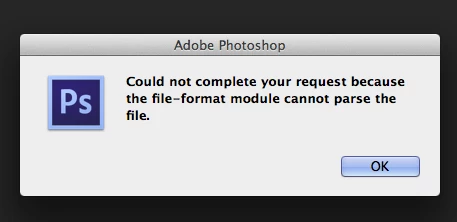
When we try to import png file, in the Photoshop, we receive the message:
"Could not complete your request because the file-format module cannot parse the file."
Mac OS. Maverick
Photoshop CS6
This topic has been closed for replies.

88 replies

Inspiring
January 17, 2018
This is a slightly different issue than some of the other described here but here goes. I'm generating png images through pypng in Python.

The files check out as valid, can be seen by Finder and opened in Preview (I'm a Mac).

If I open the file in Fireworks, disable a layer and then re-enable the layer without making any other changes, and finally save the file, I can open it in Photoshop.

If I run the file through ImageOptim (which uses a number of different png optimization tools) or try to save it through Preview, it still remains unable to be opened.

The open source tool pngcheck - http://www.libpng.org/pub/png/apps/pngcheck.html also considers it a valid file.

It seems that Photoshop's png reading library is somewhat buggy or incomplete because all other sources seem to see the file as valid and free from corruption.

I'd be happy to provide an example file if any Photoshop devs want to take a look at it.
Inspiring
November 27, 2017
This is a new issue for us in 2018 CC.  Some .pngs work, some don't.  Can't find a rhyme or reason.  Only fail.  
broacher
Inspiring
September 25, 2017
I've had the same problem with many PNGs. From reputable sources. They'll open in every app except PShop, and yes -- I tried the renaming thing. No luck.
Inspiring
September 10, 2017
my photoshop cs6 64 bit can't open and save as to .png file
Inspiring
April 6, 2017
This issue has to do with a broken plugin in Photoshop and seems to effect PNGs that have had their extensions changed. A workaround is to simply rename the file, and it should open. For example: foobar.png -->  foobar1.png. Alternately, you could open the file in photo preview and export it as a jpg, which Photoshop should also open.
Inspiring
April 4, 2017
The easiest would be if you just tried opening the file with another software, like this maybe: http://www.paintshoppro.com/en/pages/png-file/ and if the same or similar thing happened, you would know the file is broken or corrupted and needs repairing. If not, than it's a software issue.
Participant
March 21, 2017
how do you fix the extension if it has been saved incorrectly? I am getting the parsing data message when opening a file saved as .png. I inherited this file so am not sure about how it was saved. Can I access this file? It's not the security, because I already checked that. Thanks for your help!
Inspiring
October 25, 2016
This is a fairly old post but thought I'd add to it. I'm on Window 10, CS4 Photoshop and could not open any png files.

I got the could not parse.... error message. Drove me crazy for days!

Turns out it was my antivirus bitdefender and the ransomware protection setting that is designed to protect your photos and documents.

Turned it off and problem disappeared!
Legend
May 25, 2016
All png files or just specific ones? Have you tried the troubleshooting steps provided on this thread to reinstall Photoshop?
Inspiring
May 25, 2016
PNG FILES DO NOT OPEN WITH PHOTOSHOP!