


Inspiring
March 28, 2014

P: Can't open PNG files

  • March 28, 2014
  • 88 replies
  • 1064 views

We can to view the png file in finder mode.
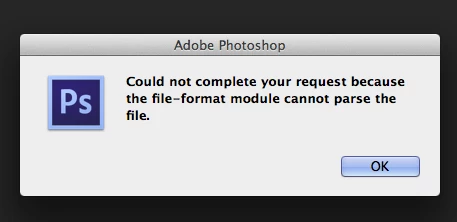
When we try to import png file, in the Photoshop, we receive the message:
"Could not complete your request because the file-format module cannot parse the file."
Mac OS. Maverick
Photoshop CS6
This topic has been closed for replies.

88 replies

Inspiring
May 23, 2016
thanks!
Inspiring
April 11, 2016
You probably need to reinstall Photoshop to pick up the missing plugins.
Inspiring
April 11, 2016

Hello,

I came upon this thread in an attempt to resolve this same problem I have. I do a lot of scrapbooking and purchase .PNGS graphics from reputable and safe designers. All of these have worked absolutely fine in CS4... until 2 weeks ago when I installed Windows 10 on my machine. Since then I have had no end of problems and am unable to open .PNGs (and a few glitches with other apps I use) and I put it down to the OS. I have opened the .PNGs in Paint and followed the recommendations in this thread to save as .JPEGs or .BMP but I lose the transparency or my machine will not let me open in up in CS4  I am not terribly technical so am loathe to start messing about with the plugins but I wondered if anyone else thinks it could be Windows 10 based on the timing of the problems.

Inspiring
April 8, 2016
Thank you so much, this helps me a lots
Inspiring
March 19, 2016
Elements and Photoshop share their file IO code.  So the only real way for them not to open in Photoshop is for the required plugins to be damaged or missing.
Inspiring
March 19, 2016
this is so crazy. I am able to open them in photoshop elements or in gimp.
I opened the files in Gimp, did a save as to jpg and was able to open them in Photoshop. Unable to open them in photoshop if I simply added the extension, .jpg.
Inspiring
March 9, 2016
greenberg - which means that they are corrupt, or aren't PNG files.
Inspiring
March 9, 2016
I got a couple of "flle format module cannot parse the file" messages with PNGs the other day, too.  CS4. 
Inspiring
March 9, 2016
That sounds like you are missing the required plugins that install with Photoshop (which includes the PNG format plugin).
Inspiring
March 9, 2016
I have this same problem and it is with any png files that I try to open from the internet or ones I have saved over the years. It says it cannot complete my request because the file cannot be found.