


Inspiring
March 28, 2014

P: Can't open PNG files

  • March 28, 2014
  • 88 replies
  • 1064 views

We can to view the png file in finder mode.
When we try to import png file, in the Photoshop, we receive the message:
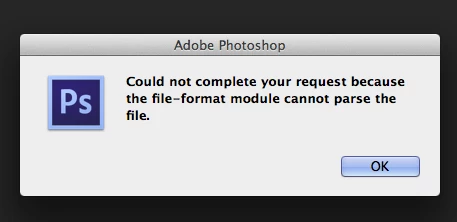
"Could not complete your request because the file-format module cannot parse the file."
Mac OS. Maverick
Photoshop CS6
This topic has been closed for replies.

88 replies

Inspiring
July 23, 2014
I opened a JPG in Photoshop, edited it, and saved it as a PSD. I edited the PSD, then saved a copy as a PNG. Photoshop now cannot open it. When I try to open it in Photoshop, it displays the error described above. However, I can open the file in Preview just fine. So the file is there, and it is OK, but Photoshop can't open it. I've tried restarting Photoshop, even restarting my laptop. I'm using Photoshop CC 2014 on a MacBook Pro.
Inspiring
July 5, 2014
O could have figured as much. Your responses don't give me any solutions. Will look for help elsewhere
Inspiring
July 4, 2014
Sounds like you're saving in the wrong place and getting different files confused, in addition to using the wrong file extensions.
Inspiring
July 4, 2014
After i do editing in Photoshop, i save the file with .jpg extension. I can still open the picture in Iphoto on my Mac but the edits do not show up. But the edits show up if i e-mail the file to myself. What is going on? Please help 🙂
Inspiring
July 4, 2014
How do i save them correctly? I would like for files to open on Photoshop for further editing. And i also need them to open on most computers as i will be giving out Cd's to my clients
Inspiring
July 4, 2014
If they open somewhere else, then most likely they just have the wrong file extension (ie: they are PSD files saved mistakenly with .JPG extensions).
Inspiring
July 4, 2014
I have the same problem. I save my files in JPG but when I want to open the file, Photoshop will not open it. in fact, I cannot open the file any other way besides in iPhoto on my Mac. Help!
Inspiring
March 28, 2014
That usually means that the file is corrupt, or that you have the wrong file extension on the file (like you saved a JPEG with .PNG - which, of course, can't be read by the PNG parser).