


Inspiring
March 28, 2014

P: Can't open PNG files

  • March 28, 2014
  • 88 replies
  • 1064 views

We can to view the png file in finder mode.
When we try to import png file, in the Photoshop, we receive the message:
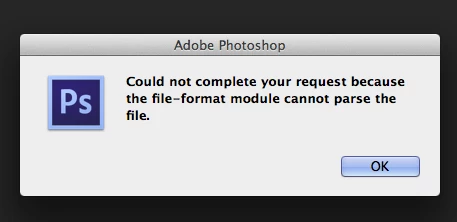
"Could not complete your request because the file-format module cannot parse the file."
Mac OS. Maverick
Photoshop CS6
This topic has been closed for replies.

88 replies

Legend
November 12, 2014
Yup. That's the issue. PSD saved with PNG extension. Preview opens it as PSD using the embedded preview.
Participating Frequently
November 12, 2014
Doesn't look like it kept the whole comment... anyway accidentally tried to open the file and it griped about a font (red flag) so I changed the extension to PSD and it opened as a layered PSD
Participating Frequently
November 12, 2014
was 6mb... did you see my whole diatribe on what I found or just the 1 and a half line comment it kept?
Legend
November 12, 2014
How big is the file?
Participating Frequently
November 12, 2014
which explains why preview could see the image...
Participating Frequently
November 12, 2014
OK more interesting... went to post one of the "bad" png files, as requested, but it was too big (s what hung us up...
Legend
November 12, 2014
Can you post one of the affected files?
Participating Frequently
November 12, 2014
James, Suddenly our whole shop has the same problem with PNG's as well... created by PS saved as PNG (non-interlaced)... won't read it back in. No altering of file extension or anything... preview sees it just fine. PSD won't recognize it, nor will Epson's Garment Creator. Did you have any luck yet?
Inspiring
July 23, 2014
Sorry, I should have mentioned that I've been doing this for 17 years. I didn't add a wrong file extension or anything of that nature. It's a png. Also, it is repeatable. If the file is corrupted, it would appear to be Photoshop that corrupted it, because I created the file in Photoshop. Strange that Photoshop would corrupt a file in such a way that Photoshop can't read it, but other software can.
Inspiring
July 23, 2014
Most likely you used the wrong file extension on the file (like putting PNG on the end of a JPEG file filename), but it is also possible that something in the file is corrupted (part that Preview doesn't read).