


Inspiring
March 28, 2014

P: Can't open PNG files

  • March 28, 2014
  • 88 replies
  • 1064 views

We can to view the png file in finder mode.
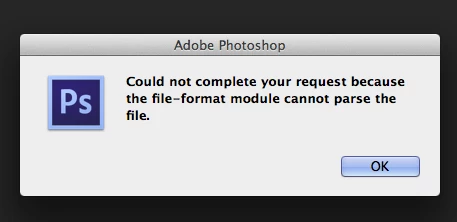
When we try to import png file, in the Photoshop, we receive the message:
"Could not complete your request because the file-format module cannot parse the file."
Mac OS. Maverick
Photoshop CS6
This topic has been closed for replies.

88 replies

Inspiring
February 19, 2015
I now have several png files for which this is the case. Saved from Photoshop using Save (not Save for Web) and then imported into Unity. It's possible that Unity may be making tiny modifications to the files, but I've never encountered this before. The Offending files are linked via the upload in this form (though they don't seem to appear, possibly because they're white & transparent).


Image is not available


Image is not available

Inspiring
January 28, 2015
just open that image in PAINT and save as .jpeg or .png it will work..
Participating Frequently
November 12, 2014
Will see if I can recover one...kneejerk reaction, sorry.
Legend
November 12, 2014
If you encounter again, be sure to save them. Sorry, I should have asked earlier on.
Legend
November 12, 2014
TimeMachine backup?
Participating Frequently
November 12, 2014
Rats... wish I would have thought of that. I was just too happy we fixed it.
Legend
November 12, 2014
Very strange. Do you have a copy of the bad prefs still?
Participating Frequently
November 12, 2014
Biggest hint was it saved too fast... usually the compressed PNG's hang out at around 90% or so as it finishes up... the bad ones saved instantly
Participating Frequently
November 12, 2014
Boom. Still a PSD in PNG clothing. Blitzed the PSD settings file on all machines & it fixed the issues. Latest variables were new Yosimite installs & new PSD updates...
Participating Frequently
November 12, 2014
here's the kicker... we did it again, I watched it CAREFULLY. Layered PSD, save as (unique name), PNG, Photoshop asked the right questions re: compression speed/ size & interlacing... looks like a PNG on the desktop... wait for it...