


Known Participant
January 8, 2014

P: Can't stretch palettes to full screen height in MacOS

  • January 8, 2014
  • 20 replies
  • 598 views

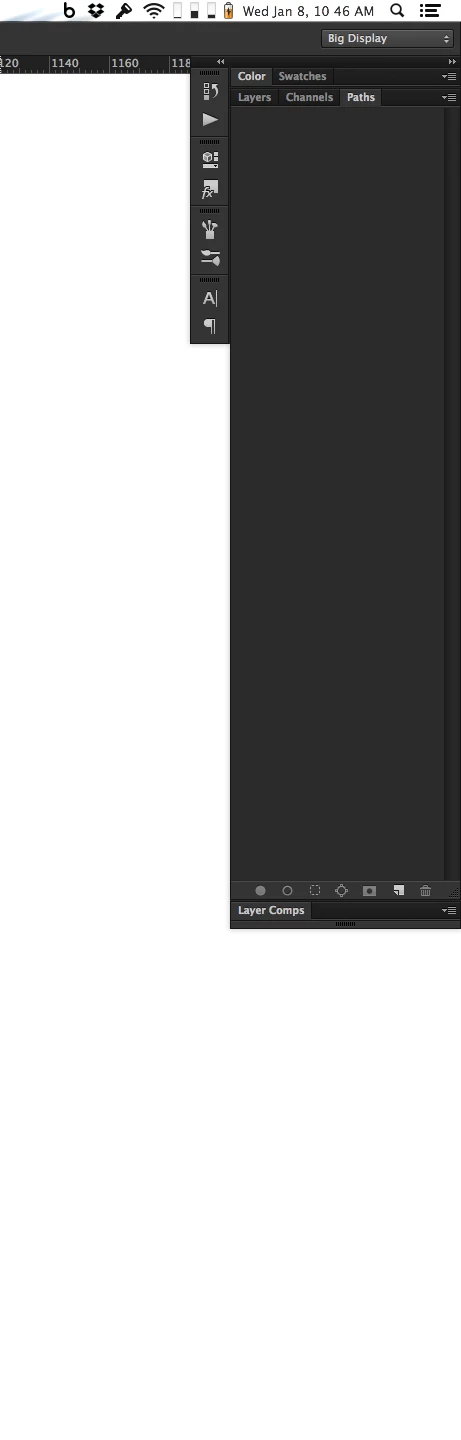
Currently, there seems to be a maximum height allowance on panels. Meaning that I can't get my Layers palette to run 100% of the height of my 1440 tall display.

I'd like to not have that restriction so I can use that whole height. It's not like that space below the panels is really usable in its current form. I guess I could just have more panels open to take up the space but that adds clutter and negatively impacts the effectiveness that a taller Layers palette could provide.
This topic has been closed for replies.

20 replies

Legend
February 19, 2020
This should be fixed in the 21.1 update that went out last night.
Known Participant
March 14, 2019
I don't think it fixed it 4 years ago... but it does fix it now
Known Participant
March 14, 2019
It's 5 years later. I haven't been using Photoshop as my main tool for years. Settling back into it, I'm getting into the groove again. Until this morning when I notice that I can't stretch my Layers palette all the way to the bottom of my screen. I google the problem, only to come upon my own post reporting the issue...

The good news is restarting Photoshop appears to fix the issue now.
Inspiring
October 12, 2015
12 months later and Photoshop CC (2015) issue still persistent! Hallooo? Anybody there?
Inspiring
October 23, 2014
Still present in Windows 8 x64, latest photoshop.

Can see by making layers palette the only one in its column. It does not need to be attached to the frame. Same max-height is there.

No on restarting.
Legend
October 23, 2014
If you quit and restart Photoshop will they stretch correctly?
Inspiring
October 23, 2014
Same problem.

MacBook Pro (Retina, Mid 2012)
OS: OSX 10.10 Yosemite
Processor: 2.6 GHz Intel Core i7
Memory: 8 GB 1600 MHz DDR3
Photohsop Version: 2014.2.0 Release
Inspiring
September 2, 2014
This problem also applies to Windows versions of photoshop, but application frame is only an option in Mac version.
Participating Frequently
May 13, 2014
FIXED - I think! The problem seems to be present only when I have the "application frame" active. But you can try this workaround:

1) go to the "Window" menu
2) 3rd from the very bottom, disable "application frame"
3) resize your Layers palette as needed
4) re-engage the "application frame" ... TA-DAAAAH!! 🙂
Participating Frequently
May 12, 2014
Just want to say I have the same issue, my layers palette won't go any higher than about 930 pixels. This is annoying as I've been used to using the whole height of my screen for layers, since I work with hundreds of layers when designing web pages.

I'm using an external 27" monitor at 2560x1440 and the MacBook is at max retina resolution (aka "more space"). My palettes are on the 27", but it doesn't help to move them to the MacBook screen, same max height.

Photoshop CC 14.2.1 64bit
Mac OS 10.9.2
15" MacBook Retina