
Participant
August 4, 2021

P: Color Distortion When Opening Images saved from Facebook in Photoshop 26.5

  • August 4, 2021
  • 75 답변들
  • 28209 조회

After updating to the latest version of Photoshop, we encountered an issue where images saved from Facebook from the previous year display color distortions when opened in the program. However, images saved recently from Facebook open without any issues and display correctly.
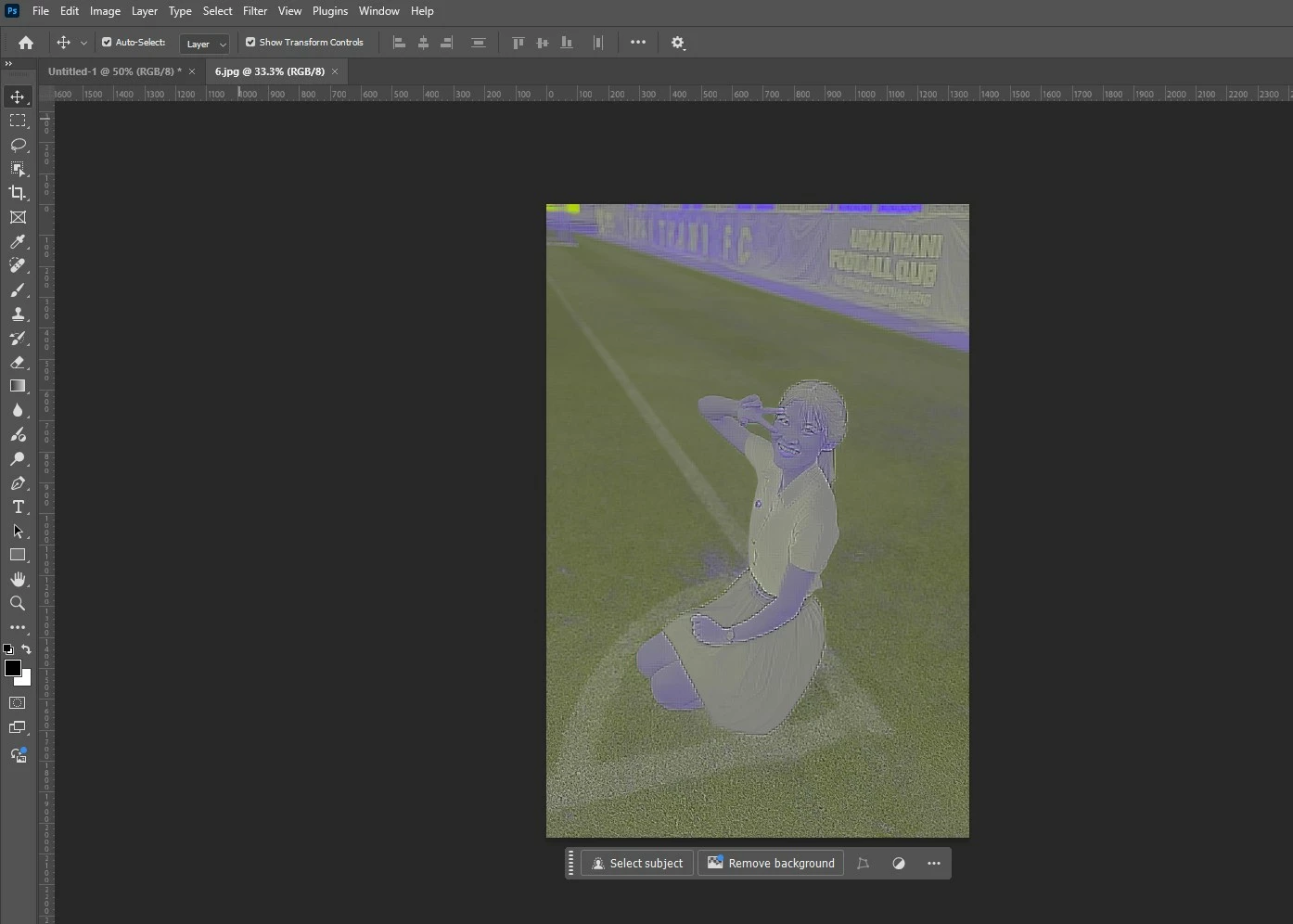
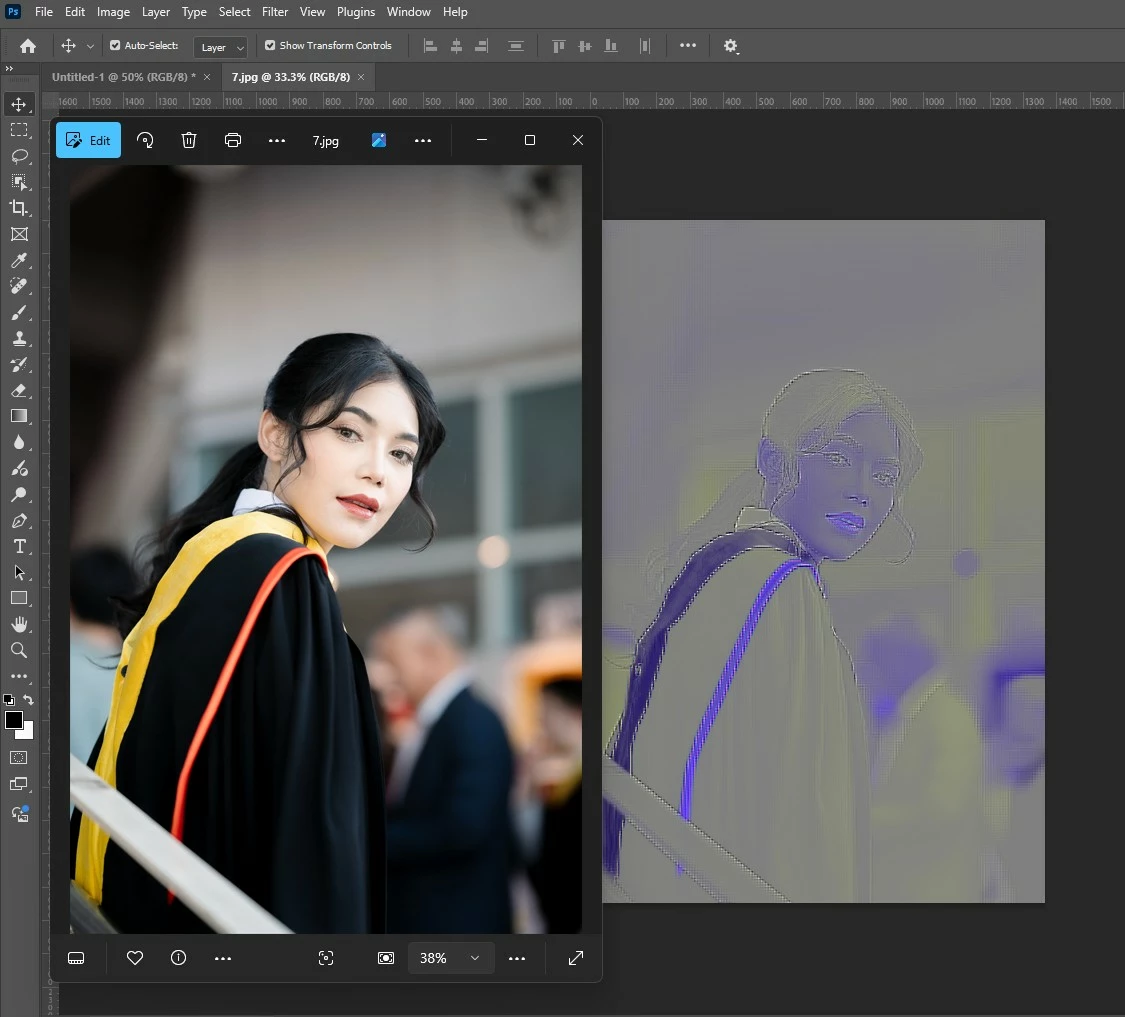


75 답변

Participant
September 3, 2025

Not working on my end. When I do this, photoshop either opens the jpg in camera raw or an error will appear "could no complete the command because the file format module.." any one has other solutions?

Participant
August 29, 2025

Has anyone figured this out??? I'm getting the same issues and the above solution isn't working. Its only images that I've imported from Facebook for some reason.

Inspiring
August 21, 2025

This doesn't exactly mitigate it as it adds another level of compression to the image unless you are careful and save it out in an uncompressed format from the other app.

Peer Norway
Participating Frequently
August 21, 2025

What about the issue of .JPG (.JPEG) files that might degrade (becomes more blurry, loosing both size, resolution and details) when edited and saved more times ? A possilbe way around this is after opening the photo in Photoshop and then open the photo in Preview mark the whole photo and copy it over to the file in Photoshop - will that affect low res. compressed files from Facebook ?

Known Participant
August 21, 2025

The issue is mitigated by opening and saving the image in another app so uRGB is at least part of the issue. Not that we need to waste any time trying to figure this out since it's not an issue on the consumer end of the stick.

Known Participant
August 21, 2025

If it was the uRGB profile assigning a different one would fix the color. It's something else.

Peer Norway
Participating Frequently
August 20, 2025

What is also bothersome is that at first you think there is something wrong with your computer, and you spend a lot of time troubleshooting and trying to figure out where the problem lies..

Inspiring
August 20, 2025

Agreed. This is insane. Even if there is a fault in the way Facebook (and others) are encoding their JPGs, the fact that every other app can decode them perfectly means Adobe is the outlier. With any image decoder you have to be defensive and pragmatic -- not everything will always match the spec, and often the spec is garbage anyway. Adobe should have fixed this the day it was first reported.

Peer Norway
Participating Frequently
August 20, 2025

I might have asked this before, but is it possible the reason this is happening is because pages like Facebook often downsize and lower the resolutino if the picture file appears too big - and maybe this process or the effect of this affects some files in Photoshop ?

Known Participant
August 20, 2025

Don't gaslight, please. This is a merged thread, there are now 8 pages filled with more than enough supplied screenshots and detailed information. Yes, this is a 4 year old issue that still hasn't been resolved. "The team is investigating this" was said April 29, 2025. Nothing changed, Photoshop is still, as far as I can tell, the only software uncapable of properly opening Facebook images, an industry standard at that, too.


It's pretty infuriating to have to jump through hurdles instead of simply opening an outlier jpeg 4 years after the fact.


The issue is well documented and we know what the issue is - the uRGB profile. Here is a recent example to humor you.
