
Inspiring
Dec 7, 2018 6:08 PM UTC
Not Prioritized

P: Content aware tool not working

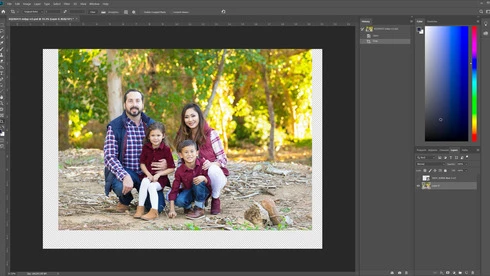
I'm trying to extend an image and when using the crop tool with the content aware box checked, it does nothing. I just used this tool yesterday with no problems. I'm assuming an update bug broke it. Any ideas??
This topic is closed to new replies. Start a new post to keep the conversation going.

14 replies

DaveMan1000
Participant
Oct 8, 2024 4:30 PM UTC

Literally using it now and it just stopped working. Every time a select the option, it does absolutely nothing, as if the selection was never even made.


Quiting a relaunching didn't fix it.

Translate
Mohit Goyal
Community Manager
Community Manager
Jul 10, 2023 11:28 AM UTC

Hi all,


I know that many of you are already familiar with the "Content Aware Fill" tool in Photoshop, but I wanted to share a quick tip to help ensure that you use it correctly. It's important to note that at times the tool may be greyed out due to an incorrect workflow, so I hope this tip will be helpful for all levels of experience.


Quick Tip: https://community.adobe.com/t5/photoshop-ecosystem-discussions/quick-tips-how-to-use-content-aware-f...


Hope it helps.


Thanks,

Mohit

Translate
Inspiring
Jul 28, 2021 8:11 PM UTC

@Johan_Elzenga

Thanks Johan, I did activated the screenshot for the menu bar, now is working. Great tool.

Translate
Participant
Jan 6, 2021 7:57 PM UTC

Make sure your layer isn’t locked 

Translate
Participant
Jan 6, 2021 7:57 PM UTC

Make sure your layer isn’t locked. 

Translate
Hannah Nicollet
Community Manager
Community Manager
Mar 4, 2020 1:57 AM UTC
Thanks for letting us know Paul. I'm looking into it and I'll update when I know more. Offhand I wouldn't think your OS would be related, but thanks for including that information. 

Hannah
Translate
Participant
Mar 4, 2020 12:50 AM UTC
I've been using both Edit>Fill>Content Aware and the Edit>Content Aware Fill approaches with no problem.  Not until just now, that is.  And they both worked fine a few days ago.  When the suggestions offered here didn't work, I decided to bang my head against it with something else.  My selection had been made by Ctrl-clicking an old mask and inverting it.  (I'm reworking an image I'd done probably about five years ago.)  I replaced that selection with one made with the Lasso tool, and Edit>Content Aware Fill worked just like it's supposed to.  Trouble is, I have no idea why.  You'd hope it wouldn't matter how the selection was made.
Translate
Inspiring
Feb 29, 2020 3:53 PM UTC
Hannah - same problem with me now. Started happening this month. Before, when I used crop tool the content aware button was available whether a smart object or not. Now it's not there. I have two computers - one with Mac OS Catalina (no problems with that) and one with Mojave (where the problems lie). I don't want to update the Mojave due to its issues with other software that won't run on it. So - is it OS that's the problem, or something else? Thanks.
Translate
Joel xo
Inspiring
Sep 27, 2019 10:55 PM UTC
I think I may have figured it out. Seems to happen when there’s multiple layers and a Background layer. Turning the Background into a regular layer makes it work.
Translate
Hannah Nicollet
Community Manager
Community Manager
Sep 26, 2019 9:05 PM UTC
Hi Jody,

Do you recall when you started seeing this? What was the last version you recall using of Photoshop where Content-Aware Scale worked? I'm trying to determine the version where it first broke.

Thank you,
Hannah
Translate