Participant
October 29, 2014

P: Could not complete your request because of a program error.

  • October 29, 2014
  • 170 replies
  • 3340 views

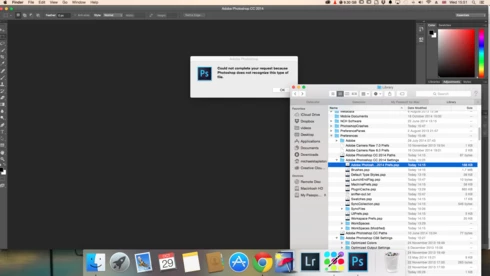
i keep getting this message when i try to do anything in photoshop a second time what i mean is when first opened photoshop works when i close the first image the go to do anything else i get the message: Could not complete your request because of a program error.i have uninstalled and reinstalled photoshop cc but no difference i have taken a couple of screen shots which i hope will give you more information
i hope you can solve this problem as i am at my wits end

This topic has been closed for replies.

170 replies

Inspiring
December 11, 2014
You mean on ~/Library/Application Support/Adobe ?
labfly
Participating Frequently
December 11, 2014
I went into Adobe Info, unlocked it and clicked the gear and selected "Apply to Enclosed Items" - made my admin read + write and read only for others. (described above)
Inspiring
December 11, 2014
"Collection was mutated while being enumerated. "

That isn't a Photoshop error message.
Which product and version are you using?
Biddlebugs
Participating Frequently
December 11, 2014
So, just changed permission on the "Application Support" folder...and was able to open about 10 PSD files before the error message appeared.

CMD + O = *** Collection was mutated while being enumerated.

File > Open = Could not complete your request because of a program error.
Inspiring
December 11, 2014
Which folder had the permissions problem?
labfly
Participating Frequently
December 10, 2014
My reinstall didn't work. Went into Sharing and Permissions and now it appears to be working. Thank you!
Biddlebugs
Participating Frequently
December 10, 2014
Yes. did that.
Legend
December 10, 2014
Just to confirm, you clicked the little gear icon in the File Info dialog and selected ""Apply to enclosed items"?
splashby2
Participating Frequently
December 10, 2014
Update...as it turns out mine will open 'recent files'...but not from open>
Biddlebugs
Participating Frequently
December 10, 2014
Unfortunately - Still getting the error message after 1st open..at times it allows me to open two documents...last attempt was able to open three before the error message appeared.