Participant
October 29, 2014

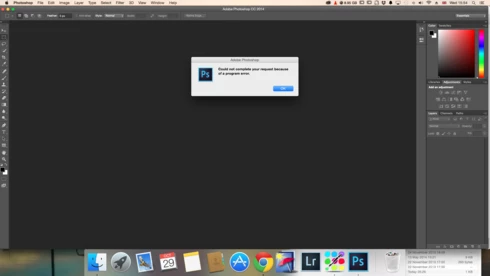
P: Could not complete your request because of a program error.

  • October 29, 2014
  • 170 replies
  • 3366 views

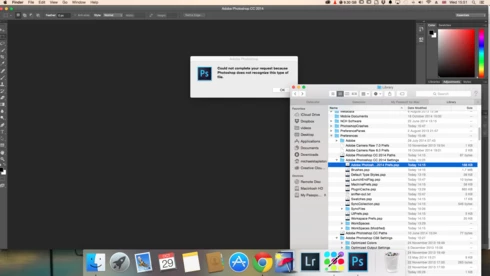
i keep getting this message when i try to do anything in photoshop a second time what i mean is when first opened photoshop works when i close the first image the go to do anything else i get the message: Could not complete your request because of a program error.i have uninstalled and reinstalled photoshop cc but no difference i have taken a couple of screen shots which i hope will give you more information
i hope you can solve this problem as i am at my wits end

This topic has been closed for replies.

170 replies

Inspiring
October 30, 2014
This is also happening to me. Ever since I updated both Ps and OX to Yosemite 10.10. I went so far as to uninstall all my Adobe Apps and delete the preferences folders.

I then reinstalled and still have the prob. Now I can't seem to find the PSErrorLog.txt

When I first open Ps I can open files but when I go to 'place embedded' I receive the error and then I cannot Open files either.
Legend
October 30, 2014
Hi Jules, wondering if this is a problem with Mission Control/spaces.

If you try the solutions in this document: http://helpx.adobe.com/photoshop/kb/p... - does the problem go away?
Participating Frequently
October 30, 2014
Thank you Chris. If you need any more information just let me know. It is not a blocker, rather a minor annoyance.
Inspiring
October 30, 2014
The positions getting reset would be due to the OS telling Photoshop that the display they should appear on no longer exists.

We'll have to do more testing and see if we can reproduce this bug in MacOS 10.10, and get enough information for Apple to find and fix it.
Participating Frequently
October 30, 2014
Oh I'm sorry - also I have Display mirroring Off.
Participating Frequently
October 30, 2014
I'm using one extra monitor with OSX Yosemite. When I wake up my Mac from sleep it takes about 2-3 seconds to realize it has the extra monitor attached. I have noticed that the position of the popup windows in Photoshop gets reset as well from time to time which turns out to be a bit annoying as well (it defaults on my Mac screen even if I work on the external monitor). This error appears whenever I want to trigger file selection window - e.g. choosing to load a color swatch, opening a file, open as... etc.
Inspiring
October 30, 2014
Somehow the OS is giving Photoshop a different number of monitors at different times. We have seen that happen before when MacOS woke from sleep, and it told Photoshop that zero displays were attached -- but I thought Apple had fixed that bug in MacOS 10.9.something.

Basically the OS says "this window is on device 3",and when we ask for the list of devices it says "you have 1 display device" (or something lower than the number it gave us for the device in use). We then error check the device index before using the list of devices, so that it won't crash -- and that generates the program error.

What MacOS version are you using?
How many displays do you have attached?
Do you have your system setup to mirror any of the displays (like to a projector)?
Participating Frequently
October 29, 2014
This is happening every time you leave Photoshop running and Mac goes to Sleep. Solution is to restart the whole thing.
Participating Frequently
October 29, 2014
main/photoshop/sources/UColorSpec.cpp : 670 : REQUIRE failed
2014:10:27 16:43:47 : /Volumes/workarea/PS_15_Mac_Daily_Retail/20141014.r.257/photoshop/main/photoshop/sources/UColorSpec.cpp : 670 : REQUIRE failed
2014:10:27 16:43:48 : /Volumes/workarea/PS_15_Mac_Daily_Retail/20141014.r.257/photoshop/main/photoshop/sources/UColorSpec.cpp : 670 : REQUIRE failed
Legend
October 29, 2014
Can you post the contents of the Photoshop Program Error Log:

Users/[user name]/Library/Preferences/Adobe Photoshop CC Settings/PSErrorLog.txt

You may need to use Method two in this document to access hidden user library files in OS X 10.7 or later: http://helpx.adobe.com/x-productkb/gl...