


RosaPerry
Inspiring
October 19, 2018

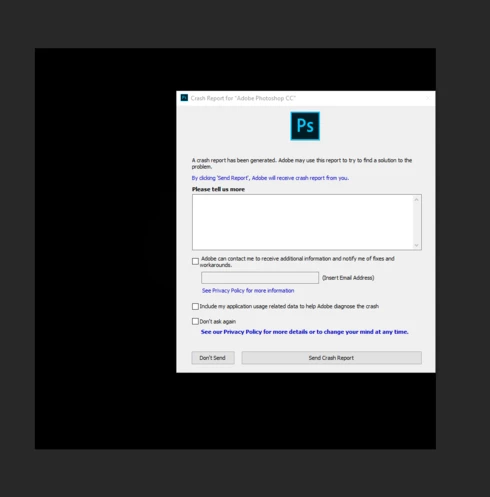
P: Crashes when using the filter Lighting Effects

  • October 19, 2018
  • 67 replies
  • 1998 views

I'm just not happy with this version of PS - it's buggy and frustrating. 

  • When using Filter, Render, Lighting Effects PS crashes every single time. 
  • I've also reported on this forum the problems with the Adjustment Layers and using Blend  modes. They are not working as they should. 
  • The Constrain Link doesn't work. It's a bug. . . and yes I know that you don't hold Shift to maintain aspect ratio now but when you un-check the Maintain Aspect Ratio constrain link on the toolbar and then use transform it still maintains aspect ratio. . .  un-checking the link should disable aspect ratio shouldn't it? The shift key + transform disables aspect ratio but doesn't correspond with the constrain link on the tool bar.


https://feedback.photoshop.com/photoshop_family/topics/cc-2019-blend-modes-not-working

https://feedback.photoshop.com/photoshop_family/topics/cc-2019-layer-blend-mode-color-isnt-working-c...

https://feedback.photoshop.com/photoshop_family/topics/free-transform-maintain-aspect-ratio-broken-a...


 Adobe Photoshop Version: 20.0.0 20180920.r.24 2018/09/20: 1193433  x64
Number of Launches: 1225
Operating System: Windows 10 64-bit
Version: 10 or greater 10.0.17134.1
System architecture: Intel CPU Family:6, Model:14, Stepping:3 with MMX, SSE Integer, SSE FP, SSE2, SSE3, SSE4.1, SSE4.2, AVX, AVX2, HyperThreading
Physical processor count: 4
Logical processor count: 8
Processor speed: 3 MHz
Built-in memory: 32627 MB
Free memory: 19421 MB
Memory available to Photoshop: 29878 MB
Memory used by Photoshop: 65 %
Alias Layers: Disabled.
Modifier Palette: Enabled.
Highbeam: Enabled.
Image tile size: 1024K
Image cache levels: 4
Font Preview: Huge
TextComposer: Latin
Display: 1
Display Bounds: top=0, left=0, bottom=1200, right=1920
OpenGL Drawing: Enabled.
OpenGL Allow Old GPUs: Not Detected.
OpenGL Drawing Mode: Advanced
OpenGL Allow Normal Mode: True.

This topic has been closed for replies.

67 replies

RosaPerry
RosaPerryAuthor
Inspiring
January 16, 2019
All is working how it should.

I used the Lighting Effects on both a normal layer and a smart object and no crashing whatsoever after updating to 20.0.2 . I'm quite pleased at how quickly the filter rendered also.

Thanks Jeffrey

I must mention that I tried the Lighting Effects on 50% grey layer as well. 

All exports as should and can re open psd and all Lighting Effects are as normal. I noticed on another forum that there were issues with the Lighting Effects filter when saving.  Hope this helps.
 
I have no problem with the Lighting Effects after the 20.0.2 update.
Windows 10 OS
GeForce GTX 970 Latest version

Rosa
Inspiring
January 16, 2019
Jeffery,

I tested the Lighting Effects filter after updating to PS 20.0.2. I used it on both normal layers as well as Smart Objects. When I accept the changes they are rendered very quickly with no crashing. Earlier I experienced repeatable crashes with version 20.0.1 with or without Legacy Rendering selected. For this latest testing I unchecked 'Use Legacy Rendering' in Preferences.

My OS is Win 7 Professional SP1 fully updated. It appears this issue is fixed at least in my case.
Legend
January 15, 2019
Rosa, can you tell me if you're still experiencing crashes using Lighting Effects after updating to 20.0.2?
florianb51256418
Participating Frequently
January 9, 2019
Thx Lisa, I did it and it works now. 
Thx
florianb51256418
Participating Frequently
January 9, 2019
Thx Lisa, I did it and it works now. 
Thx
lisagordonphotography
Participant
January 8, 2019
In Photoshop, go to File—>Open as Smart Object. Then just choose the photo you want to open.
lisagordonphotography
Participant
January 8, 2019
In P
florianb51256418
Participating Frequently
January 8, 2019
how????
lisagordonphotography
Participant
January 7, 2019
Indeed it does. A workaround is to convert to a Smart Object.
florianb51256418
Participating Frequently
January 6, 2019
I agree