


RosaPerry
Inspiring
October 19, 2018

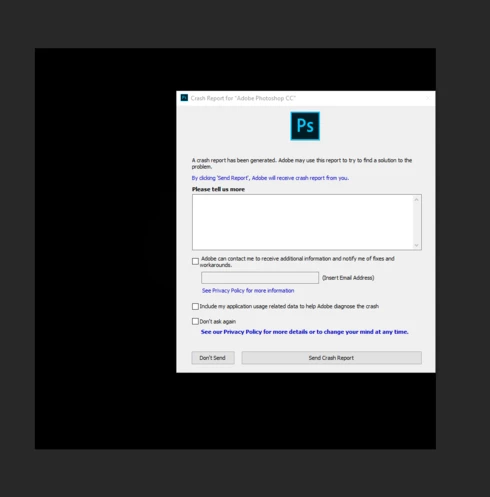
P: Crashes when using the filter Lighting Effects

  • October 19, 2018
  • 67 replies
  • 2002 views

I'm just not happy with this version of PS - it's buggy and frustrating. 

  • When using Filter, Render, Lighting Effects PS crashes every single time. 
  • I've also reported on this forum the problems with the Adjustment Layers and using Blend  modes. They are not working as they should. 
  • The Constrain Link doesn't work. It's a bug. . . and yes I know that you don't hold Shift to maintain aspect ratio now but when you un-check the Maintain Aspect Ratio constrain link on the toolbar and then use transform it still maintains aspect ratio. . .  un-checking the link should disable aspect ratio shouldn't it? The shift key + transform disables aspect ratio but doesn't correspond with the constrain link on the tool bar.


https://feedback.photoshop.com/photoshop_family/topics/cc-2019-blend-modes-not-working

https://feedback.photoshop.com/photoshop_family/topics/cc-2019-layer-blend-mode-color-isnt-working-c...

https://feedback.photoshop.com/photoshop_family/topics/free-transform-maintain-aspect-ratio-broken-a...


 Adobe Photoshop Version: 20.0.0 20180920.r.24 2018/09/20: 1193433  x64
Number of Launches: 1225
Operating System: Windows 10 64-bit
Version: 10 or greater 10.0.17134.1
System architecture: Intel CPU Family:6, Model:14, Stepping:3 with MMX, SSE Integer, SSE FP, SSE2, SSE3, SSE4.1, SSE4.2, AVX, AVX2, HyperThreading
Physical processor count: 4
Logical processor count: 8
Processor speed: 3 MHz
Built-in memory: 32627 MB
Free memory: 19421 MB
Memory available to Photoshop: 29878 MB
Memory used by Photoshop: 65 %
Alias Layers: Disabled.
Modifier Palette: Enabled.
Highbeam: Enabled.
Image tile size: 1024K
Image cache levels: 4
Font Preview: Huge
TextComposer: Latin
Display: 1
Display Bounds: top=0, left=0, bottom=1200, right=1920
OpenGL Drawing: Enabled.
OpenGL Allow Old GPUs: Not Detected.
OpenGL Drawing Mode: Advanced
OpenGL Allow Normal Mode: True.

This topic has been closed for replies.

67 replies

Legend
November 14, 2018
Thanks. I'll see if I can dig it out and figure out what you're hitting.
Participating Frequently
November 14, 2018
Yes with Lighting Effects. I did not provide the log mate, I might do so in the future.
Thing is, my time is better spent on creating imagery rather then beta testing so v19 will do for now.
It's not so much the hassle of sending the log, it's more the hassle of experiencing the crash which puts a halt on my workflow. It seems with v20 a crash (or other issue) is just around the corner. It's as if they switched engines instead of upgrading/refining the old one.
I have uninstalled v20 because it seems Lr gets confused running both versions.

Thanks though Jeffrey, take care.
Legend
November 14, 2018
Using Lighting Effects? Did you submit the log with your email? 
Participating Frequently
November 14, 2018
Nope, had another crash which did not happen in v19 performing the same steps. Back to v19 for me guys, I'll stick with this one for a while. The new Content Aware will be missed but I do prefer stability over new features.
Participating Frequently
November 14, 2018
Yup the crashing is no more so let me be the first to say thanks to technical support for forwarding this and keeping us updated and many thanks to the Adobe team of course for fixing this issue in such a short timeframe.

Sahil.Chawla
Adobe Employee
Adobe Employee
November 14, 2018

Hi all,


We are happy to announce the release of Photoshop CC 20.0.1

This update includes fixes to some of the top customer reported issues among other bug fixes. 

See what’s fixed

To update Photoshop CC to 20.0.1, click "Update" in the Creative Cloud desktop app next to Photoshop CC. More detailed instructions for updating


Regards,

Sahil
Participating Frequently
November 3, 2018
If I want to change the default "Edit In" app within Lightroom to the previous version of Photoshop (having both installed obviously) how would I do that? I know my way around so I am willing to edit a prefs file. I've already changed file associations for PSD, TIFF, JPG and RAW files to the older version in Bridge.

Update: since I use Lighting Effects on a regular basis and because I don't know how to solve the above issue I have uninstalled Photoshop v20. Lightroom went back to v19 (2018) as the default Edit In app, so did all file type associations in bridge.
RosaPerry
RosaPerryAuthor
Inspiring
November 3, 2018
Me too!
Rosa
Participating Frequently
November 3, 2018
v20 feels like I have just downgraded my hardware.
v19 feels a lot faster, snappier, for starters boot time went from 3s (v19) to +10s (v20)
I trust though they get things fixed with an update. A few things (amongst others) that should receive priority is the Lighting Effects crash bug because many of us use this on a daily basis in our work and the Transform issues that hopefully will receive a prefs setting that allows us to use the old method. With time I'm sure we could all adapt to the new transform method but Adobe please imagine it's almost like putting our gear stick on the other side.
As an engineer I would be all over this btw just so I could receive all the love after fixing these issues.
Anyway, I'll stick with v19 for now until things are more ironed out.
RosaPerry
RosaPerryAuthor
Inspiring
November 3, 2018
There is a bug with the constrain link on the toolbar which I've submitted as a separate issue. It doesn't work in V20.0 
Rosa