


P: Crashes when using the filter Lighting Effects
I'm just not happy with this version of PS - it's buggy and frustrating.
- When using Filter, Render, Lighting Effects PS crashes every single time.
- I've also reported on this forum the problems with the Adjustment Layers and using Blend modes. They are not working as they should.
- The Constrain Link doesn't work. It's a bug. . . and yes I know that you don't hold Shift to maintain aspect ratio now but when you un-check the Maintain Aspect Ratio constrain link on the toolbar and then use transform it still maintains aspect ratio. . . un-checking the link should disable aspect ratio shouldn't it? The shift key + transform disables aspect ratio but doesn't correspond with the constrain link on the tool bar.
https://feedback.photoshop.com/photoshop_family/topics/cc-2019-blend-modes-not-working
https://feedback.photoshop.com/photoshop_family/topics/cc-2019-layer-blend-mode-color-isnt-working-c...
https://feedback.photoshop.com/photoshop_family/topics/free-transform-maintain-aspect-ratio-broken-a...
Adobe Photoshop Version: 20.0.0 20180920.r.24 2018/09/20: 1193433 x64
Number of Launches: 1225
Operating System: Windows 10 64-bit
Version: 10 or greater 10.0.17134.1
System architecture: Intel CPU Family:6, Model:14, Stepping:3 with MMX, SSE Integer, SSE FP, SSE2, SSE3, SSE4.1, SSE4.2, AVX, AVX2, HyperThreading
Physical processor count: 4
Logical processor count: 8
Processor speed: 3 MHz
Built-in memory: 32627 MB
Free memory: 19421 MB
Memory available to Photoshop: 29878 MB
Memory used by Photoshop: 65 %
Alias Layers: Disabled.
Modifier Palette: Enabled.
Highbeam: Enabled.
Image tile size: 1024K
Image cache levels: 4
Font Preview: Huge
TextComposer: Latin
Display: 1
Display Bounds: top=0, left=0, bottom=1200, right=1920
OpenGL Drawing: Enabled.
OpenGL Allow Old GPUs: Not Detected.
OpenGL Drawing Mode: Advanced
OpenGL Allow Normal Mode: True.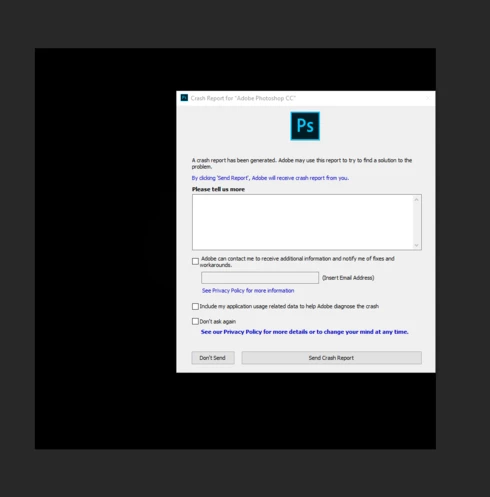
 AdChoices