



RosaPerry
Inspiring
October 19, 2018

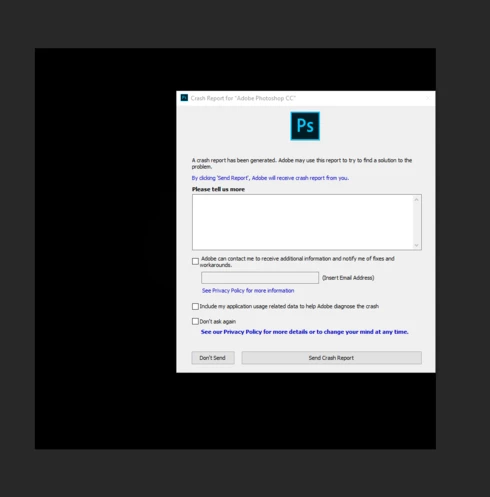
P: Crashes when using the filter Lighting Effects

  • October 19, 2018
  • 67 replies
  • 2003 views

I'm just not happy with this version of PS - it's buggy and frustrating. 

  • When using Filter, Render, Lighting Effects PS crashes every single time. 
  • I've also reported on this forum the problems with the Adjustment Layers and using Blend  modes. They are not working as they should. 
  • The Constrain Link doesn't work. It's a bug. . . and yes I know that you don't hold Shift to maintain aspect ratio now but when you un-check the Maintain Aspect Ratio constrain link on the toolbar and then use transform it still maintains aspect ratio. . .  un-checking the link should disable aspect ratio shouldn't it? The shift key + transform disables aspect ratio but doesn't correspond with the constrain link on the tool bar.


https://feedback.photoshop.com/photoshop_family/topics/cc-2019-blend-modes-not-working

https://feedback.photoshop.com/photoshop_family/topics/cc-2019-layer-blend-mode-color-isnt-working-c...

https://feedback.photoshop.com/photoshop_family/topics/free-transform-maintain-aspect-ratio-broken-a...


 Adobe Photoshop Version: 20.0.0 20180920.r.24 2018/09/20: 1193433  x64
Number of Launches: 1225
Operating System: Windows 10 64-bit
Version: 10 or greater 10.0.17134.1
System architecture: Intel CPU Family:6, Model:14, Stepping:3 with MMX, SSE Integer, SSE FP, SSE2, SSE3, SSE4.1, SSE4.2, AVX, AVX2, HyperThreading
Physical processor count: 4
Logical processor count: 8
Processor speed: 3 MHz
Built-in memory: 32627 MB
Free memory: 19421 MB
Memory available to Photoshop: 29878 MB
Memory used by Photoshop: 65 %
Alias Layers: Disabled.
Modifier Palette: Enabled.
Highbeam: Enabled.
Image tile size: 1024K
Image cache levels: 4
Font Preview: Huge
TextComposer: Latin
Display: 1
Display Bounds: top=0, left=0, bottom=1200, right=1920
OpenGL Drawing: Enabled.
OpenGL Allow Old GPUs: Not Detected.
OpenGL Drawing Mode: Advanced
OpenGL Allow Normal Mode: True.

This topic has been closed for replies.

67 replies

Inspiring
October 24, 2018
Just to add my input, I am experiencing all the same issues noted by Rosa in her post which started this thread. I am running Ps on a Windows 7 Pro 64-bit OS. Based on all the reports posted in this forum, PS version 20.0 is a very buggy release no matter the OS used.

Many business professionals depend on Adobe products for their livelihood. Adobe needs to step up their product evaluation process to avoid wasting their customer's valuable time. I vote for products stability over more features when a new version is released to the public.
RosaPerry
RosaPerryAuthor
Inspiring
October 24, 2018
Thank you.

Rosa
Inspiring
October 24, 2018
I have rhe same issue with filter/lighting effects.
Legend
October 24, 2018
Engineering is investigating this issue.
Inspiring
October 24, 2018
I have the same annoying problem! It didn't auto-recover either! I've lost hours of work ;'(
Inspiring
October 20, 2018
Same problem here !!!
Inspiring
October 19, 2018

I just followed a video about this filter (photoshop CC 2018) + dynamic object. https://youtu.be/8Gfx8JPpJrA 
and if the filter applied on a dynamic object, closes correctly, while in vcc2019, it does not close correctly !!!


If I use this filter in Photoshop CC 2018 (frenf version on macOS 10.14, when I close the filter interface, it automatically creates a 3D layer above the layer of the dynamic object used to launch the filter!


Je viens de suivre une vidéo parlant de ce filtre (photoshop CC 2018) + objet dynamique. https://youtu.be/8Gfx8JPpJrA

Si j'utilise ce filtre dans Photoshop CC 2018 (frenf version sur macOS 10.14 , lorsque je ferme l'interface du filtre, il se crée automatiquement un calque 3D au-dessus du calque de l'objet dynamique ayant servi pour lancer le filtre !


I specify, I reset the pref. from Photoshop

So there must be a problem in Photoshop

There are also sometimes craxh when you want to close the filter by OK ????


Je précise, j'ai réinitialisé les préf. de Photoshop

Il doit donc y avoir un problème sous Photoshop

Il y a aussi parfois des craxh lorsqu'on souhaite fermer le filtre par OK ????


Look at this new post (Yves Crausaz) https://feedback.photoshop.com/photoshop_family/topics/filter-effects-lighting-does-not-work-on-dyna...

Yves Crausaz, Suisse, retraité actif dans le monde de la photo et des arts graphiques.
Inspiring
October 19, 2018

I just followed a video about this filter (photoshop CC 2018) + dynamic object. https://youtu.be/8Gfx8JPpJrA 
and if the filter applied on a dynamic object, closes correctly, while in vcc2019, it does not close correctly !!!


If I use this filter in Photoshop CC 2018 (frenf version on macOS 10.14, when I close the filter interface, it automatically creates a 3D layer above the layer of the dynamic object used to launch the filter!


Je viens de suivre une vidéo parlant de ce filtre (photoshop CC 2018) + objet dynamique. https://youtu.be/8Gfx8JPpJrA

Si j'utilise ce filtre dans Photoshop CC 2018 (frenf version sur macOS 10.14 , lorsque je ferme l'interface du filtre, il se crée automatiquement un calque 3D au-dessus du calque de l'objet dynamique ayant servi pour lancer le filtre !


I specify, I reset the pref. from Photoshop

So there must be a problem in Photoshop

There are also sometimes craxh when you want to close the filter by OK ????


Je précise, j'ai réinitialisé les préf. de Photoshop

Il doit donc y avoir un problème sous Photoshop

Il y a aussi parfois des craxh lorsqu'on souhaite fermer le filtre par OK ????


Hi, if you go to Preferences > Performance, checking Legacy Compositing then restart photoshop maybe that will solve the issue.

No it's still the same behavior!


Yves Crausaz, Suisse, retraité actif dans le monde de la photo et des arts graphiques.
RosaPerry
RosaPerryAuthor
Inspiring
October 19, 2018
It would have been about 5-6 hrs ago now.
Rosa
Legend
October 19, 2018
Weird. Not coming up for me. How long ago? Wonder if there's some latency. I will keep checking.