Participating Frequently
October 25, 2013

P: CS6/CC Menus blank (white) Mavericks Mac OS X 10.9

  • October 25, 2013
  • 208 replies
  • 2463 views

Hello, I hope I am in the right place for this:

I am on a Mac 2.2 GHz Intel Core i7, with 16 GB 1333 MHz DDR3. I just installed OS Mavericks. I am running Photoshop CS6.

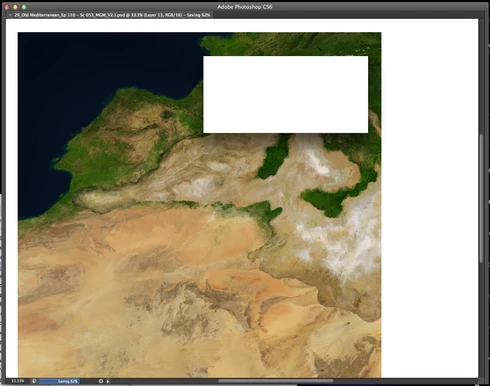
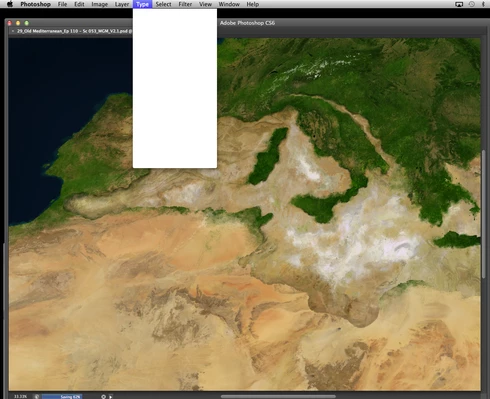
Randomly throughout using the program, my windows/palettes (i.e. the layers palette) will become white. Even the "Save" window menu will become white. It's still functional (if I press enter on the save menu, it will save), but I can't see any of the options. I've uninstalled the program and reinstalled. This has unfortunately not solved the problem. Please help

Thanks for the help in advance!

Michael
This topic has been closed for replies.

208 replies

Known Participant
January 29, 2014
OH Leo _ I did explaim that very point to them - the response was (in so many words) that it is not Apples job to make the OS (work) for software companies but the other way round, and that the software companies have all the tools and the responsibility to make sure their applications work with the latest OS

They were very clear on this point
Mac OS Sonoma, 64 GB RAM 27" 2019 iMac 3.6 GHz 8-Core Intel Core i9
Inspiring
January 29, 2014

Hi Chris,

Thank you for the information I test these first and see if it makes a difference. Unfortunately an update for PS app is not available CC is telling us everything is up to date is there another work around this?

Inspiring
January 28, 2014

Please see the previous posts about the plugin to work around the white menu issue in MacOS 10.9.

You haven't installed Photoshop 14.2 yet, and are a version behind.

Also, you should install MacOS 10.9.1, as it does fix some of the known bugs in MacOS 10.9.

Inspiring
January 28, 2014
Yes, as already stated, we are still working on these issues with Apple and Wacom.
Inspiring
January 28, 2014
I'm sorry that you spoke to someone at Apple who didn't have all the information on the issues in MacOS 10.9. You might want to ask them to check RADAR for all the open bugs filed against MacOS 10.9.
jimdoggs
Participating Frequently
January 28, 2014
Leo,

I failed to mention in my rant that we too, rolled back to mountain lion, with none, zilch, ZERO problems with ANY of our applications. So to Simon, tell Apple to explain that?....
Known Participant
January 28, 2014
Apple have informed me today that the problem unequivocally lies in Adobe's court
Mac OS Sonoma, 64 GB RAM 27" 2019 iMac 3.6 GHz 8-Core Intel Core i9
Inspiring
January 28, 2014
Hi,

Thanks for sharing your information James, sorry to hear about all the problems you are having as well as us.

We have tested the plug in today, it has some positive effect and minimizes the number of times white wall occurs but there are still many issues with lagging tools ect. We will be rolling back to mountain lion tomorrow and further testing Photoshop CC. I will provide an update on this tomorrow hopefully it will fix the issues.

Does anybody know if this is being looked at by Wacom, adobe and apple as I am sure it will almost certainly effect a lot of businesses and it almost renders photoshop useless, our productivity has taken a huge hit because of this. I can understand new systems take time to develop but these seem to be serious bugs.
Inspiring
January 28, 2014
Working on PS CS6 and Mavericks with a Wacom, Plug-In seemed to fix the white window issue thankfully. Still having the issues with the polygonal lasso tool and clone stamp.

Polygonal Lasso tool - it automatically connects after 3-4 points. If I use my mouse and not my pen it seems to allow a few more points to be added.

Clone Stamp - Freezes up a lot with lagging so you have to click in and out of photoshop for it to catch back up.
jimdoggs
Participating Frequently
January 28, 2014
Dear Leo,
I can relate as you and I have almost the same specs for the same equip, with unfortunately, the same problems. Have you checked your lasso tools? especially the polygonal tool? those bug out as well. Leo, this is all Mavericks fault. Thousands and thousands of hours were spent by me and my crew on THIS EXACT SAME TOPIC, and this is what we came up with: (bear with me as it is a bit to read)

we all shared in my office a late 2006 iMac with a 32G processor, and a gig of flash storage.Running on snow leopard. We ran photoshop cs3 With a wacom tab. No issues as you might expect.

- July 2012 we upgraded to Mountain Lion. No problems.
- January 2013, upgraded the Wacom Tablet. No problems.
- March 2013, upgraded to Photoshop cs6, Great move for the company. No problems.

- November 2013... ugh... We upgrade to.... Mavericks. All heck breaks lose. We notice IMMEDIATE problems. My employees couldn't mask(90% of our work flow)because of a lagging, freezing issues{mask tool would lock & you'd have to "click" out of the project to wake it up), clone stamp tool lagged, making cloning impossible. spot-healing tool was a nightmare-you would click on a zit, and....um...WHY ARE YOU STILL ON THE ZIT! you'd hove to click on a new area of the project to, again, "wake" it up, forcing you to find a new blemish to fix without knowing how your previous repair came out. And finally, the WHITE WALL issue as it has come to be known as on the internet. Drop down menus as well as options with in photoshop become white, looking like white walls. We come to the conclusion that a new iMac is in order, thinking that a new iMac would cure the problems due to the age of our current iMac.

- January 2014. We purchase a BRAND NEW late '13 iMac with almost the same specs, only this time i get 256g of flash storage as we now store 95% of our work on the device WD My Cloud and don't really need a ton of internal space. Additionally, i purchase the new Wacom Intuos touch 5, size medium, as Wacom products have always been great to us. The computer came out with Mountain Lion installed in it by default. We installed Photoshop CS6, the Tablet, and a few other apps(lightroom, Photomatix). I played with a test project and it ran BEAUTIFULLY! We were all exited! After restarting, the computer began looking for updates. A window popped up that 10.9.1 was available for download. Not really putting 2 and 2 together(not knowing 10.9.1 was the mavericks update), i clicked the UPDATE window. That Leo, was the shot heard 'round world! ALL THE PROBLEMS CAME BACK!! ALL OF THEM!! Remember, we went through 2 different machines, 2 different tablets.... The only common denominator? You guessed it-Mavericks.

Furthermore, besides Photoshop, our printer was no longer recognized by the iMac, when an hour prior, in Mountain Lion, it was. Too many coincidences for it NOT to be apples fault.

Download the plugin above. It will help with the White Wall issue, but your other Photoshop dilemmas will continue(i guarantee it). Let me know if you hear anything Leo, as were all in the same boat.